What's new

Portraits - C&C requested

reedjam99

TPF Noob!
Joined
Aug 20, 2010
Messages
51
Reaction score
0
Location
Ohio
Can others edit my Photos
Photos NOT OK to edit
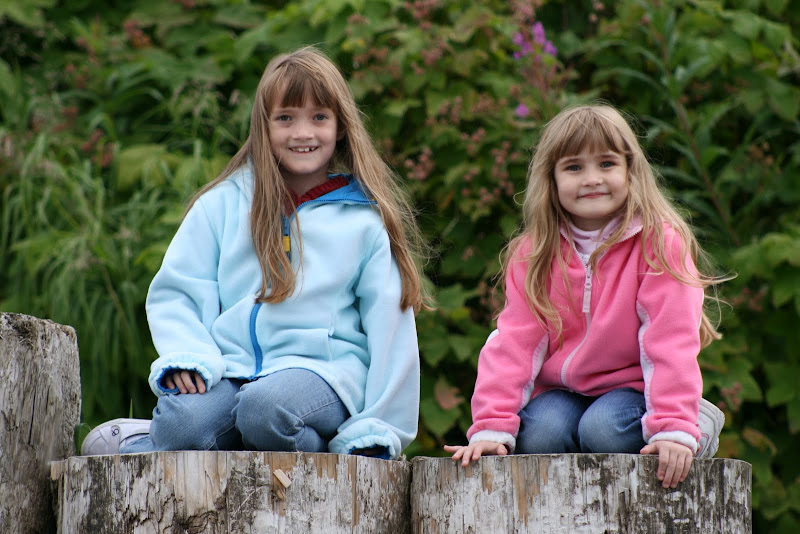
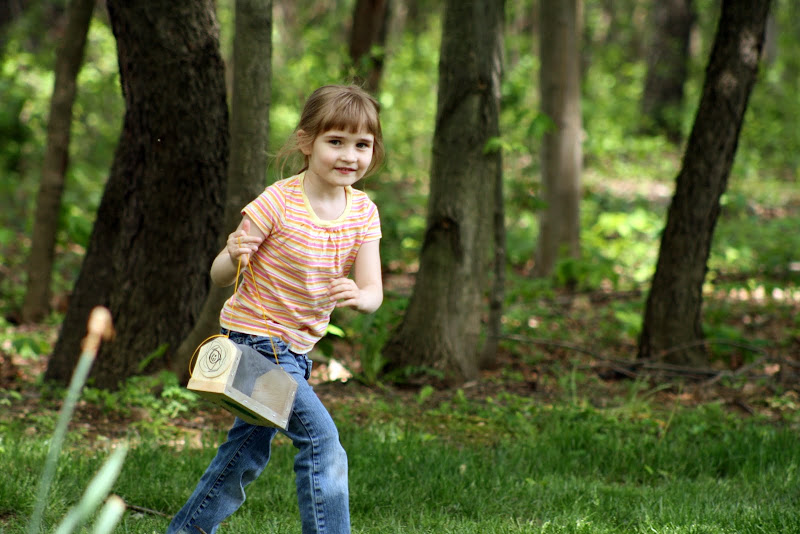
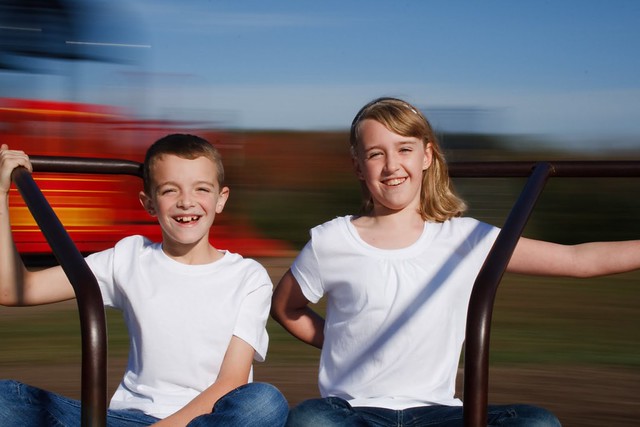
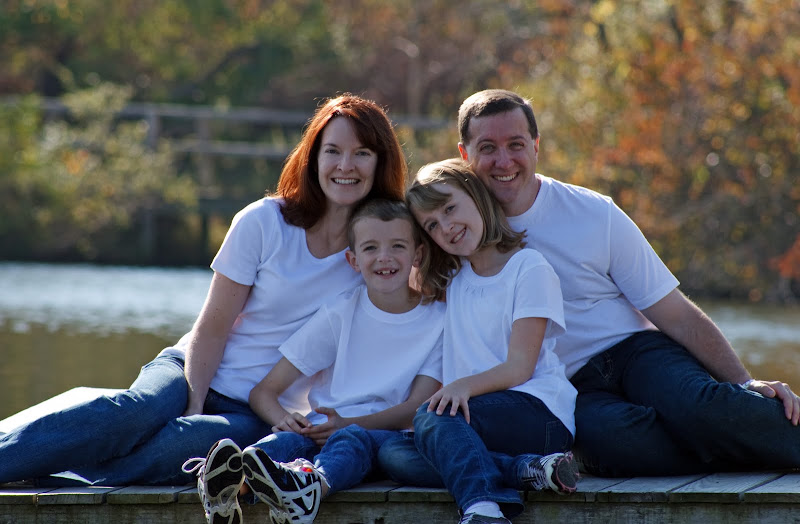
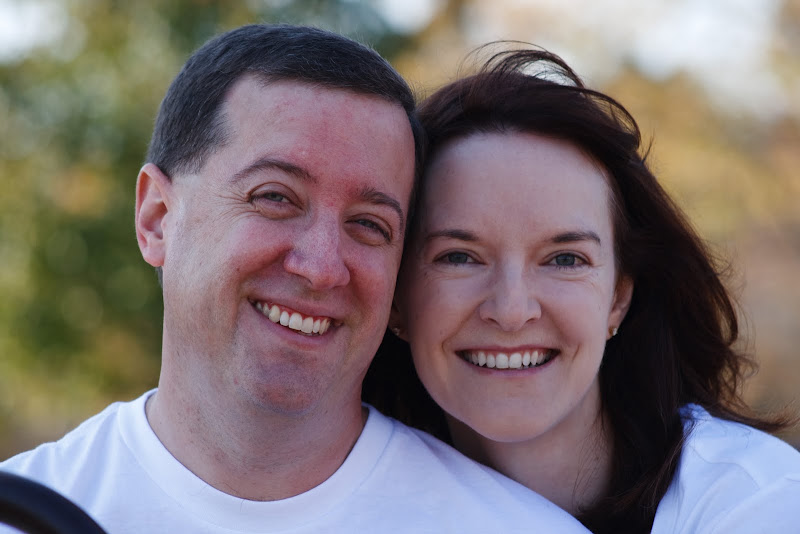
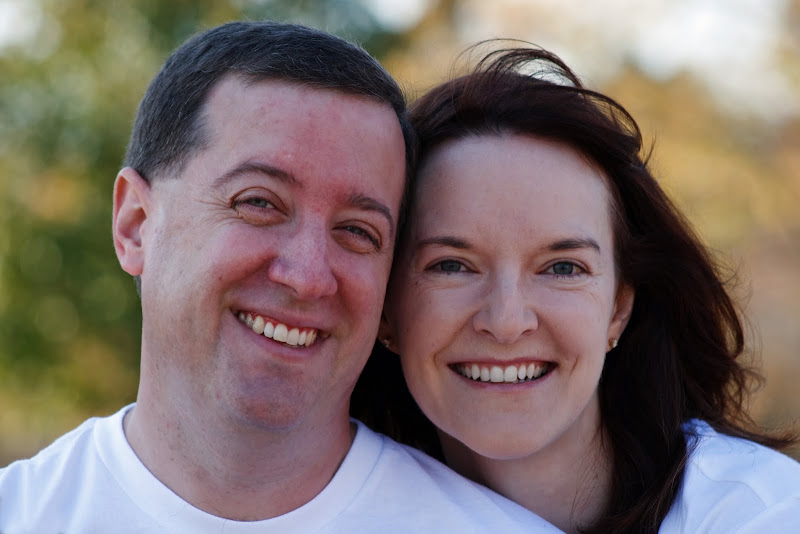
I've been doing some brush up on my portrait skills, and would appreciate some C&C. I'm certainly interested in any general suggestions, but in particular I'm interested in the flesh tones.

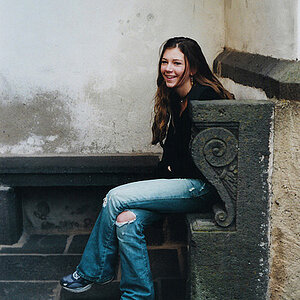
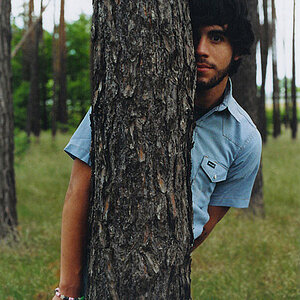
I think I'm alright on the first shot, but I'm concerned that the next three may all be slightly off. Are my eyes going bad, or is there a slight yellow/green tinge there? And if so, how do I go about adjusting that?

Thanks in advance!

#1
IMG_9201.jpg


#2
IMG_9308-2.jpg


#3
IMG_6673.JPG


#4
Playset-6.JPG

IEusG9LlF2JfyRV3asIAuTVOZoLUwiACiSt4Wxx_N8Q
 
#1 and 2 could have used some fill light or a relfector.
 
For all images:
check your WB, use a fill flash or reflector. You're lighting is flat (pretty boring) but your composition is well done (good job).
PM if you want to talk more about it :)
 
Thanks for the feedback guys.

I definitely see #2 as being too dark, didn't think #1 was though, but it seems pretty unanimous. I nearly bought a reflector before going out for to shoot this weekend (#1 and #2 were from Sunday). Looks like perhaps I ought to have.

As for the WB, I am doing some balancing. I'm shooting in RAW, and using a Whibal. There's definitely been improvement, but are you guys saying my balance is still off in #1 and #2?

As for #3 and #4, is there a greenish tint to those two or am I seeing things? They were shot in JPG with no Whibal.
 
Thanks for the feedback guys.

I definitely see #2 as being too dark, didn't think #1 was though, but it seems pretty unanimous. I nearly bought a reflector before going out for to shoot this weekend (#1 and #2 were from Sunday). Looks like perhaps I ought to have.

As for the WB, I am doing some balancing. I'm shooting in RAW, and using a Whibal. There's definitely been improvement, but are you guys saying my balance is still off in #1 and #2?

As for #3 and #4, is there a greenish tint to those two or am I seeing things? They were shot in JPG with no Whibal.

Definitely. The shirts are blue, big indicator..
 
Definitely. The shirts are blue, big indicator..

Damn, I didn't see that, I just thought they were shaded. But when I compare them to another from the same shoot they're definitely blue vs. the clean white in the one below. How do I adjust the white balance of my eyeballs? :lmao:

5093354356_29363f21cc_z.jpg
 
There appears to be a color cast on the white shirts. I don't think this is a white balance issue. Whatever was shading the people or reflecting on them could have caused the color cast.
 
Last edited:
def need some fill light, and there are some unfortunate crops...fingers toes feet etc.
 
Ok, I did some tweaking in Photoshop, which isn't my strong suit. What do you think.

Original
IMG_9201.jpg


Adjusted with Auto Fix
IMG_9201auto.jpg


And adjusted manually
IMG_9201colorcontrlevel.jpg


I think I prefer the second (manual), but am concerned it's still too dark.

Also, I did some skin smoothing on another shot from the same series. Is it ok, or too far?

Original
IMG_9039orig.jpg


Smoothed
IMG_9039.jpg


Thanks again for all the help guys. I know this is a lot on one series, but it's for family and I want to get it right ;)
 
#2 has the husbands feet cut in half. I dont know why but its buggin me :lol:
Everyone has already touched on the other, fill lighting, color slightly off, etc.
 

Create an account or login to comment

You must be a member in order to leave a comment

Create account

Create an account on our community. It's easy!

Log in

Already have an account? Log in here.

Back
Top Bottom