What's new

Portraits for C&C please...

indioli

TPF Noob!
Joined
Jul 24, 2011
Messages
95
Reaction score
19
Location
France
Can others edit my Photos
Photos OK to edit
Hi guys.
C&C please on these. I think my photo's are improving but am aware that I still have so much to learn that I cannot even begin to comprehend how much I have to learn...

1


untitled-31.jpg

2
No%2520evil%2520Final.jpg

3
Freya%2520%25289%2520of%252045%2529.jpg

4... Cropped in a bit tight?
Ellie%2520%25281%2520of%25201%2529.jpg

5
Daz%2526co%2520%25281%2520of%25202%2529.jpg
 
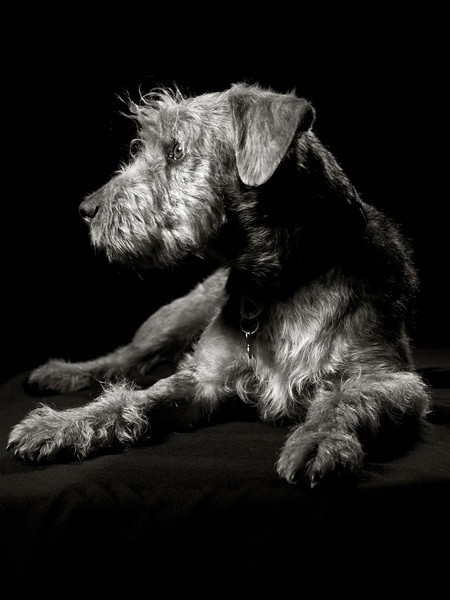
1. Your lighting seems a bit too hot for my tastes. The eyes also seem like they may be a bit overcooked, but that could just be me.

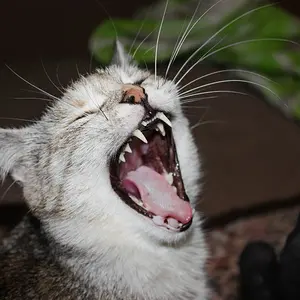
3. My first reaction was "WAAAAAAAAY too hot"... but then I kept looking at it... and it's... kinda neat. It's past the point of "hot" to where it could actually work (in my crazy messed up world :lol: ) I don't know how I feel about it yet. :lol: I think I might actually dig it. You get points for trying something out of the box though!

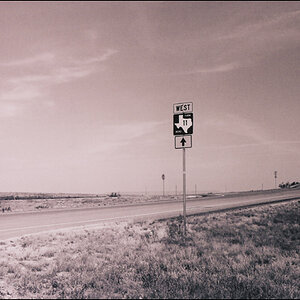
4. Yeah, cropped in too tight. And around her hair it looks rigid... like maybe you cut something out of the background and had to cut around her hair? Or am I just really sleep deprived?

5. Lighting is really nice... crop ... not so much, in my humble opinion. It probably could have benefitted from a bit more DOF... his lips and nose look a bit soft and that's throwing me off a little bit, haha.

Not bad, though! Keep practicing :sillysmi:
 
1. your subject is orange, you have cut her fingers off. your editing is very evident where you have cut her out and blew out the background to white in post. The eyes are very over sharp and the rest of the image feels like it's soft and almost out of focus because of the eyes. Sharpening the eyes is common practice, but it has to match the rest of the image.
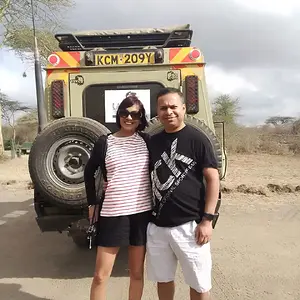
2. The series is out of focus. Especially the second and third ones. It's adorable! the contrast is losing you a lot of details. the face is a bit DARK compared to the dress. Converting to black and white should actually be done with color filters to allow you to decide what tones are darker and lighter-it's a little complicated and takes some real work to learn to create a good black and white.

3.I am sorry, that is creepy. There is a ghost of a face and BAM! The eyes.

4. YOur editing the background is EXTREMELY evident in this one. If you don't have the light power to blow white out to bright white don't shoot white. It will cause this problem every time. Your subject's face is MAGENTA/hot pink. The focus and everything look great. The cut of the dress does effect this image. If you had wanted to print thisas well as the others to any standard size but a 4x6 you would have MAJOR problems with the crop. Back up and leave yourself some room for crop in post processing. In doing so you won't crop important parts of the image either.

5.Your editing is very evident on this one too. The lens distortion makes this poor little one all forehead and ears.
The eyes are a LITTLE sharp, but it's pretty decent on the face. This is the best one of the lot.

 
I looking into buying some lights and I was just wondering what you use?
 
I looking into buying some lights and I was just wondering what you use?
You will get LOADS of help if you create a post and include your budget for lighting.
 
1. your subject is orange, you have cut her fingers off. your editing is very evident where you have cut her out and blew out the background to white in post. The eyes are very over sharp and the rest of the image feels like it's soft and almost out of focus because of the eyes. Sharpening the eyes is common practice, but it has to match the rest of the image.
2. The series is out of focus. Especially the second and third ones. It's adorable! the contrast is losing you a lot of details. the face is a bit DARK compared to the dress. Converting to black and white should actually be done with color filters to allow you to decide what tones are darker and lighter-it's a little complicated and takes some real work to learn to create a good black and white.

3.I am sorry, that is creepy. There is a ghost of a face and BAM! The eyes.

4. YOur editing the background is EXTREMELY evident in this one. If you don't have the light power to blow white out to bright white don't shoot white. It will cause this problem every time. Your subject's face is MAGENTA/hot pink. The focus and everything look great. The cut of the dress does effect this image. If you had wanted to print thisas well as the others to any standard size but a 4x6 you would have MAJOR problems with the crop. Back up and leave yourself some room for crop in post processing. In doing so you won't crop important parts of the image either.

5.Your editing is very evident on this one too. The lens distortion makes this poor little one all forehead and ears.
The eyes are a LITTLE sharp, but it's pretty decent on the face. This is the best one of the lot.

MLeek: I'm curious--can you describe what you see that makes it so evident to you that these photos are edited? I often worry about my own editing and whether I'm doing something that would be *obvious* to anyone else, or makes the photo look over-edited. I have pretty poor vision, including lots and lots of little floaters that make it very difficult to tell things like focus and over-sharpening...poor traits in a photographer, I know.
 
The jagged edges and very hard lines around the subject. You can do what you are doing, but you need to learn how to do it so it is natural looking. Its not easy or simple. It takes some painstaking selection and feathering of your selection. Much much easier to do in camera.
 
The jagged edges and very hard lines around the subject. You can do what you are doing, but you need to learn how to do it so it is natural looking. Its not easy or simple. It takes some painstaking selection and feathering of your selection. Much much easier to do in camera.

The background in #4 wasn't edited alone, I just adjusted the levels slightly throughout the whole image, but there are still shadows around the girl and also towards the edges. Should I have edited the colouring in her face to make it less pink?
I don't have an ideal lighting set up due to the fact that I'm mobile and have to set up in usually a very tight space. Hopefully this time next year I'll have a bit more space so people can come to me instead!

#5, I thought this image accentuated his eyes rather than his ears. here is another photo of the boy. What crop/angle do you think would have been the best option?
Thanks :)
Daz%2526co%2520%25282%2520of%25202%2529.jpg
 
Minor details to work out. They're cute and creative. That wins my vote.
 
If you don't have room shoot on a black background instead, this was shot in a 9'x9' space
IMG3977b-w-L.jpg
 
I like 5 a lot too, but I don't like the catch lights in the eye and I think you should really think about putting a stop to editing the back ground out. I'll do it for kids to put them on the moon and stuff because they like it but for portraits it shouldn't look like a cut out board. #2 looks so much more natural with the hair not looking cut out. I think for some things it's worth it but to me it seems like a lot of work if you planned on doing this to the majority of your shots. White paper is really cheap and the white background shots are the most noticeable.
 

Create an account or login to comment

You must be a member in order to leave a comment

Create account

Create an account on our community. It's easy!

Log in

Already have an account? Log in here.

Back
Top Bottom