Hi bazooka.....I am not trying to mess with specific settings, so I can't tell you much. So far, I have tried to take a picture of something in auto-mode and then use the manual settings to replicate that picture. (trial and error). My theory was that by trying different things, I would learn how the different settings work. But I am beginning to think I was a little ambitious and should go back and learn some basics first.
No no, this is good! Nothing overly ambitious about it. It's more simple than you're making out to be.
Your camera has three settings which determine how much light gets to the sensor... shutter speed, aperture, and ISO. These are the only 3 things that affect how much light gets to the sensor (white balance and scene processing is added after the fact, but can be changed if you shoot in RAW, but don't worry about this for now). Shutter speed is how much time any given pixel on the sensor is exposed to the scene. Aperture is how large the opening in the lens is when you trigger the shutter (aperture doesn't change until the shutter fires, which is why the viewfinder doesn't get lighter or darker as you adjust aperture). ISO is how sensitive the sensor is to light.
Each of these three things have 'side-effects' in addition to controlling the amount of light.
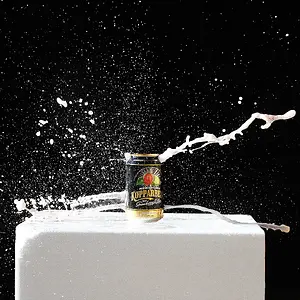
Shutter speed introduces action stopping speed (1/1000th of a second), or can blur even the slowest moving celestial bodies (2 minutes). Physically moving the camera while the shutter is open also causes motion blur of the entire scene, but this is almost always unwanted unless your going for something abstract.
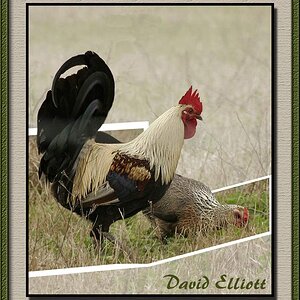
A large, wide open (f/1.4) aperture can give you a very thin area inside your image that is in focus while the rest is out of focus. A small aperture (f/16) can make that area (known as depth of field, or DoF) much deeper, bringing more of the scene into focus from front to back.
A high ISO makes the sensor more sensitive to light, requiring 'slower' shutter speed or smaller aperture, but it also generates noise in the image, which is usually undesirable.
These three attributes form the exposure triangle and they are all measured in 'f-stops' or just 'stops'. Each stop is a relative measure of light. One stop of ISO, is the same as one stop of aperture, which is the same as one stop of shutter speed.
Common ISO stops:
100, 200, 400, 800, 1600, 3200
100 to 200 is one stop faster. 200 to 100 is one stop slower. 800 to 100 is 3 stops slower. etc....
Shutter speed works the same way but is measured in seconds:
1/250", 1/120", 1/60", 1/30", 1/15", 1/4" etc....
Aperture:
f/1, f/1.4, f/2, f/2.8, f/4, f/5.6, f/8, f/11, f/16, f/22, f/32 etc...
So again, f/2 is one stop slower than f/1.4.
Now, go back to your experiment where you were trying to recreate your settings in manual. Put your camera on auto and halfway hold down the trigger. Take note of the Aperture, shutter speed, and ISO. Now, change the camera dial to "M" and set each of the settings to what auto had chosen for you. This will result in the exact same exposure.
Knowing this, you can now start making changes if you need a faster shutter speed or a deep depth of field... you know if you make a change to aperture to affect your depth of field, you have to make an equal combined change to shutter speed and/or ISO to compensate for that aperture change.
Probably clear as mud now, but just spend a few minutes looking through teh view finder and metering things in Aperture Priority mode and see how changing the aperture, makes and equal change to shutter speed. It will soon become second hand.



 Thanks again for the help!


![[No title]](/data/xfmg/thumbnail/39/39185-29433e4f46e4b0bd394d10962886594c.jpg?1734173059)
![[No title]](/data/xfmg/thumbnail/33/33874-2ac673051e59157729970fcb9b637b43.jpg?1734164219)
![[No title]](/data/xfmg/thumbnail/39/39491-353a6df9b207e97dadcdce4f98248fcd.jpg?1734173591)