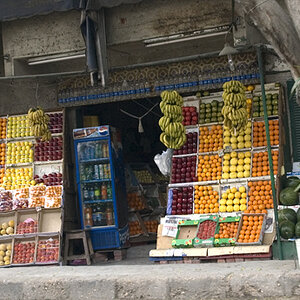
Part of it is probably the distance you are shooting at... F4 when close to the subject is going to have a much shallower DOF than when the subject is farther away... you can check that here:
Online Depth of Field Calculator
60D 85mm F4 at 2 ft (DOF is .02 feet)
[TABLE="class: resultsTable, width: 100%"]
[TR]
[TD="class: textClassResults, width: 55%, align: left"]Subject distance[/TD]
[TD="class: textClassResults, align: left"]2 ft[/TD]
[/TR]
[TR]
[TD="colspan: 2"][/TD]
[/TR]
[TR]
[TD="class: textClassResults, colspan: 2, align: left"]Depth of field[/TD]
[/TR]
[TR]
[TD="class: textClassResults"] Near limit[/TD]
[TD="class: textClassResults, align: left"]1.99 ft[/TD]
[/TR]
[TR]
[TD="class: textClassResults"] Far limit[/TD]
[TD="class: textClassResults, align: left"]2.01 ft[/TD]
[/TR]
[TR]
[TD="class: textClassResults"] Total[/TD]
[TD="class: textClassResults, align: left"]0.02 ft[/TD]
[/TR]
[TR]
[TD="colspan: 2"][/TD]
[/TR]
[TR]
[TD="class: textClassResults"] In front of subject[/TD]
[TD="class: textClassResults, align: left"]0.01 ft (50%)[/TD]
[/TR]
[TR]
[TD="class: textClassResults"] Behind subject[/TD]
[TD="class: textClassResults, align: left"]0.01 ft (50%)[/TD]
[/TR]
[TR]
[TD="colspan: 2"][/TD]
[/TR]
[TR]
[TD="class: textClassResults"]Hyperfocal distance[/TD]
[TD="class: textClassResults, align: left"]312.2 ft[/TD]
[/TR]
[TR]
[TD="class: textClassResults"]Circle of confusion[/TD]
[TD="class: textClassResults, align: left"]0.019 mm[/TD]
[/TR]
[/TABLE]
60D 85mm F4 at 10 ft (DOF is .62 feet)
[TABLE="class: resultsTable, width: 100%"]
[TR]
[TD="class: textClassResults, width: 55%, align: left"]Subject distance[/TD]
[TD="class: textClassResults, align: left"]10 ft[/TD]
[/TR]
[TR]
[TD="colspan: 2"][/TD]
[/TR]
[TR]
[TD="class: textClassResults, colspan: 2, align: left"]Depth of field[/TD]
[/TR]
[TR]
[TD="class: textClassResults"] Near limit[/TD]
[TD="class: textClassResults, align: left"]9.7 ft[/TD]
[/TR]
[TR]
[TD="class: textClassResults"] Far limit[/TD]
[TD="class: textClassResults, align: left"]10.3 ft[/TD]
[/TR]
[TR]
[TD="class: textClassResults"] Total[/TD]
[TD="class: textClassResults, align: left"]0.62 ft[/TD]
[/TR]
[TR]
[TD="colspan: 2"][/TD]
[/TR]
[TR]
[TD="class: textClassResults"] In front of subject[/TD]
[TD="class: textClassResults, align: left"]0.3 ft (48%)[/TD]
[/TR]
[TR]
[TD="class: textClassResults"] Behind subject[/TD]
[TD="class: textClassResults, align: left"]0.32 ft (52%)[/TD]
[/TR]
[TR]
[TD="colspan: 2"][/TD]
[/TR]
[TR]
[TD="class: textClassResults"]Hyperfocal distance[/TD]
[TD="class: textClassResults, align: left"]312.2 ft[/TD]
[/TR]
[TR]
[TD="class: textClassResults"]Circle of confusion[/TD]
[TD="class: textClassResults, align: left"]0.019 mm[/TD]
[/TR]
[/TABLE]
if you are really close... stop down more.. use flash if needed...


 I'm just a mommy who wants to take good photos of her kiddos.





![[No title]](/data/xfmg/thumbnail/32/32813-9ade0851a7432024734a0c95c03e37d0.jpg?1734162500)