What's new

Shots in an orchard

Tbini87

TPF Noob!
Joined
May 10, 2010
Messages
574
Reaction score
8
Location
Chico, CA
Can others edit my Photos
Photos OK to edit
Hey guys,
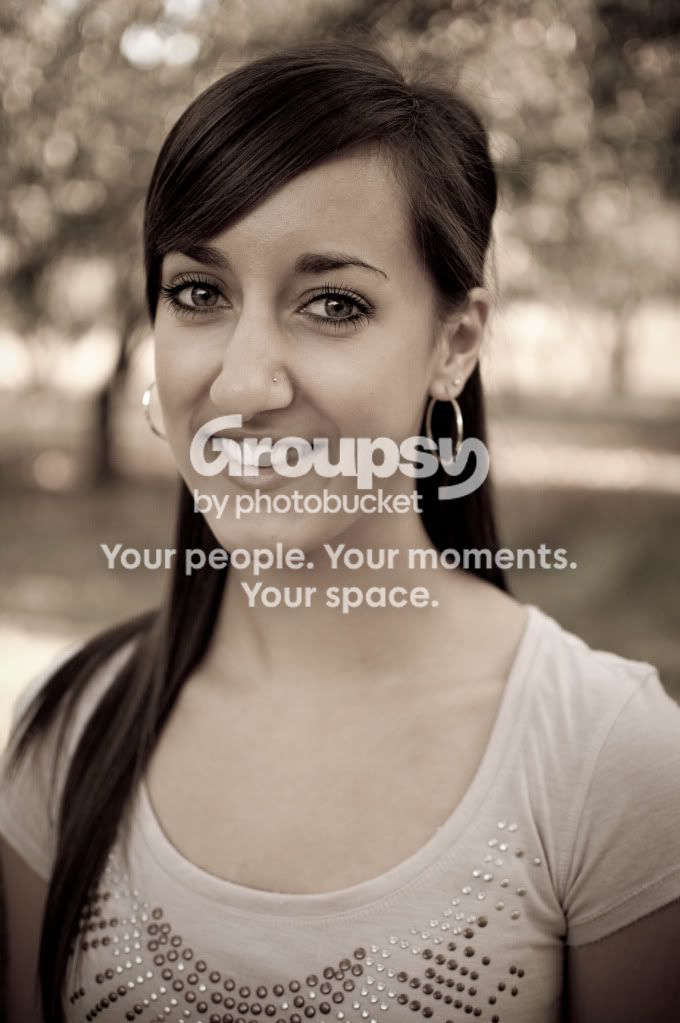
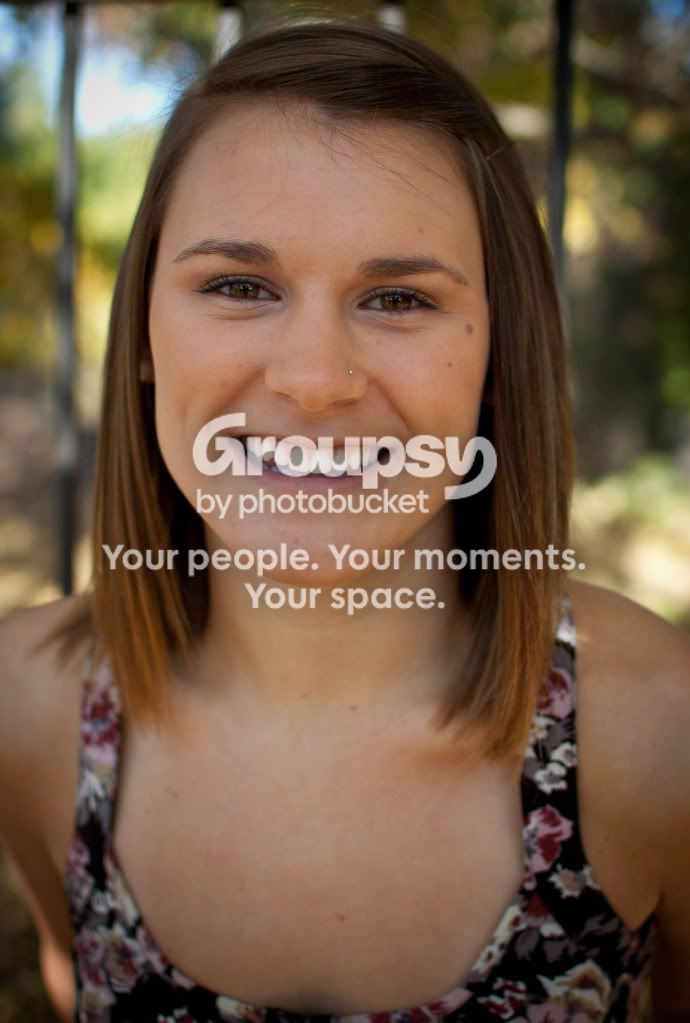
here are some shots of friends in a nearby orchard. We used a reflector to try to keep the doppled light off of their heads and faces. C&C welcome on lighting, composition, and editing. Thanks!

1.
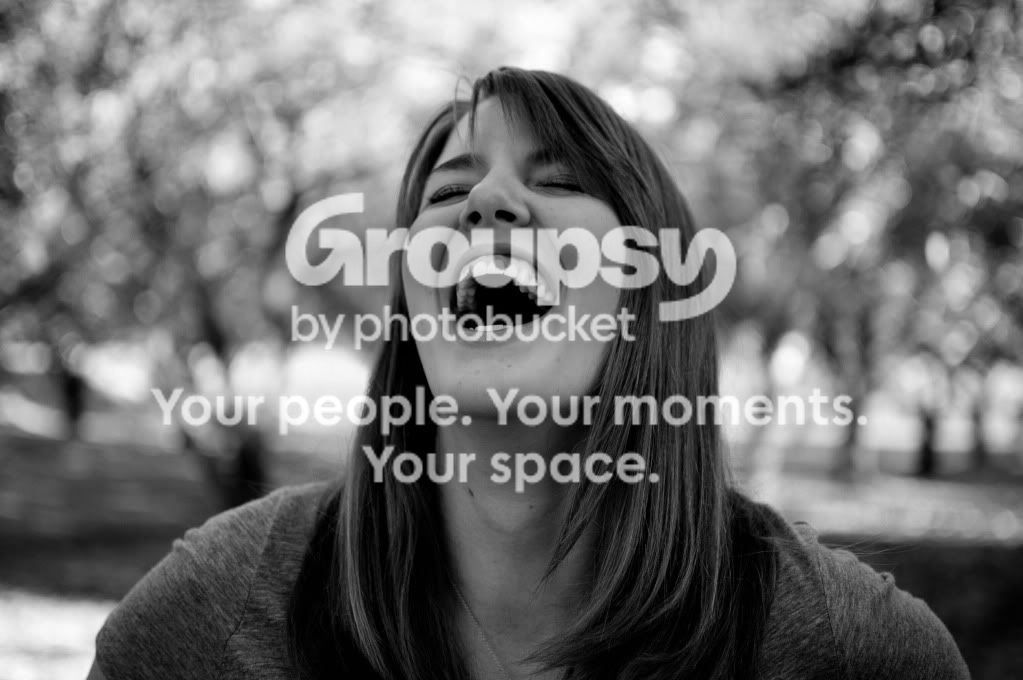
JPAMKPKS2010-23.jpg


2.
JPAMKPKS2010-21.jpg


3.
JPAMKPKS2010-49.jpg
 
Hey guys, we are going to have some sessions coming up using this location or a similar one and any critiques would be great.
 
The camera seems a bit too close to the woman in the last photo, causing her nose to suffer from apparent perspective distortion.
 
The camera seems a bit too close to the woman in the last photo, causing her nose to suffer from apparent perspective distortion.

These were shot on a 35mm prime... could that be the issue? We have been using the 50mm 1.8 much more recently and think that 50mm is a much better focal range for portraits.
 
These are soft and lack "pop".

Did we miss focus, or should we stop down to get a little sharper image? How would you recommend getting them to "pop" a little more? Different editing, different backgrounds, different angles? Thanks.
 
you are getting closer. What lenses do you have? Portriature and wide angle lenses don't really go together well. You want something more in the 50 and up area. Lighting, use the flash and reflector to unbalance the lighting you do not want it to be flat across the face. You want there to be a highlight and shadow on the face that will give it the pop you need
 
you are getting closer. What lenses do you have? Portriature and wide angle lenses don't really go together well. You want something more in the 50 and up area. Lighting, use the flash and reflector to unbalance the lighting you do not want it to be flat across the face. You want there to be a highlight and shadow on the face that will give it the pop you need

We have an 18-55 and 50-200 kit lenses which we don't usually use. We have a 35mm 1.8 and a 50mm 1.8 and we were forced to use the 35 on our D40 due to the AF-S until we upgraded to a D90. Now we use the 50mm on the D90 most of the time and have the 35mm on the D40.

We have been working on some lighting... but are pretty much terrible newbs tbh. We have an SB-600 that we don't use much because we don't know how to utilize it. We try our best with using a reflector, but also need it at times to shade the subject so that there isn't the doppled lighting dropping on them through the trees. We have remote triggers on the way which might help us get the flash off the camera and start getting the better lighting on our subjects. We are making slow but steady progress though which is exciting for us.
 
you are making progress so be excited the great part is you have people who are willing to let you shoot them that is a huge help. To help you "utilize" the flash you need to get it off camera, for that you will need a sync cable and for the D90 as well as D40 you need a hotshoe adapter as the camera does not have a pc port. Get it off camera onto a light stand and get it up and play with directoinality and power, usually 1/4 power is perfect for fill at around 5 or so feet from the subject. If you are trying to compete with the sun you are going to have to step it up to 1/2 or even full power. Best way to learn is to play with it.
 
Yeah we have some remote triggers on the way... and after some playing with them I will probably pick up a stand. We could always just hold it off camera for now as well right? We are looking forward to practicing and playing with flash. The creative uses of flash seem endless.
 
Yes, using a 35mm from close-up distances causes things that are close to the camera to appear disproportionately larger than objects that are even a few inches behind...it magnifies the relative size of the foreground objects, like the nose or bustline, and makes the ears appear smaller than they ought to...

this effect can be used to good effect to create an increased sense of distance between near and farther objects in scenic shots, but using a short focal length lens from a close distance causes this effect.
 
Untitled Document

Here's a great example of focal length and shooting distance shifts, which create equal image HEIGHT of the face, on-sensor. Notice the way the longer lenses produce a different rendering of the same woman's features? As you can see, the 35mm focal length and the 24mm and 19mm FL's look pretty awful compared with the 100mm or so rendereings.
 
Thanks Derrel, that is a very clear visual way to understand the concept. Being on a crop frame means that my 35mm won't be quite as bad as a full frame 35mm thought right? I have to multiply 35mm by 1.5 to get my real focal range on a crop sensor?
 
I agree with Derrel, the first thing I noticed was that the camera was rather close to the subject, making for less appealing portraits.

Thanks Derrel, that is a very clear visual way to understand the concept. Being on a crop frame means that my 35mm won't be quite as bad as a full frame 35mm thought right? I have to multiply 35mm by 1.5 to get my real focal range on a crop sensor?
Not Quite. The 'crop factor' applies more to your field of view. Imagine that you are still getting the same image that a 35mm lens would take on a film camera, but the edges are cut off...giving you the view of a 45/50mm lens.
Actually changing the focal length will change the perspective, which is the issue here.

In other words, just use a longer lens.
 
Nikon makes an AF-S 50mm except it's 1.4G and around $400. Worth the invest though IMHO if you're serious about photography.
 

Create an account or login to comment

You must be a member in order to leave a comment

Create account

Create an account on our community. It's easy!

Log in

Already have an account? Log in here.

New Topics

Back
Top Bottom