What's new

Single portrait C&C

Heitz

No longer a newbie, moving up!
Joined
Sep 10, 2011
Messages
941
Reaction score
145
Location
Chicago, IL
Can others edit my Photos
Photos OK to edit
Comments? Suggestions?
6434866583_764c8f1127_b.jpg
 
[TABLE="width: 100%"]
[TR="class: lookatme"]
Exposure[TD]1/2500 sec[/TD]
[/TR]
[TR="class: lookatme"]
Aperture[TD]f/2.8[/TD]
[/TR]
[TR="class: lookatme"]
Focal Length[TD]50 mm[/TD]
[/TR]
[TR]
ISO Speed[TD]200[/TD]
[/TR]
[TR]
Exposure Bias[TD]0 EV[/TD]
[/TR]
[TR]
Flash[TD]No Flash[/TD]
[/TR]
[TR]
X-Resolution[TD]240 dpi[/TD]
[/TR]
[TR]
Y-Resolution[TD]240 dpi[/TD]
[/TR]
[TR]
Software[TD]Adobe Photoshop Lightroom 3.5 (Macintosh)[/TD]
[/TR]
[TR]
Date and Time (Modified)[TD]2011:11:30 23:47:23[/TD]
[/TR]
[TR]
Exposure Program[TD]Aperture-priority AE[/TD]
[/TR]
[TR]
Date and Time (Original)[TD]2011:10:29 13:31:26[/TD]
[/TR]
[TR]
Date and Time (Digitized)[TD]2011:10:29 13:31:26[/TD]
[/TR]
[TR]
Max Aperture Value[TD]1.7[/TD]
[/TR]
[TR]
Subject Distance[TD]2 m[/TD]
[/TR]
[TR]
Metering Mode[TD]Multi-segment[/TD]
[/TR]
[TR]
Light Source[TD]Unknown[/TD]
[/TR]
[TR]
Sub Sec Time Original[TD]30[/TD]
[/TR]
[TR]
Sub Sec Time Digitized[TD]30[/TD]
[/TR]
[TR]
Sensing Method[TD]One-chip color area[/TD]
[/TR]
[TR]
Custom Rendered[TD]Normal[/TD]
[/TR]
[TR]
Exposure Mode[TD]Auto[/TD]
[/TR]
[TR]
White Balance[TD]Auto[/TD]
[/TR]
[TR]
Digital Zoom Ratio[TD]1[/TD]
[/TR]
[TR]
Focal Length In35mm Format[TD]75 mm[/TD]
[/TR]
[/TABLE]
 
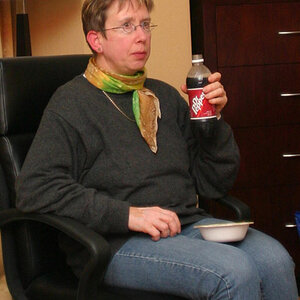
Love it! Pretty lady, nice smile, background that complements her. Great job. This the wife?

only suggestion is maybe move the frame just a bit to the right (maybe like 3/4 inch) to get her a little closer to the center. But how you have it now is not too bad.
 
DiskoJoe, This is a crop so yea I can move it. Thanks for suggestion!
No, not my wife, my sister!
 
I'd say her face seems overly red and blotchy, and the oranges behind her are a little clipped. I think this may be due to the amount of saturation you applied to the image.
 
Waiting for the portrait aspect police to show up. :)

If it were me, I'd tone down the yellow brightness a bit. It's pretty harsh to look at, on a monitor at least. Perhaps it would look better printed.
 
I agree with both comments. The redness in the face I think is partially a reflection from the pink sweater. When I reduced the saturation manually, it made her seem too pale. I'll have to do that manually. Yea, the yellows can probably come down a bit too. Thanks dudes!
 
Eyes are over-processed and the whole thing is over-saturated. Definitely move her in to the frame more to try and get some room around her shoulder.
 
I'm interested to hear if others think the eyes are over processed. Obviously, I did PS it - curve adjust on the iris and a desaturation of the sclera. But I think its right at the border of giving it 'pop' and making it look strange. Thoughts?
 
The overly processed eyes kill it for me.
 
Did someone already mention the alien eyes?

Tone down the eyes (a lot). Take the background down a notch or three in saturation, very light skin smoothing... then frame it.


edit:

like this....

EDIT ONLY TPF_mrpink_11 by Matt Francosky, on Flickr

could not fix the eyes, that has to be done from the original shot.


p!nK
 
Last edited:
Thanks Mr. Pink. that's a great edit and gives me something to work with.
 
remember, your eye always goes to the brightest spot on the photograph; which, in your original edit, was the yellow tree in the background.


p!nK
 
eyes look perfect not over processed at all..colors are perfect as well.. not over saturated. slightly blown out yes.. but thats ok.. theres no need to see detail in the leaves of the tree.. i would suggest getting rid of the fly-aways in her hair.. the little wispy guys just above her head and such.. thats a 100% gotta do any time i'm editing for publications

 

Create an account or login to comment

You must be a member in order to leave a comment

Create account

Create an account on our community. It's easy!

Log in

Already have an account? Log in here.

Back
Top Bottom