What's new

Skookum Falls

RxForB3

No longer a newbie, moving up!
Joined
Feb 10, 2012
Messages
654
Reaction score
76
Location
Yakima, WA
Can others edit my Photos
Photos OK to edit
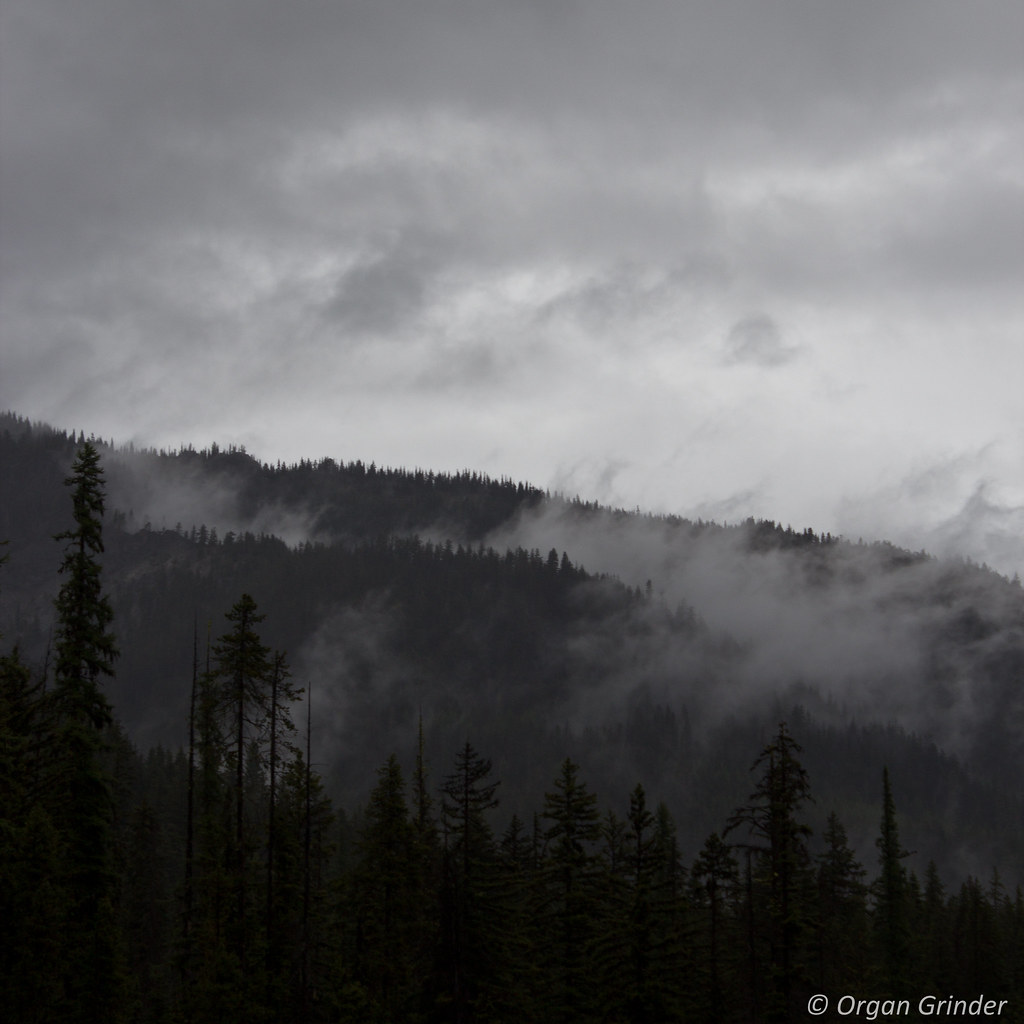
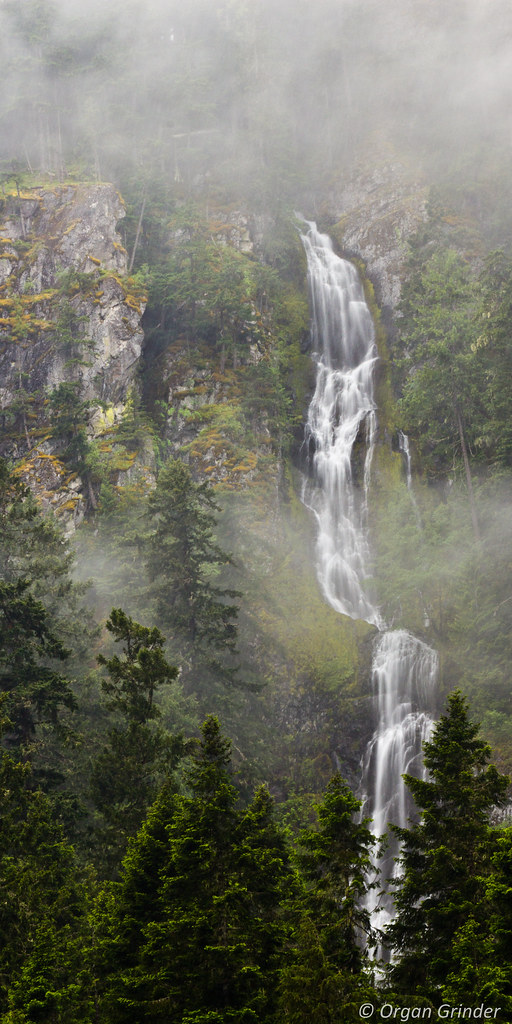
Unfortunately today was a dreary day while driving back from Seattle, but I think the weather added to these photos quite nicely! Question is, what do you think of them? I'm thinking I'd like to print the first one as a fairly large vertical panorama. Or am I holding my photo in too high esteem?

1.


Skookum Falls by RxForB3, on Flickr

2.


IMG_9195 by RxForB3, on Flickr
 
I think the photo of the Falls is fabulous. I'd crop a little off the top. It needs to be color corrected; there's a magenta shift to the entire photo. I'd raise the contrast and then play around with some local contrast increases to bring out the mist in the mid section a bit more. Very nice shot.

Joe
 
Hm...I can't tell about the magenta shift. But then, I'm certainly not the best at determining that...
 
Not seeing the magenta here either, but what do I know, I have a color deficiency in my vision (seriously).

I really like the shot. That will make a nice print.
 
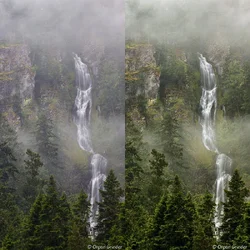
Again I think it's a splendid photo -- I'm jealous and congrats on a beautiful shot. Here's the slight color shift side by side; I took the liberty of copying the file. The greens are a tad dull (magenta shift) and the water in the falls should read neutral but it doesn't. If you sample the water where it's off-white you should in theory get very close to equal R, G, B values, but you'll find the blue and red values are higher than the green value (actually highest on blue, then red and finally green) -- so technically the shift is blue/magenta. I shifted the color the other way until I got neutral readings from the off-white water in the falls.

I'd hang that one on my wall.:thumbup:

Joe


$organ_grinder.webp
 
Nice edit of a nice photo! :thumbup:
 
Wow...I definitely stand corrected. That's quite an improvement! Yet another reason why I should get photoshop. I don't suppose there's a way in Lightroom to sample the balance?
 
Well I guess maybe I figured out how to do it in Lightroom. There is a little eye-dropper tool that allows you to select what should be neutral. It's amazing how much difference is made by selecting various parts of the water. Here's the new version (we'll see how close it is to yours).


IMG_9186 by RxForB3, on Flickr
 
Last edited:
Hm...close but not quite! I upped the clarity, upped the contrast in the middle area and the photo as a whole. What am I missing that makes your edit pop more than mine?
 
I did make two other changes (couldn't resist) as I adjusted the color of your photo. And, yes, I'm afraid LR is going to fall short here. I made an overall Levels change but applied it disproportionally. LR does not have a Levels adjustment pre se, but it can come close to the same result by using the exposure slider, blacks, contrast and saturation controls. What LR can't really do is apply those changes through a mask that protects the shadows -- which I did. The mask allowed me to push the Levels adjutment harder in the midtone/highlight area without the shadows getting too dark. This is likey what you're seeing as the biggest difference. Put another way, I was able to raise the contrast higher in the midtone section of the photo and still keep the shadows in the trees along the bottom from blocking up.

I went one additional step and applied a local adjustment to the mid section betweeen the two regions of mist. I applied a partial Multiply blend and then hand painted it back off the mist and bottom (mask again).

I used Photoshop but PSE and or GIMP could both do what I did -- LR isn't designed for it.

Watch out for LR's Clarity adjustment. It's capable of doing more harm than good and I often see it used that way. It's basically what we used to call defogging which was acheived by an unintended use of unsharp masking. How Adobe implements "clarity" in LR (algorithmically) is proprietary, but it definetly has a tendency to halo regions of the photo.

LR is a good Raw converter with some extended capabilities -- especially now in version 4, but it's not an editor. It's really not designed for either pixel level editing or local/regional adjustments and your photo benefits from local/regional adjustments.

Joe

P.S. Big improvement on the color, you got that right. If you're normal workflow is to shoot Raw then ultimately you're going to be pushed toward acquiring Photoshop proper (16 bit capable). Otherwise PSE and/or GIMP will serve. Photoshop's editing abilities made a huge leap forward in version CS4 and nothing added since is anything I'd spend money on, so one option to save $$$ is to look for the older version.

 
Last edited:
That explains it! Thanks for giving such a detailed description! Once I figure out a way to get photoshop (maybe the rental option), I'll have a better idea of what to do.
 
I did crank the clarity up all the way, and in the past I had noticed a halo at much lower levels, but in this case I can't really see any. Am I overlooking it, or was that just a word of caution in general?
 
I did crank the clarity up all the way, and in the past I had noticed a halo at much lower levels, but in this case I can't really see any. Am I overlooking it, or was that just a word of caution in general?

That was a word of caution in general. I make my living teaching Photoshop and photography at the college level. I spend a huge amount of my time stopping my students from committing various abuses they either pick up on the internet or stumble on themselves -- that Clarity slider in LR is high on my list. Use it with discretion.

Joe
 
Thank you Frequency and thank you very much Ysarex. I wish I could take a class on all of this stuff, but unfortunately my college days are now past and my job schedule doesn't allow for such things. Guess this forum is the next best thing!
 

Create an account or login to comment

You must be a member in order to leave a comment

Create account

Create an account on our community. It's easy!

Log in

Already have an account? Log in here.

Back
Top Bottom