What's new

Studio Portraits C&C Please

Did you duplicate your background (image) layer, or create a blank layer?
 
Got it, thanks
 
Some issues like mentioned above include softness, white balance, and shadow outlines. Also the PP is a bit rough.

After looking back, your right...

I simplified, here we go.

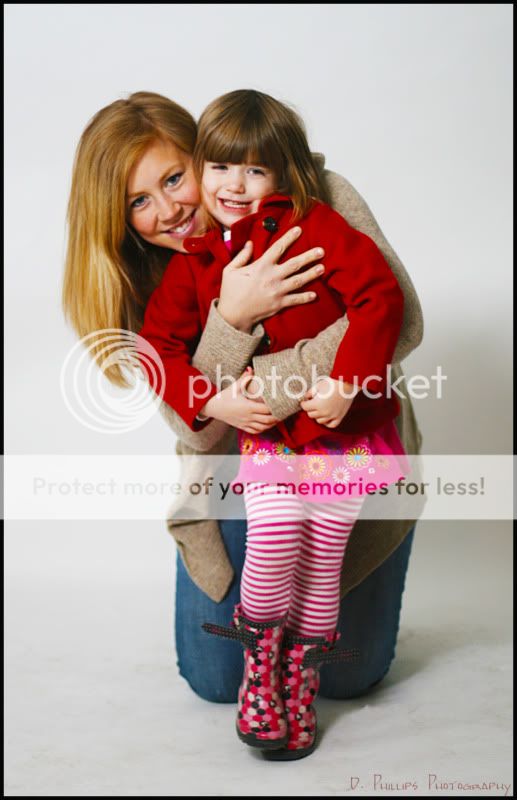
Before:
IMG_9667.jpg


After:
IMG_96671.jpg


Better?
 
Yes better, but the final image would still be lacking some tweaks if it were something I was editing.
For example your shadows and the blue hue they have on you background. There are also some blue tones on the skin which I would try and pull out.

An awesome tool for the people enhancement would be Nik softwares Viveza 2.
 
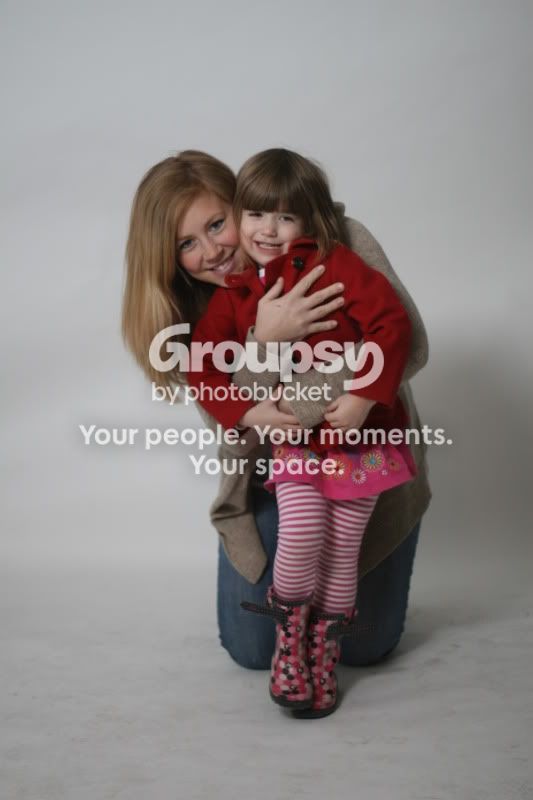
Here is the original if you want to take a stab, I would be interested to see what you would do...

IMG_9667-1.jpg
 
just some hints:

if you can use AF on the lens, use it. Otherwise use a lens with it, because manually focusing on DSLR's is hard enough on their tiny viewfinders.

Also expose for the right. If the image above is Straight out of camera, did you not see it was a bit dark (by somewhere around a stop) on your LCD? bring up the power on your lights.

Use AF to focus on the eyes, that's what's got to be in focus.
 
Thanks for the tips, I almost always use AF on the eyes.
 
Thanks, This is really the best lens I have right now for portraits, would bumping it up a stop or two relieve the softness?


Are you using flash or continuous ? i shoot at F8+ in the studio
 
Large apertures are not always a good thing. F1.8 will give you a pretty shallow area of focus, hence some of the cause of softness. In a studio setting where you have greater control of the lighting you can lower the aperture a bit to 4 - 5.6 and still get good separation from the background. Increase your light levels to compensate if you want the same shutter speed.
 
Along with your other flash to the side don't be afraid to use the on camera for added light. I would've shot around f4.0 with a shutter at approimately 1/160. Using your on camera's flash will help this, increase your shutter speed if images come out too bright. I also think they are way to close to the backdrop, bring the subjects out some. It'll take practice. :thumbup:
 

Create an account or login to comment

You must be a member in order to leave a comment

Create account

Create an account on our community. It's easy!

Log in

Already have an account? Log in here.

Back
Top Bottom