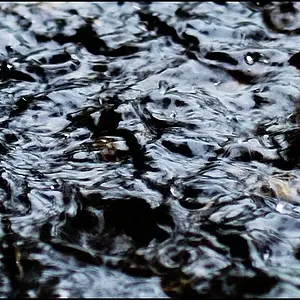
Here are the main stages on how the photo was made:
In-camera
1-The vertical streaks in the photo where made in the field using
the in-camera's double exposure feature, most DSLR camera's have this
feature. I took one photo of the forest handheld and still (use the slowest
shutter speed possible) lens VR can help with this.
I then took a second photo and as I pressed the shutter button down
I moved the camera downward fast to create motion blur. The camera
then combines the two photos together using its firmware.
Editing (Nikon Capture NX2 software)
2-Orton-effect was added to give the photo a dream like look.
3-The photo was converted to black and white.
4-I dodge (lightened) in all the lights on the (motion blur) streaks.
5-The blue tint was added last by moving the WB (white balance) slider
to a very cold setting this gives the photo the night look.
EXIF data
-Nikon D80/Nikkor 18-200mmVR
-1/25 second @ f/8
-31mm
-ISO 100
-Ev -1 1/3
-Vr ON
Take care,
Dwayne Oakes



![[No title]](/data/xfmg/thumbnail/31/31042-2fcf80c8987688129be89876d12ba006.jpg?1734159146)