What's new

Zoom Effect

benjyman345

TPF Noob!
Joined
Sep 26, 2006
Messages
152
Reaction score
0
hello,

I was wondering if anyone can give me tips and help on how to achieve the zoom effect. Where you zoom the lens in while exposing the picture.

Here is an example from flickr:
http://www.flickr.com/photos/espionic/139402987/

I know this image has been edited in photoshop to achieve this result but i would like to achieve this same kind of result using the old film technique :P

I have a 70-210mm lens... is this adequete?
How do i achieve a crisp perfect focal area while creating a zoomed effect in the background?

Thanks
 
I haven't tried this myself, but at a guess... You would want your camera to be very on a very stable mount (heavy & weighted tripod). Use a 1-2 second exposure with appropriate f-stop and a neutral density filter if necessary.
 
I think an effect that shows so much detail in the "zoomed" area can only be achieved by using Photoshop otherwise the rest of the crowd would just be a blur.
 
You won't get a sharp center doing this with a zoom lens. Every part of the image changes when you move the lens. The center will be the area you see the clearest, but there will still be a halo effect. If you want to improve the sharpness, pause the zoom at the widest point before the shutter closes. This will allow the subject to burn in when it is the smallest. I'd start wide, open the shutter, wait just a moment, then smoothly zoom in until the shutter closes.
 
ive wondered about that effect too, but never found time to post when i thought about it.

what differences would there be if instead of zooming in, you zoomed out instead?
 
No difference. It's just easier to pause at the beginning than to try and time when the shutter is going to close. You could pause when zoomed in, but rather than a somewhat sharp center subject with a halo, you'd have a subject with blur "inside". Just depends on what you want.
 
No difference. It's just easier to pause at the beginning than to try and time when the shutter is going to close. You could pause when zoomed in, but rather than a somewhat sharp center subject with a halo, you'd have a subject with blur "inside". Just depends on what you want.

thanks for the tip. ill try it both ways and see what i come up with.
 
It would be good to see how you go. Maybe you could post a few pics you tried out?

i will probably have one or 2 to post tomorrow. i have a couple ideas, so im going to try them soon. knowing how things go when i try new things, ill probably have to post them in the bloopers section. :lmao:

ill let you know when i have something to post either way.
 
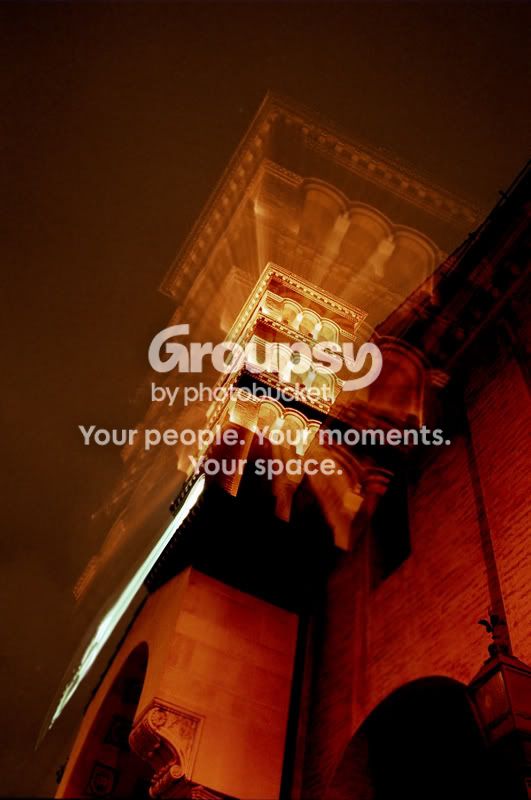
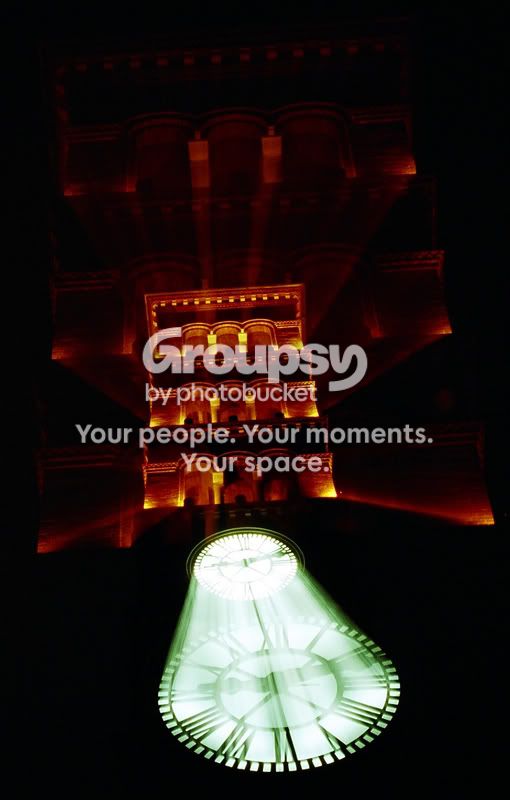
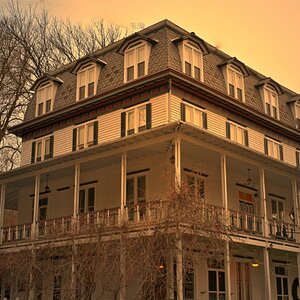
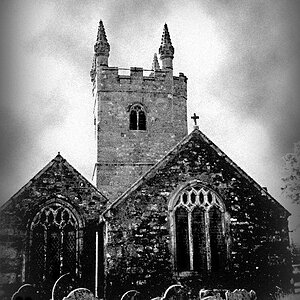
i did this a little while ago and its not too hard at all

tower2-1.jpg


toweresized.jpg


i was using film so theres no way to tell if you did it right off the bat so just mess around a few times.

have a good tripod and set your shot up keeping in mind that you're going to be zooming. you COULD put it on bulb and like f/32 and zoom one subject, put your hand over the lens, and go to another and have a multiple exposure (i love doing those) but just start out with one object, and make sure you compose correctly. i suggest starting out wide angle and zooming in on the subject to start with but you can always be zoomed in and go wide at the end.

you have to keep in mind that you can keep stationed on one focal length for a greater time period than another, so some parts are clearly defined and some are simply zoomed normally.
 
great shots!
I assume you used a small aperture (F16-32) for these shots?
 
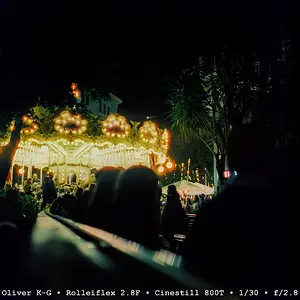
1/8s f/ 3.5 ISO 400

Just a quick something I did messing around. no post processing.

zoomeffect.jpg
 
Would the length of exposure effect the outcome of the zoom blurr or is it more to do with the length of the zoom lens?
 
i tried this a while back at a motocross event. i positioned myself at a slow bend and waited for the bikers to come round. even though they were moving quite slowly (around10mph) there was a lot of mud flying around.
I set my exposure to around 1/8 and shot the guys as the accelerated out of the bend.
some came out quite good but a lot were a blurry mess. the difficult part is related to what mark said earlier - everything moves when you zoom. However when trying to emphasize movement, that cold be a good thing. To see my effort check my site's motorsport gallery and then the thumbnail at the bottom left. Because the viewfinder is black and you're "shooting blind" it's luck where your zoom centre is in relation to your subject
 

Create an account or login to comment

You must be a member in order to leave a comment

Create account

Create an account on our community. It's easy!

Log in

Already have an account? Log in here.

Back
Top Bottom