What's new

4th Roll and Still Meh...

Fishpaste

TPF Noob!
Joined
Jul 8, 2010
Messages
198
Reaction score
10
Can others edit my Photos
Photos OK to edit
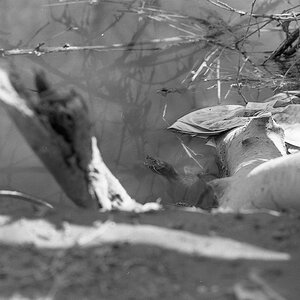
These are just the "good" ones. I'm still getting frames badly out of focus. None of my photos from this roll are particularly interesting either. Anyway, please criticize and offer advice! :thumbup:

In this one and others I noticed blue streaks. Is this my fault (scratching the film?), or that of the printing? (I take my film to Walgreens and they use a machine for processing).
 
Last edited:
The streaks do look like scratches. Most often, they are parallel to the direction of film transport and caused by pieces of grit that get in the processing machines or the camera and scratch the film as it goes through, but these could be from dropping the film on the floor or brushing it against something. Try to find a real photo lab that will take better care of your film.

The first one is interesting. I would crop the top to get rid of the bright windowsill and surround the subject with two darker areas. The cherry trees are OK, but you need to get closer or create a stronger composition - I don't see one within the images, but perhaps by moving around you could have found something. The last looks like an accidental double exposure - maybe you hit the rewind button on the bottom of the camera accidentally and didn't advance the film after the first shot you took.
 
Thanks Ken. The streaks do occur on my other rolls as well, so next time I load I'll make sure everything is clean. There is another place close by but the total cost will be double what Walgreen's charges, so I'll try to make sure if it's my fault or not first.

Regarding the double exposure shot - The rewind button on the Zenit takes a gorilla to push, and the film advances automatically when you wind the shutter, so I'm really lost as to why it would stay in place like that.
 
Last edited:
Those are definitely scratches. It's not bad though - I've seen much worse than that. You can clone those out without too much effort.

There isn't really any way to know who's fault it is... Yes, make sure everything is clean in your camera, as that can be one cause.

Scratches can happen at any time, and once they're there, there isn't really any way to know when they got there - if you know what I mean. It could be dirt in your camera, or it could be the way the lab is handling the film.


I will say though, that my money is on the lab. Once I started developing my own film, scratches mysteriously disappeared. :lol:
 

Create an account or login to comment

You must be a member in order to leave a comment

Create account

Create an account on our community. It's easy!

Log in

Already have an account? Log in here.

Back
Top Bottom