What's new

-

ShaCow

TPF Noob!
Joined
Sep 2, 2005
Messages
81
Reaction score
0
Location
UK
Can others edit my Photos
Photos NOT OK to edit
-
 
Last edited:
I'm not sure.

To really calibrate a monitor properly, a hardware device like the Spyder or Hewy is required. It's tough with laptops (IMO) because the screen looks different depending on the angle at which you view it.
 
but they look fine on my cameras lcd
That's not a good place to judge images.
 
Do you really need a printer these days? It's probably cheaper to send them to a lab (once you figure in paper and ink for the printer).
 
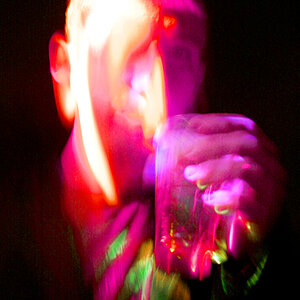
Sorry, I can't make much out of a heavily post-processed image because I don't know what you're going for.

How about a more standard image that looks great on your monitor.
 
thanks for the info mike, I guess im gonna have to get some hardware to do this because all I can go by is personal preference :S....

usayit.... do you know if the spyder works on a laptop lcd? and also... what does it calibrate it to? and would it calibrate to your printer profile to or?

http://www.cambridgeincolour.com/tutorials/color-management1.htm

http://www.photo-i.co.uk/talkshop/CM/Colour%20Management%20Intro.htm

[FONT=Arial, Helvetica, sans-serif][FONT=Arial, Helvetica, sans-serif]Calibration is not as easy as loading aRGB. It won't work because each of your devices sees and produces colour differently. You need to calibrate them so their output is consistent.[/FONT]

Your camera screen is the worst place to review images. Learn how to read your histogram and use that. I use the screen only for checking composition.

There's many useful resources gotten by searching on "colour management" in google......
[/FONT]
 
I use a dual screen display, with a CRT monitor as my main and a LCD monitor as my secondary.
Nothing I do will get the colour to match haha. The LCD just has deeper colours.
I trust my CRT alot more than my LCD.
As far as I'm aware, my CRT is calibrated correctly and the images from camera > monitior > printer match aswell as I can manage :)
 
I used my Spyder2 Express to calibrate both my laptop screen and my Dell Ultrasharp and it just doesn't look as good on my laptop for some reason. I think the problem when you get into calibrating a laptop is the brightness. You would probably have to turn off all your power saving functions such as screen dimming for it to look right all the time.

As far as getting prints, I order from yorkphoto.com and mpix.com. Right after I calibrated my monitor I noticed a dramatic color difference in York's prints whereas mpix was dead-on. Turns out York did color correction that I did not want them to do. But prints can be had pretty cheaply and they should match up very nicely if you have a calibrated monitor.
 
I use a dual screen display, with a CRT monitor as my main and a LCD monitor as my secondary.
Nothing I do will get the colour to match haha. The LCD just has deeper colours.
I trust my CRT alot more than my LCD.
As far as I'm aware, my CRT is calibrated correctly and the images from camera > monitior > printer match aswell as I can manage :)

You can buy a spyder pro that will allow you to calibrate and use 2 monitors. my Spyder2 will only allow me to use one profile.
 

Create an account or login to comment

You must be a member in order to leave a comment

Create account

Create an account on our community. It's easy!

Log in

Already have an account? Log in here.

Back
Top Bottom