What's new

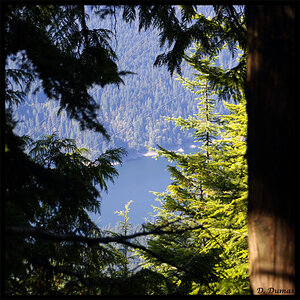
Along the River

I wish I had that river to walk along, beautiful area and I could use more walking.
If you looked at the images and wished to be walking along the river, well, that was the exact intent of the photographs. Your comment made me feel great :) . You have an open invitation.

Glad to hear you got that D800! Agreed, the last picture is a nice one. The foreground elements help it a lot.

Thank you Derrel! Yep, I got it. I could fill a whole thread with questions about setup and operation, but I have it up and running, and working through learning this incredible tool.

@Ysarex,
This is a new edit. I actually had your edit open in a window as I continued to struggle to get the sky blue. I got it to here by slightly adjusting the overall WB and then targeting blue in the HSL panel. All in LR. I have PS also but I'm not familiar enough with the color controls.

In the lens correction I used distortion +11 and vertical -2.

Along The River-1-4.webp
 
I wish I had that river to walk along, beautiful area and I could use more walking.
If you looked at the images and wished to be walking along the river, well, that was the exact intent of the photographs. Your comment made me feel great :) . You have an open invitation.

Glad to hear you got that D800! Agreed, the last picture is a nice one. The foreground elements help it a lot.

Thank you Derrel! Yep, I got it. I could fill a whole thread with questions about setup and operation, but I have it up and running, and working through learning this incredible tool.

@Ysarex,
This is a new edit. I actually had your edit open in a window as I continued to struggle to get the sky blue. I got it to here by slightly adjusting the overall WB and then targeting blue in the HSL panel. All in LR. I have PS also but I'm not familiar enough with the color controls.

In the lens correction I used distortion +11 and vertical -2.

View attachment 153088

There you go -- it needs that blue sky. The blue and orange together in the photo are a real winning combination. Much better brightness/contrast as well. That's a wall hanger, congrats.

Joe
 
Thanks very much! Can you see the splotches and lines in the color gradient in the sky? Or is it just my monitor(a television) has a reduced bit depth or something?
 
I would take the original over the edits. Both edits now look over processed. It's exactly what I was talking about in the other thread elsewhere that went to cr*p. You can see what the problem likely was and how the attempted fix was made just by looking at either of the edits even if you had never seen the original.
I would edit these differently myself but I would've also shot them differently. Composition could've been tightened up. You'd need to change viewpoint a fraction in 2 of them at the shooting stage so a straight crop after the fact wouldn't do the trick.

Very good pics don't get me wrong but offering some feedback.
 
I appreciate your opinion @F5 Penguin and would be interested to hear your suggested viewpoint changes. At this learning stage I try to keep composition first and foremost, before any editing decisions.
 
I appreciate your opinion @F5 Penguin and would be interested to hear your suggested viewpoint changes. At this learning stage I try to keep composition first and foremost, before any editing decisions.

Sounds like a good plan. I won't change anything and re-up it because like I said, you won't get the full effect unless it was done at the shooting stage.

Shot 1.
Looks like you had a 3rd tree to deal with that you can see a little of top right in the pic. Looks like you were trying to take it out without killing off the tree next to it because you wanted the tree next to it in the shot.
You framed too soft. Don't half kill something because it comes back to bite you in the butt! You could've taken a large chunk off the right of frame, a chunk from the top, nothing would be missed by the viewer and the intruding tree would virtually be completely elmininated. The tree you were trying to save ain't as pretty as the main tree. You could've taken some of it out. By getting in closer you would've taken out the foreground ditch as well. There's nothing there of interest, kill it. The only issue you would've had left was the sun. A change of vantage point you could've moved and got all these elements to work together. If it was all done perfectly I would imagine you would have that good looking tree as the main focal point, the second tree would be there to a large degree but would now be a secondary interest no longer an equal first interest as it is currently and the overall strength of the image would be much greater.

Shot 2.
Nice except for the big dark corner. Best to not show the end of the tree. It takes up too much image space and has no interest. You need to take it out but a straight crop will leave the image a little unbalanced I would say so again, needs to be done at the shooting stage.

Shot 3.
Current crop leaves me either wishing you had backed up a little more or got in a little closer. Foreground is at the half half stage not sure if we want to go back or we want to go forward. I don't know what was there in reality, I imagine looking at what's there that I can see back probably would add nothing but uninteresting elements. In this case I would go forward. It could still be a pano. Take out the bottom up to where the pile of dead trees are. The shot is about the two trees. If you tightened like this they would really stand out a lot more improving the overall strength of the image. Even for this one, a little change at the shooting stage probably would be required.
 
Oh, for when you do focus on processing, here's my take. Digital we can do anything, no limits. Nothing wrong with ripping an original photo to pieces and processing the bejesus out of it. Simply decide what you want, you gonna go nuts processing or you gonna keep it looking real. It's the halfway efforts that look wrong and ruin an image. Whichever way you choose to go with processing neither method is right or wrong, good or bad. It's personal preference for what suits your own style or what you think will suit a given image best.
 
Shot 1 - I really see what you're saying. It's these crucial decisions when clicking the shutter where it starts.

shot 2 - yep. good points. BTW , to share, this is the shot as framed in camera.
along the river-1-5.webp


Your comments on shot 3 are also very valid and I thank you for taking the time. Framing the shot in camera is a stage that I rush, for some reason. I need to take my time. shoot more film.
 
On the one you just put up, million choices for how to shoot a scene like this. You just got to watch you don't end up with dead areas in the frame. I would've gone back a little in the one you put up just now. Then you could go in Photoshop and do some dodge and burn to make the inside of the trunk have some WOW factor. Instant masterpiece!
 
I can't keep that edit. The splotches in the sky along the top edge show up on multiple monitors. I screwed the color gradient in the sky and don't know how to go back lol
 
I can't keep that edit. The splotches in the sky along the top edge show up on multiple monitors. I screwed the color gradient in the sky and don't know how to go back lol

You should still have the processing in LR -- you said you used LR to do the work. Did you start with an original NEF file?

Joe
 
Yeah I'm sure I can back out of the recent changes in LR. I started with .nef, then after the pano merge it was something else (.dng?) Then, I think I cropped it in PS and it came out of that a .tif...
 
Yeah I'm sure I can back out of the recent changes in LR. I started with .nef, then after the pano merge it was something else (.dng?) Then, I think I cropped it in PS and it came out of that a .tif...

And that sounds like the root of your troubles. When you import the NEF files to LR you leave them as NEFs and don't convert to DNG? Yes, you should not convert to DNG. The pano from multiple NEFs however LR may want to save as DNG -- can't be saved as NEF. That should be OK. The move then to PS and the image format is converted again this time to a TIFF. Here you want to be certain that PS is converting your file to a 16 bit TIFF and not an 8 bit TIFF. I you do processing work on an 8 bit TIFF you're running the risk of banding and posterization -- splotchy skies as you say.

Joe

P.S. As soon as you can get off the TV as a monitor and get a calibrated display appropriate for photo editing.
 
Thank you, Joe. Correct, I leave the files as NEF. They only change to DNG when LR forces them to. I will dig into PS to see if I can find the file save settings. I don't know why it changes to TIFF, or what bit rate.
When I am editing in LR, and I want PS for something, I use "edit as smart object in Photoshop" rather than "edit in Photoshop". I wonder if that affects file save settings. I'll work on it. And yes, a monitor is on the list
 

Create an account or login to comment

You must be a member in order to leave a comment

Create account

Create an account on our community. It's easy!

Log in

Already have an account? Log in here.

New Topics

Back
Top Bottom