As far as the white background having some color distortion, you should always use the info window and check your colors. A good white shouldn't have too much blue, red, green if in rgb or cyan, magenta, yellow, and black in cmyk.
I've never had color problems due to monitor calibration because I know more or less the amount of each value that should be in the color. At least ball park.
As far as the models being the reason the posing is bad, I'm sorry but that is up to the photographer. You need to be watching things like the neck wrinkling going on in image #4. It is you who is directing the models, a good model can take that direction and make it better. A bad model can at least understand what you are trying to tell them.
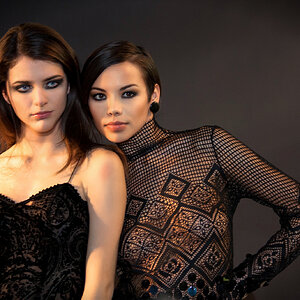
The problem I am having with the black eyes is that a good smoky eye is not solid black. Even when the desired effect is black eyes, it will be graduated from very dark center eye to dark gray outer eye. A quick smudge removing some of the black on the eyes would have added texture.
I can't tell if the white background isn't being blown because the settings on your lights are off, or if it is because of the processing done but either way the white only really hits pure white in the third and fourth images. I have a feeling it is the processing being done.
I agree with Derrel, the best one was not posted. Here the image works much better however it still has the un-pure white background.
Just keep a sharp eye the next time you do something like this, watch for unflattering poses, eyes not popping how they should be, a smudgy background, and most of all have fun. The more fun you have and the more you get your models into it the better shots you'll get.
Sorry if any of this was a bit harsh, I promise I don't mean any of it maliciously.





![[No title]](/data/xfmg/thumbnail/39/39497-93752210dd49247220721e5ac8c61245.jpg?1734173613)
![[No title]](/data/xfmg/thumbnail/32/32700-18534997be82e5150c566a9e67a00471.jpg?1734162255)
![[No title]](/data/xfmg/thumbnail/36/36679-b3112c1f4841912cbaa9edc11e6852fe.jpg?1734169174)