What's new

Beach Shots

Gallon

TPF Noob!
Joined
Oct 15, 2013
Messages
68
Reaction score
8
Location
South Florida
Can others edit my Photos
Photos OK to edit
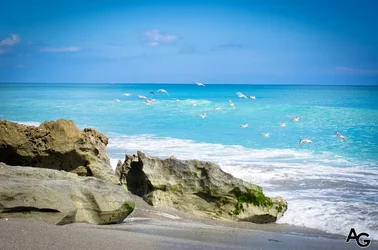
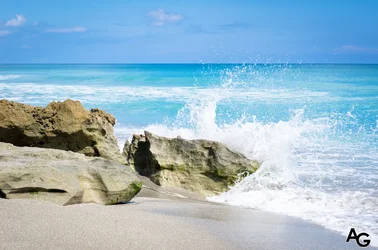
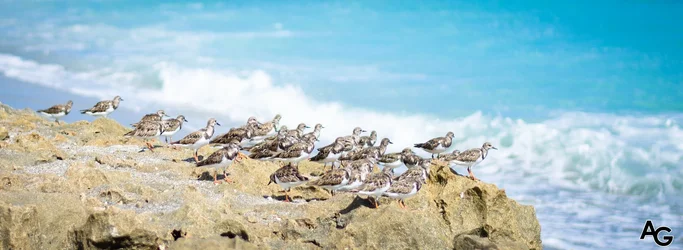
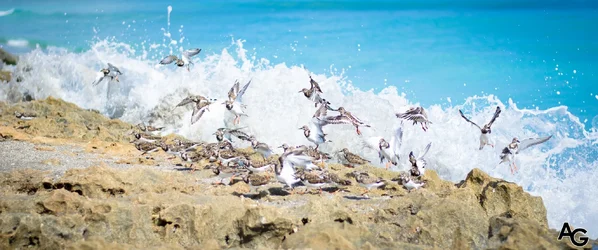
Just a few images from my trip to my "secret beach" today. I always have a little trouble with balancing the colors in shots like these so any advice/tips would be greatly appreciated. If you would like to look at the rest of the pictures, they are up on Flickr: Anthony Galan's Photostream.

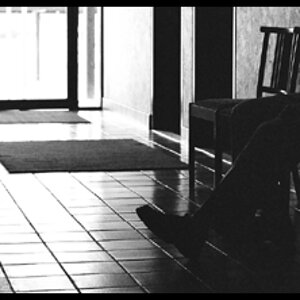
1.
$10387346823_e6b9d09009_k.webp
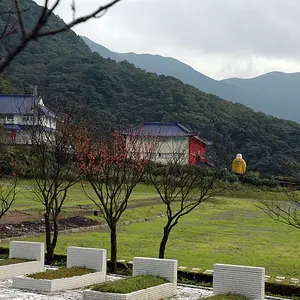
2.
$10387174794_5caa4ea384_k.webp
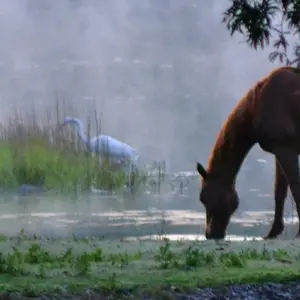
3.
$10387078285_3ff10619f6_k.webp
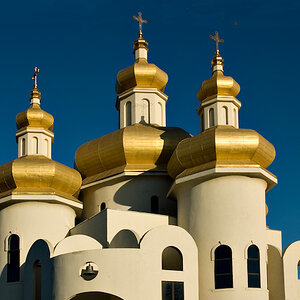
4.
$10387087746_aa7be1c8c0_k.webp
 
Looks like a lovely setting and a place for some great photos.
i am a little new too, but they look overexposed and out of focus to me. What setting were you using? I think a faster shutter sped would have helped with birds and clarity.
I bought a cheap tripod when I got my camera last year. I didn't think I would like/need one, but wow,it makes a difference, you will be surprised how much steadier your photo- taking will be.
just my 2c,
Nancy
 
Definitely overexposed. Not bad shots but some are a little soft of the clarity. A faster shutter speed would have helped. Some things could be sorted out with a correct edit such as contrast and exposure. But overall the timing is good and the location is beautiful.
 
Appreciate the feedback. I think I just used a Lightroom preset because I was in a rush to get them on Flickr. I will try to mess around with the exposure and see what I can come up with.
 
Ask, and you shall receive.

#1. Kinda curious why you like the rock in the middle. It’s a nice rock, as rocks go, but I’m not sure it deserves to have that kind of attention. Perhaps you were admiring the surf? But I can’t see it because the rock is in the way.

#2 – Ah! Breaking wave! But... it’s sooo far away, I don’t get any of its power and force and wetness. Perhaps a slightly slower shutter would show more blur, and give a sense of that power. Also, if the subject is the wave, then there’s too much stuff that is “not wave”. Perhaps a crop is in order?

#3 Wouldn’t it be great if we could see what all those sandpipers are looking at? Because they seem really intent. And we don’t know why. It’s often a good idea to allow room in the image for the “gaze” so we can follow the line of their gaze out to whatever it is that they’re gazing at.

#4 – oh, NOW we know! But perhaps you’d want to zoom in on a few to get clear their consternation that the wave tried to get them. Maybe crop the left half off, to show more prominently the right side.

As for getting the white balance right, get a 18% or 12% middle grey target and shoot it before starting your sequence. Then in Lightroom, or whatever software you use, use the WB lightdropper tool on the grey target to tell it what “neutral” looks like. Use the resulting setting on the rest of the images (until the light changes).

 
Ask, and you shall receive. #1. Kinda curious why you like the rock in the middle. It’s a nice rock, as rocks go, but I’m not sure it deserves to have that kind of attention. Perhaps you were admiring the surf? But I can’t see it because the rock is in the way. #2 – Ah! Breaking wave! But... it’s sooo far away, I don’t get any of its power and force and wetness. Perhaps a slightly slower shutter would show more blur, and give a sense of that power. Also, if the subject is the wave, then there’s too much stuff that is “not wave”. Perhaps a crop is in order? #3 Wouldn’t it be great if we could see what all those sandpipers are looking at? Because they seem really intent. And we don’t know why. It’s often a good idea to allow room in the image for the “gaze” so we can follow the line of their gaze out to whatever it is that they’re gazing at. #4 – oh, NOW we know! But perhaps you’d want to zoom in on a few to get clear their consternation that the wave tried to get them. Maybe crop the left half off, to show more prominently the right side. As for getting the white balance right, get a 18% or 12% middle grey target and shoot it before starting your sequence. Then in Lightroom, or whatever software you use, use the WB lightdropper tool on the grey target to tell it what “neutral” looks like. Use the resulting setting on the rest of the images (until the light changes).

As to #1, the place I was at was called "Blowing Rocks" so I figured I'd show why the place was called what it was.
#2, I had my tripod out and attempted a slow shutter speed on some waves but all I was getting was all white images because it was so bright out and I was without a filter. I might of also been doing something wrong to so I'm not pinning it on the natural reasons.
#3, I believe I cropped in on these birds so I will try to add some "gazing" room to the right.
#4, I will try to crop some birds but my only fear was that they were so close together which would lead to a few birds being cropped in half.

I really appreciate the feedback. I am no expert so these little tips and tidbits eventually have a drastic change on my photography
 

Create an account or login to comment

You must be a member in order to leave a comment

Create account

Create an account on our community. It's easy!

Log in

Already have an account? Log in here.

Back
Top Bottom