d40bby
TPF Noob!
- Joined
- Apr 12, 2009
- Messages
- 41
- Reaction score
- 0
- Location
- Winston-Salem, NC
- Can others edit my Photos
- Photos OK to edit
Went fishing, but the fish weren't biting...so I took some photographs of some of the stuff around the pond.
I loved this little abandoned shed. I took a bunch of pictures of it, but some of them didn't come out right because the sun was doing some crazy halo effect stuff (mainly on the shots of the whole shed).
1.
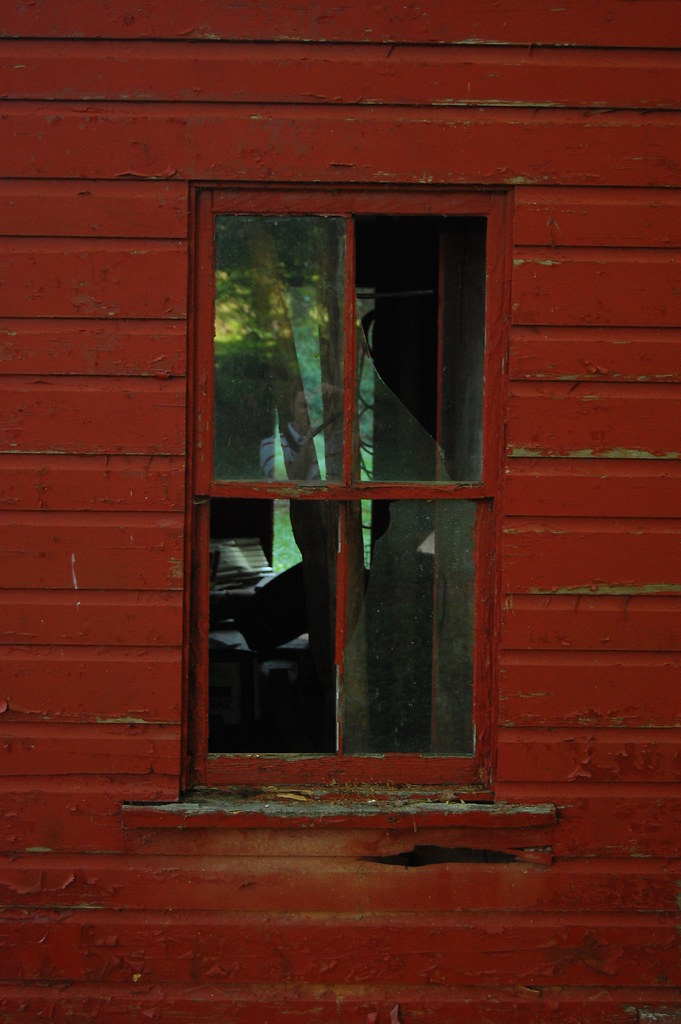
I hate the fact that this one is A) crooked and B) has me in the reflection
2.
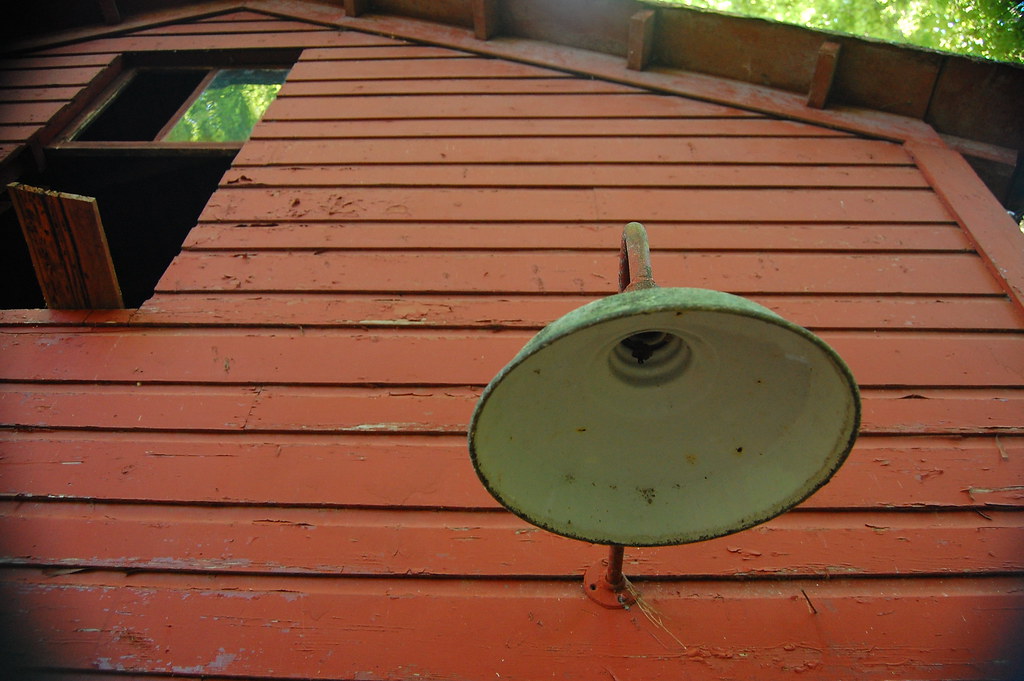
The crazy vignette was caused by one of my filters at the 18mm...as soon as I realized it I took it off
3.
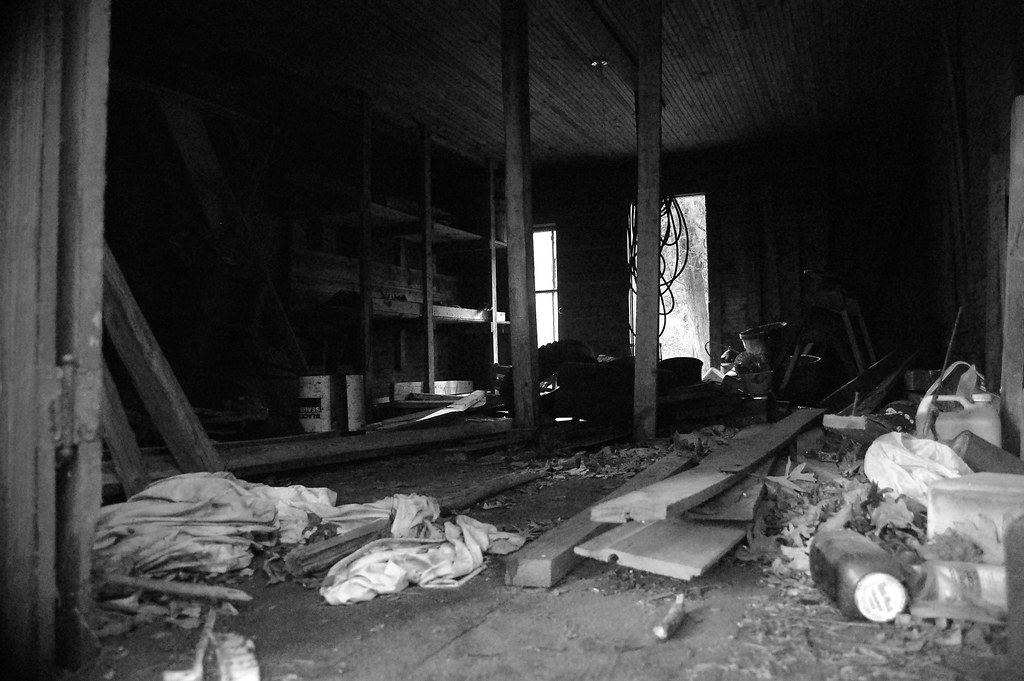
It was really dark so I bumped up the ISO to get as much detail as possible (noise) I didn't want to use the flash and I like the rough look.
4.
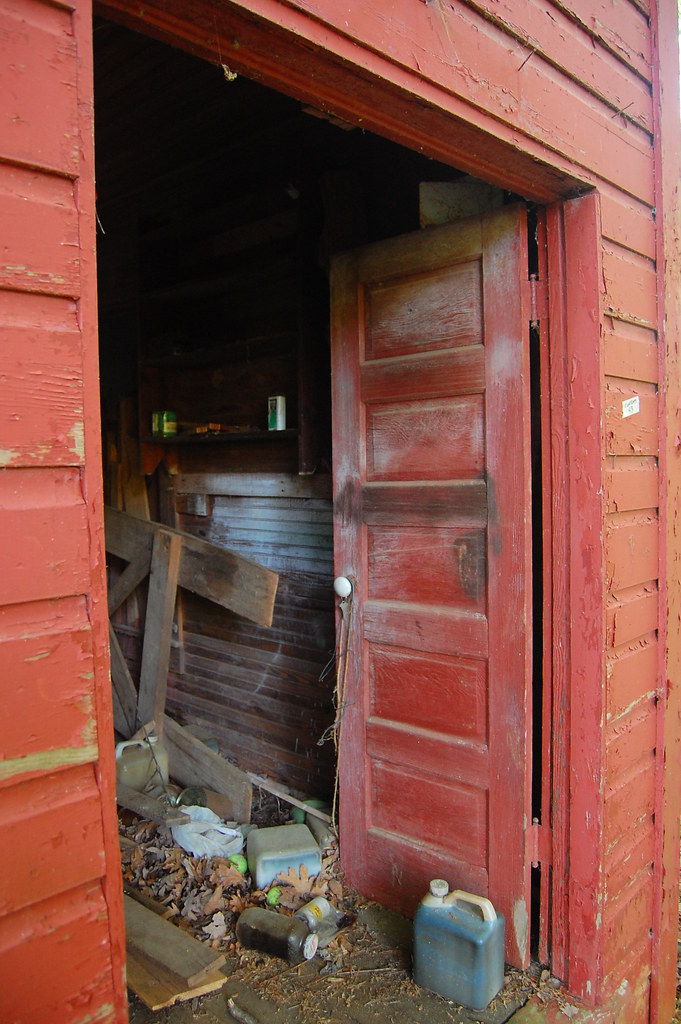
I want to crop this one to get rid of the junk on the very far right edge but not sure what exactly to do.
All in all I feel like I'm getting better, but it still seems like everytime I'm pleased on site, I get disappointed after I load the shots on to my computer. I'm really picky and any nuance throws me off. Oh well that's why we practice Btw no editing done except for the B&W conversion, straight from the camera.
I loved this little abandoned shed. I took a bunch of pictures of it, but some of them didn't come out right because the sun was doing some crazy halo effect stuff (mainly on the shots of the whole shed).
1.
I hate the fact that this one is A) crooked and B) has me in the reflection
2.
The crazy vignette was caused by one of my filters at the 18mm...as soon as I realized it I took it off
3.
It was really dark so I bumped up the ISO to get as much detail as possible (noise) I didn't want to use the flash and I like the rough look.
4.
I want to crop this one to get rid of the junk on the very far right edge but not sure what exactly to do.
All in all I feel like I'm getting better, but it still seems like everytime I'm pleased on site, I get disappointed after I load the shots on to my computer. I'm really picky and any nuance throws me off. Oh well that's why we practice
Btw no editing done except for the B&W conversion, straight from the camera.


![[No title]](/data/xfmg/thumbnail/37/37121-fda7b1957cb0d0be7bab1ddd3ec87847.jpg?1734169832)

![[No title]](/data/xfmg/thumbnail/37/37117-26c892e756b53ed0359fa90b7ebd99c9.jpg?1734169832)