What's new

Blue and red cast problem while shooting BW

sincere

TPF Noob!
Joined
Jan 5, 2006
Messages
475
Reaction score
1
Location
Berlin
Can others edit my Photos
Photos NOT OK to edit
Whenever i shoot black and white, some of my pics either have a blueish or reddish touch to it (the black just isnt really black).
For my understanding, what makes it look this way?
Secondly, what can i do to get rid of it? I simply want pure black and white pics.
Thanks!


Where are you seeing the tint..... In the camera's monitor, or on your computer?
 
I am seeing it on my computer monitor. HEres how i work: i use the black and white setting from my camera to shoot and then i work on contrast brightness, clarity or shadows etd in Lightroom. This is where i notice that the greytones have something reddish or blue in them.

I am not 100% sure if i have always used the RAW file or the jpg. Also, could white balance be the issue? I usually keep it on Auto.

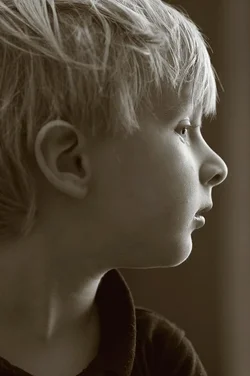
I want greytones like this guy.
 
Thanks for the info - so shoot "normal" from now on? The reason why i use the monochrome option from the camera is to see the result instantly so i can determine if this is what i want.

By the way, the black and white mix function in Lightroom does not work for pics i have shot in monochrome. odd.
 
The best conversions start out by 'shooting raw', if your camera has the ability to do so. This way, you have ALL the data possible to work with in post.
 
Thanks for the info - so shoot "normal" from now on? The reason why i use the monochrome option from the camera is to see the result instantly so i can determine if this is what i want.

You should learn to see B&W even before you decide to take a shot. I did this back in my film days due simply to the cost of film and processing. Shoot color then convert.
 
Thanks for the info - so shoot "normal" from now on? The reason why i use the monochrome option from the camera is to see the result instantly so i can determine if this is what i want.

You should learn to see B&W even before you decide to take a shot. I did this back in my film days due simply to the cost of film and processing. Shoot color then convert.

Thanks for the advice, since you have made the suggestion i am sure you can tell me how to see BW..
 
Thanks for the info - so shoot "normal" from now on? The reason why i use the monochrome option from the camera is to see the result instantly so i can determine if this is what i want.

By the way, the black and white mix function in Lightroom does not work for pics i have shot in monochrome. odd.

Exactly right: if you want to end up with B&W images, then shoot with the camera set to RAW + JPEG, so that the reviews on the LCD are B&W. THat allows you to see the images in B&W, and to evaluate the lighting as it will appear in B&W.

Have the strength of your convictions when shooting. Shoot RAW + JPEG, and set the right white balance in-camera. COnvert to B&W in Lightroom, and adjust the White Balance and Tint sliders to get the color tone you want your B&W shots to have.

Color and B&W are optimal with widely differing types of lighting. Evaluating a color image on the camera LCD is a good way to end up with a half-assed B&W image.
 
Thanks for the advice, since you have made the suggestion i am sure you can tell me how to see BW..

Practice, of course, is one easy way. Practice putting color on hold while you concentrate on value, shape, line, texture, or whatever is there.

Another fine trick is to obtain a piece of blue glass through which to view your scene. The blue tint subdues color to the point that what remains is the value, shape, line, texture, etc.
 
The problem is your monitor. If a black-and-white image is color toned, that makes no sense. Grayscale is grayscale, unless you're in RGB and then it's possible to introduce color. If you remove color information from a file, tint is impossible. It would have to come from the monitor or intentional manipulation.
 
Whenever i shoot black and white, some of my pics either have a blueish or reddish touch to it (the black just isnt really black).
For my understanding, what makes it look this way?
Secondly, what can i do to get rid of it? I simply want pure black and white pics.
Thanks!

You did not mention the BRAND and model of camera you have, but my Canon d-slrs have a color tone option; I usually select Sepia Tone, and I normally use the Color Filter Effect: Yellow Filter. I suppose it is possible that your camera offers similar options when you are making IN-CAMERA B&W images in JPEG format, or when using any number of software applications that convert a Canon .CR2 raw file to a monochrome image.

One tip when asking for help on photo forums is to mention the brand and model of camera, so that people can do quick research to identify specific issues. My Nikon D2x for example has just color mode I, II, III, and then "B&W", and LACKS the color filter effects, and also lacks the color-toning options.

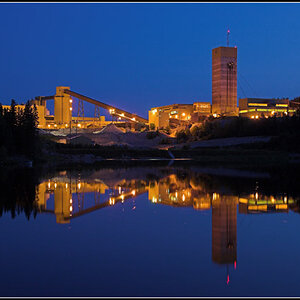
For example here is an in-camera JPEG, made by a Canon 20D,with the following settings: Monochrome; Sepia Toning: Yellow Filter Effect

$49627405.webp
 

Create an account or login to comment

You must be a member in order to leave a comment

Create account

Create an account on our community. It's easy!

Log in

Already have an account? Log in here.

Back
Top Bottom