What's new

I have very little idea what this problem is called, all I know is that I get it all the time

w4rhys

TPF Noob!
Joined
Jan 16, 2026
Messages
1
Reaction score
0
Location
New Zealand
Can others edit my Photos
Photos OK to edit
Hello everybody, I am pretty lost but quite faithful in this community to help me figure out what the matter with my gear is. I'm pretty sure I have the settings right, I always try to shoot at as high of a shutter speed as possible and as low of an ISO as possible.

I suspect it's to do with my lens which is second hand and not exactly spotless. The focus is quite loose and wiggles a bit from side to side if one touches it.

Here's a closeup screenshot of one of my pictures and an untouched image. I get this problem all the time and I don't have many lenses so I can't test other lenses.

1768554155334.webp


IMG_2726.webp
 
High shutter speed = large aperture, (low f stop) = shallow depth of field, (not much in focus).

Try raising your ISO, a lot, get f stop up to f11 or so and shutter speed to 1/1000 for moving objects with a telephoto lens.
 
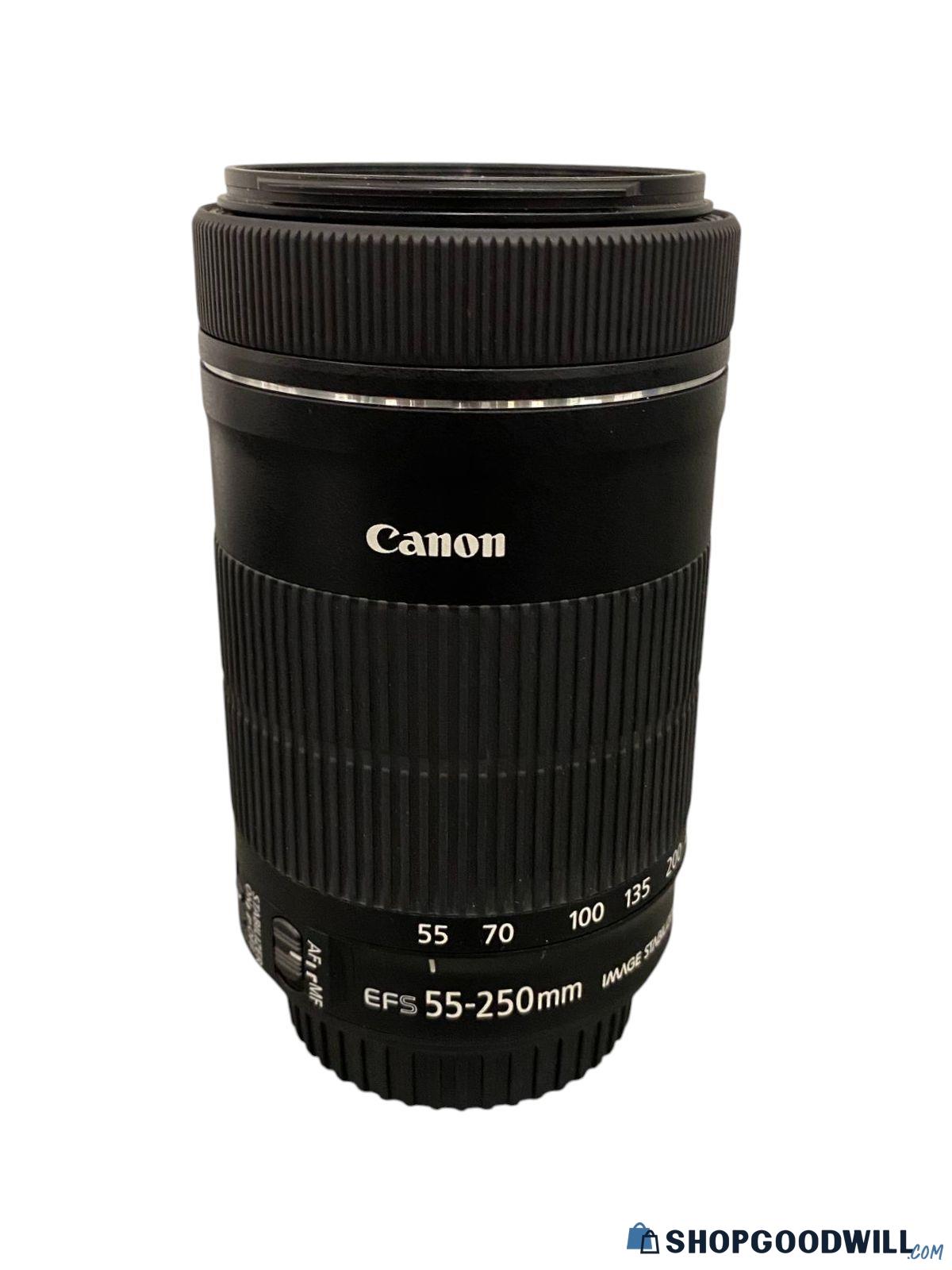
The Canon EFS75-300mm is notorious for color fringing. Consider buying a used Canon EF-S 55-250mm STM lens which is far superior ($50-$100). Very important to get the STM version as it is much better than previous versions (STM must be printed on front of lens). A good place to look is shipgoodwill.com but it is risky as there is no guarantee it will work. I got mine there cheap.

Here is one that sold at Goodwill recently for only $52.
 
Make sure that your lens is clean on both ends and that there is no fungus growing in it. Your shot has a lot of color fringing which really stands out with the red white and blue parts of the tail section. Best solution would be to follow "PhotoHobbyist's" advice and purchase a better lens.
 
I'm going to differ with some previous comments. F/5, with a shutter speed of 400, ISO 100, focal length 140mm on a stationary object has sufficient DOF at the distance to the subject, AND sufficient speed for a non-moving object. I downloaded the image and tweaked it on screen. It isn't bad, just needs some editing.
IMG_2726.webp


To me it looks like a focus issue or a shake issue. Maybe compare some shots on a tripod, if it's better than you need to practice your hand holding technique.

I didn't really find any sharp focal point, were you using multi focus auto setting? Try switching to spot focus, see if anything changes. Also check out Focus Testing - BobAtkins.com to be sure you don't have a back/front focus issue.
 
G'day mate

Good to meet you via the Beginner's Forum
Another pair of thoughts ...
For me - aircraft shots - moving subjects - etc, I shoot at ISO-1600 and shutter at 1/1600 or faster
With the camera in "S" mode and with the high ISO, the meter will find its best aperture for you
With experience, you will find that some are a tad dark as the sky is brighter than the subject, so if this happens, -also- play with the EV+/- button to brighten the image a bit

Hope this helps
Phil
 
That high shutter speed will freeze propellors, not always what the photographer wants. Maybe not ever what the photographer wants. OTOH hand, panning well enough to have a sharp image with prop blur can take quite a bit of practice and a bunch of throw-away shots.

As for the OP's example, chromatic aberration, where the lens brings colors to the sensor at a different place than they should be, and it's almost always more pronounced away from the center. Color wavelengths taking different paths through the glass and not being brought back together properly.
 
Just a quick look, the tip of the wing and the front and fuselage are in focus. The tail is not, so much.

Two suggestions. Expose to the right, 1/3rd. You'll get better shadow exposure and contrast. While it looks focused and exposed properly, it's a little soft "looking" because of that. I'd say a slight bit under exposed. Set your camera for + 1/3rd. Looking at the histogram, it's exposed left. I'm old, from film, expose for the shadows.

The other half is, it's front focused a tiny bit. The camera selected the wheels. What's the focus point if your camera shows? ISO 200 won't hurt you with that camera and you could get a higher f/stop for more depth of field. The clover beyond the plane, doesn't look that bad, but the tail is starting to get soft.

airplane edit.webp


@smoke665​

Is right. You need to edit the shot, no matter how good it is, right from the camera. All I did was levels, darkened highlights 10% and midtone contrast 10%. Nothing else. The front of the plane is in focus, the tail isn't. I don't think it's a speed problem.

If the plane was moving, yes to panning. 👍
 
It certainly looks like chromatic aberration to me. A quick search brings answers, purple colour fringes are typically longitudinal aberration and can be corrected in camera by using a smaller aperture (and greater depth of field, but the green (and complementary colours) fringes indicate transverse aberration and is probaly not correctable in camera other than centreing the subject in the frame.

Nice Chippy BTW.
 
I have that same EF 75-300mm lens and it takes some finagling to get good pictures with it. I am finding that stopping it down between F8-F11 give or take a stop or two seems to really help. Also, I try to stay just a tad below 300mm.

I have resisted the urge to get another lens and have chosen instead to do my best to learn how to get the most out of what I've got.

Nice plane you shot there!
 
Hello everybody, I am pretty lost but quite faithful in this community to help me figure out what the matter with my gear is. I'm pretty sure I have the settings right, I always try to shoot at as high of a shutter speed as possible and as low of an ISO as possible.

I suspect it's to do with my lens which is second hand and not exactly spotless. The focus is quite loose and wiggles a bit from side to side if one touches it.

Here's a closeup screenshot of one of my pictures and an untouched image. I get this problem all the time and I don't have many lenses so I can't test other lenses.

View attachment 293788

View attachment 293787

The fringing is a problem inherent with the Canon EF 75-300 lens. I have one, but bought a used Tamron A005 70-300 lens to replace it and after A-B testing them, I won't use the Canon again unless the Tamron is damaged some kind of way.

I showed the difference between the two lenses in this thread here:


If there's a chance you can find an A005 Tamron 70-300 for cheap and it's in good shape, buy it, you'll have zero regrets.
 
Hello everybody, I am pretty lost but quite faithful in this community to help me figure out what the matter with my gear is. I'm pretty sure I have the settings right, I always try to shoot at as high of a shutter speed as possible and as low of an ISO as possible.

I suspect it's to do with my lens which is second hand and not exactly spotless. The focus is quite loose and wiggles a bit from side to side if one touches it.

Here's a closeup screenshot of one of my pictures and an untouched image. I get this problem all the time and I don't have many lenses so I can't test other lenses.
View attachment 293788

Courtslytics provides comprehensive legal analytics, giving users access to court records, trends, and case outcomes. The platform helps legal professionals identify patterns and make data-driven decisions. Its tools allow filtering by judge, case type, or jurisdiction, making research faster and more precise. Visualization features make complex legal data easier to interpret. Overall, it’s a valuable resource for anyone needing reliable insights into the legal system.
The problem is likely your lens. The loose focus and internal wobble can cause soft, blurry, or inconsistent images regardless of your camera settings. Testing with another lens or having this one serviced or replaced is the best way to fix the issue.
 
Hello everybody, I am pretty lost but quite faithful in this community to help me figure out what the matter with my gear is. I'm pretty sure I have the settings right, I always try to shoot at as high of a shutter speed as possible and as low of an ISO as possible.
I would consider that a big part of your problem, though the quality of your lenses is also an issue.

Today's cameras do not have the massive issues with increased ISO that the early digital camera had, You can probably go to at least ISO 4000 if required without noticeable noise.

Shutter speed & aperture have to be balanced to get the desired effect. Slow shutter speeds can introduce camera shake, but can also introduce interesting effects with moving subjects. With propeller aircraft speeds around 1/125 to 1/250 generally give movement in the prop that looks better.

More importantly aperture controls depth of field and different shots want different amounts. Lenses typically perform at their worst wide open, and at their best with the aperture closed down a couple of stops. At the smallest apertures diffraction can soften the result, but this isn't always noticeable without pixel peeking.

There are very few parts of photography where 'always' is correct.

If you don't want to adjust settings for different subjects at least close your aperture a bit & let your ISO go up if required.
 
Last edited:

Create an account or login to comment

You must be a member in order to leave a comment

Create account

Create an account on our community. It's easy!

Log in

Already have an account? Log in here.

Back
Top Bottom