What's new

C&C - Adding Reflections

H4X1MA

No longer a newbie, moving up!
Joined
Aug 10, 2011
Messages
327
Reaction score
59
Location
Vermont
Can others edit my Photos
Photos OK to edit
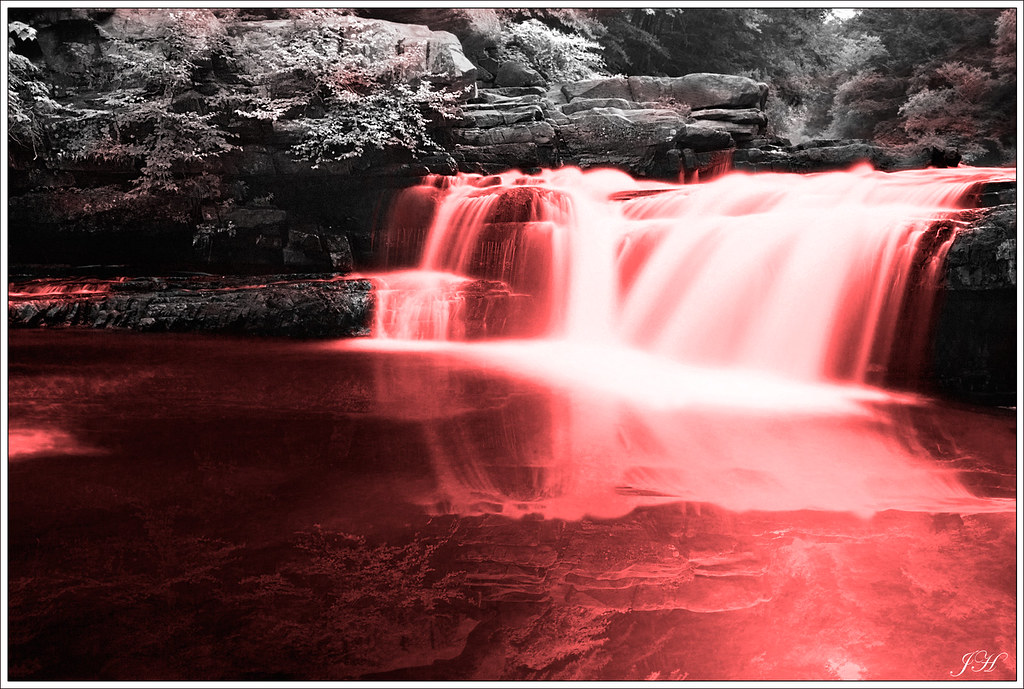
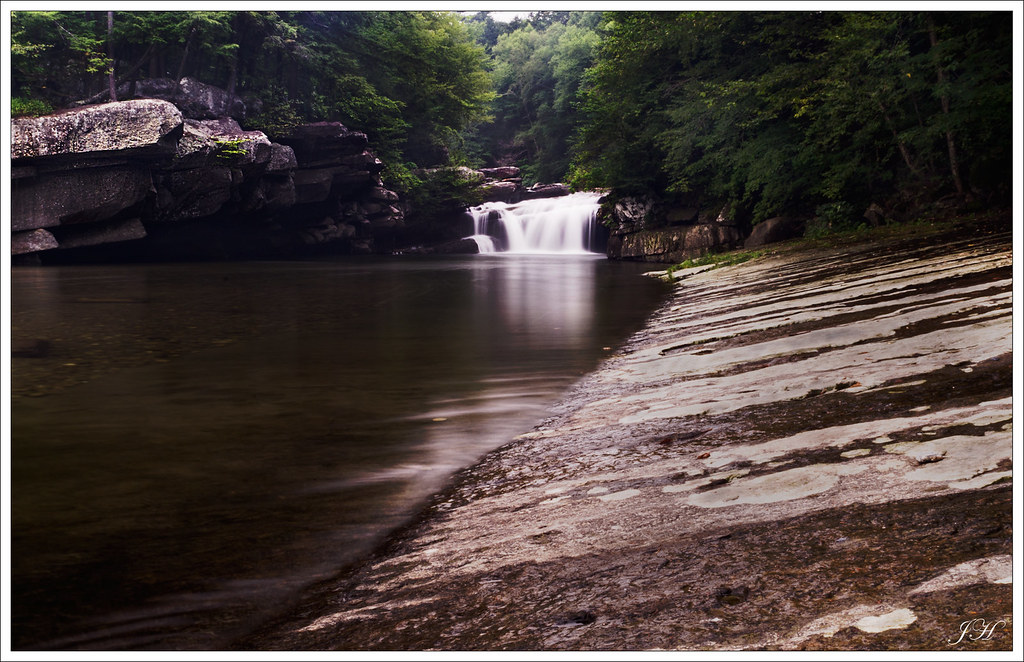
This was a shot from the weekend, I had already posted a distanced shot of these falls that was kind of "meh". This was shot with a variable ND filter, 30 second shutter, ISO 100. The water after a 30 second shutter looked just plain streaky so I added the reflection in myself. A non-photographer friend of mine said that it looked like there wasn't enough sun to get the "reflection" that I had. #3 is a repost for anyone who didn't see it just as a reference to the area.

Thoughts?

1.
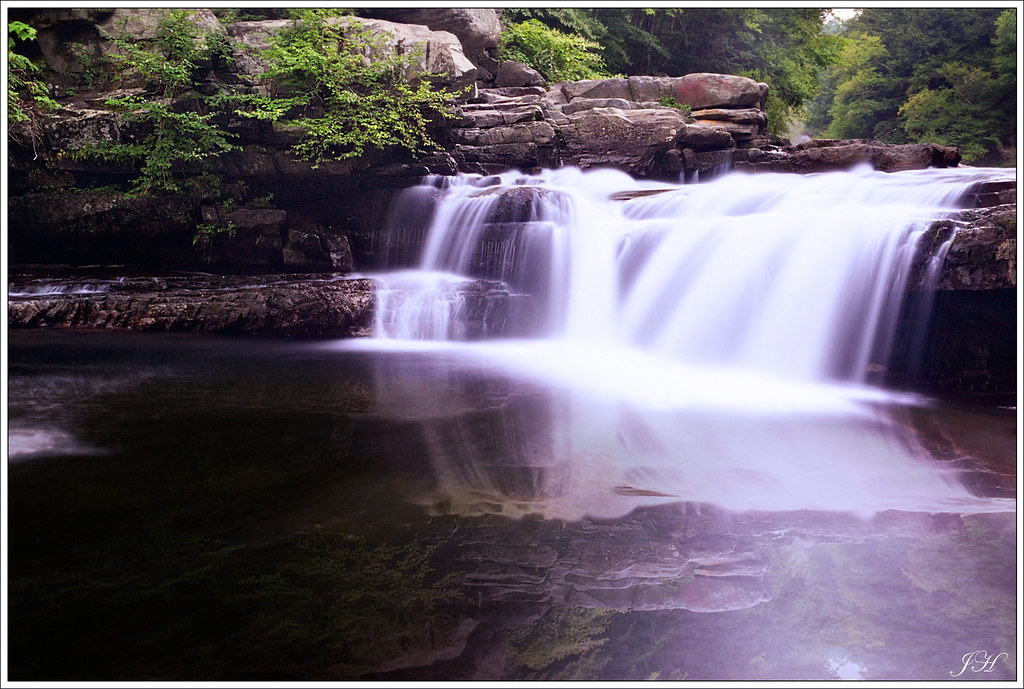

2. Artistic take, I did like 4 versions of this picture messing with the water color and ended up liking red the best.

3. Just for reference
 
Thoughts?

1.

The red doesn't look artistic.

6072285824_e0778bafeb_bEdit.jpg
 
I didn't add red to the first one? You see red in there? :S
 
I was referring to #2. I don't get why #1 is so purple.

Do you notice in my edit of #1, that the reflection in the water is a bit more distinct. Is somewhat subtle
 
H4X1MA, remember when I wrote that really big thing on one of your previous photos about the most common problems in waterfall photography?

I mentioned the problem of "sun burn" on the waterfall.

The most common waterfall exposure problem experienced when shooting at inconducive times or under inconducive weather conditions is usually the occurrence of "sun burn". The sunlight directly strikes the whitewater of a waterfall and causes ugly, blown-out patches on the water every time you attempt to produce a balanced exposure.

Well, the photo upon which I was commenting happened to avoid that problem by virtue of the fact that the waterfall was in the shadows.

These shots, however, demonstrate the problem of "sun burn" very well. The waterfall itself is completely blown out. This has the effect of creating a feature-less, glowing blob in the middle of the frame. It was just too bright when you shot this photo. To get the surrounding forest to expose properly, you had to completely over-expose the water.

Check the histogram after every shot, making sure you haven't blown out the water. You want whitewater to look white... true enough... but whitewater doesn't "glow" white. You would ideally expose the shot such that the water was very bright, but NOT blown-out to pure white. There are certain instances where some degree of over-exposure works for waterfalls... but its better to first know how to photograph them without blowing highlights.

Before toying with tinted exposures and manufactured reflections, it would be best to really nail the technique for getting a solid waterfall shot.
 
KmH, I do see that you made the reflection more distinct. However, my thought would be because of the overhanging cliff you would lose some of the reflection due to shadow am I wrong here? The purple i must have added in post, colorblind is a b#tch :(

JG, I think the blowout may have happened in post, the original doesn't seem all that bad. You have a better idea of what to look for, here's the original.

 
Yes indeed... this shot is much better than all the other versions you've posted in this thread. Maybe a bit under-exposed this time around... but it's considerably better than the edits are.

Definitely avoid degrading your subject in post, as has occurred with your edits. You have a decent shot here... it looks nice and natural... keep as much of that naturalness as you can in post.
 
But I like vibrant pretty scenes! lol. This image to me is just so dreary, not sharp enough, due to the mist coming off of the falls it has a white haze.
 
Then go find some vibrant scenes and wait for the right light or learn to paint. :)
 
But I like vibrant pretty scenes! lol. This image to me is just so dreary, not sharp enough, due to the mist coming off of the falls it has a white haze.

Well... I'm not saying that the shot represents an "ideal shot" of this waterfall, necessarily. Just that, compared to the direction taken in your editing, this original shot looks considerably better.

It's fine to like vibrant scenes... just be careful not to try to turn your photo into something it's not.

You live in Vermont... you'll have some very vibrant foliage soon enough. THAT's the time to go back to this waterfall with the goal in mind of getting a "vibrant" shot.

The original shot you have here certainly could be improved with post-processing... but avoid going in some direction that attempts to make this waterfall (as it was when you shot the photo) something other than what it is. Such a process rarely works out. Move in the "direction" that the shot was already going when you composed the frame. What you have may not live up to the ideal of "vibrant" or "cheery" (as opposed to dreary), but it will almost certainly look more natural... more real... and look better overall... than if you try to "transform" it into something other than what it is. If you try to "create" some different scene altogether in post from this original shot, what you'll inevitably wind up with is a photograph that looks "over-edited" and "fake"... because that's exactly what it will be.
 
Why would you add a reflection to a waterfall? If it's a waterfall the water would not be calm. It doesn't look natural, it just looks like you should spend more time with the camera and less time in PP.
 
...If it's a waterfall the water would not be calm...

This. I don't know much about landscape photography, but I wouldn't expect to see a still, clear reflection at the base of a waterfall. It seems to me the key would be to find a naturally occurring reflection and enhance that rather than trying to create one where there shouldn't be one. I much prefer the unedited shot.
 

Create an account or login to comment

You must be a member in order to leave a comment

Create account

Create an account on our community. It's easy!

Log in

Already have an account? Log in here.

New Topics

Back
Top Bottom