What's new

Canon could take a shot and my d60 couldn't, advice?

kelmn07

TPF Noob!
Joined
Jun 12, 2011
Messages
11
Reaction score
0
Location
MA
Can others edit my Photos
Photos NOT OK to edit
First off I'll say that I don't have the exact model details of my friend's canon, so if no advice can be given due to insufficient details please just kindly say so.

I took photography about 10 years ago with a Minolta. Now I am trying to get back into it with a Nikon d60. So I understand basics, but am still trying to learn about the exposure settings and white balance, etc.

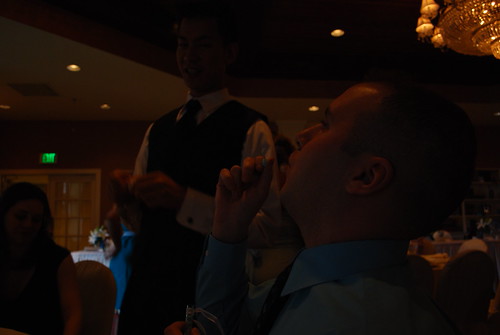
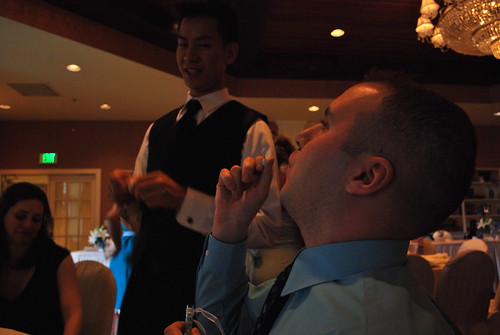
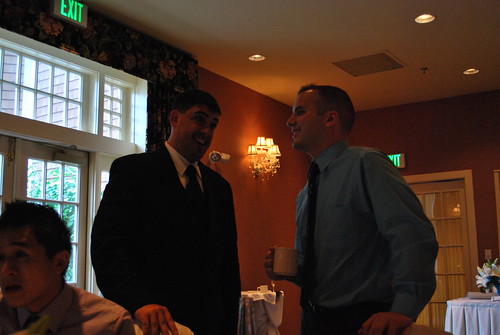
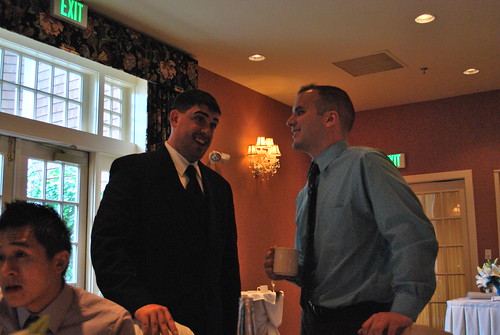
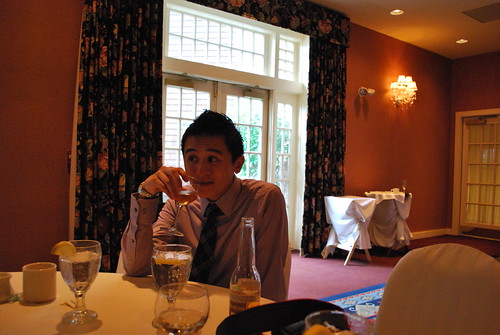
Details-at a wedding this weekend I had my d60 and a friend had a canon. Same lens size 18-55. The canon looked pretty much identical to mine. We were in the reception hall with warm lights, and few french doors letting natural light in, so over all it was well lit with, but dim/warm. Her canon was taking beautiful pictures without flash, and the images looked identical to what we see naturally. My pictures are so dark that you can't make anything out in them. We had the same shutter speed and f stop, I set the exposure up two notches, and tried every ISO. Hers was set to auto. That was the extent of which I tried to get mine to take a quality picture because I was trying to enjoy the wedding.

After reading the tutorial forum, I have to guess it was the white balance-which I am unfamiliar with so far.

I find though, that even in very well lit settings, like my house that is flooded with natural light all day, my nikon constantly tells me 'subject too dark,'

I know that this is lacking in details, and sorry for the very novice question, but I was hoping someone could offer some advice based on what I've given.

Thanks!
 
So I understand basics, but am still trying to learn about the exposure settings and white balance, etc.
Thanks!

I think those ARE the basics but I'm new so I could be wrong. Without knowing what camera your friend had or what settings the two of you were using it will be nearly impossible to give an educated answer here. Even best guess would be sketchy.
 
There is really no way you tried every ISO and got shots too dark to make anything out, unless you had your shutter speed too fast. Were you on manual? Can you post a few of them?
 
If it's dark, then it's not white balance :) If you can attach the picture, we can read the exif data and will have a better idea of what went wrong.
 
Last edited:
Was the lens cap off??? :lmao: kidding :-P haha. Posting some of the shots would be the only way to get some helpful advice.
 
Intriguing...there are only a few cameras manufactured by Nikon or Canon that can take great looking shots in those conditions without flash and none of them look anything like your D60.

I'm also a bit confused about your camera telling you that your subject is too dark? Is that some sort of scene or guide mode?

I agree with the others, post an example of a pic you were unhappy with that still has it's EXIF data attached. Troubleshooting will be much easier with an example.
 
I think this could be the start of another Canon v Nikon!!! :lmao:

Sorry, joking aside. I think its probably down to camera settings from the menu (rather than the quick wheel selectors). Have you looked through the camera menu options e.g. ISO/exposure compensation/Picture Style (canon cameras give you the option of sepia/monochrome etc).
 
At the higher ISOs you could make things out, but they were still dark. I will post a couple of the shots I took tonight when I get home, and I'll see if friend will send a couple of hers as well (and her canon model). Thanks!
 
.....Hers was set to auto......
Auto everything, or just auto ISO?

It sounds like your D60 may have had negative Exposure Compensation (EC) set. I also wonder which of the 3 light metering modes - Spot, Center-weighted, Matrix - you had the D60 set to.

It also sounds like you are not yet very familiar with the D60, the in-camera light meter, the basics of the exposure triad and how the 3 exposure settings: shutter speed, lens aperture and ISO setting relate to each other and the effect each has on the final image, as far as motion stopping and depth-of-field.

I recommend you spend time with your D60 at hand as you re-read the D60 User's manual
 
Ok, so since I don't know every detail of my friend's camera and her exact settings all I can go on is mine. I wasn't sure if I should start a new thread asking for advice or continue to post on this one? Here goes-here are a few of the shots: All shot in manual mode, all 1/20, f4.5
1. ISO 400
5830648412_41b760c6d4.jpg


2. ISO 400, I changed the exposure setting and I apologize I do not recall, but it was two notches to the right.
5830097555_dc2b71aca7.jpg


3. ISO 800
5830100337_3ba8fdd2a8.jpg


4. ISO 800, exposure two notches to the right
5830651730_d09eef6d0a.jpg


5. ISO 1600
5830102065_315a8be544.jpg


Again, given that I don't have all of the information, if it is not possible to make a recommendation based on that please kindly say so-I originally posted to see if this was a common rookie mistake, I did not know I would be going to a forum with these and I will be better prepared in the future. Thank you for any advice.
 
Last edited:
To post photos from flickr here you have to go to the photo - right click on it and in flickr you get the size options - select the size you want. On the new page right click the photo again and this time go to properties. On the miniwindow highlight and copy the URL line. Then come to the forum and paste it between image tags - like this:

[ img ] paste url of photo here [ /img ]

all done without spaces
 
.....Hers was set to auto......

I recommend you spend time with your D60 at hand as you re-read the D60 User's manual

Thank you KmH I will be spending a lot of time with it this week because i thought I would know enough to use it day to day, but I am really overwhelmed with it compared to my film camera, with all of the buttons/functionality/etc.
 
If you want to take MUCH better shots in that type of environment, a solid investment would be a 50mm f1.8 or 35mm f1.8 lens. Understanding how the camera operates and how each setting will affect you picture is first and foremost, but one of those lenses will make your set up much more capable in these types of low light situations.
 
Well, for the first two, the ISO was too low for those conditions.

For the last 3, my guess is the camera saw the large bright window and tried to balance the exposure in order to not blow out the highlights. Any time there is a very bright object in the frame, it can fool your meter. Same thing for a white or very light subject or a very dark subject.

In any case, for this type of photography, bounce flash is really the way to go. Heck, I use an external flash, a 1.8 prime and I am still at ISO 1600 for shots like these.
 
Last edited:
What was the max aperture on your friends lens. It may have been a faster f2.8 model, maybe the 17-55 f2.8 efs. They were most likely shooting at iso1600.
 

Create an account or login to comment

You must be a member in order to leave a comment

Create account

Create an account on our community. It's easy!

Log in

Already have an account? Log in here.

New Topics

Back
Top Bottom