What's new

CC: B&W Shots.

echoyjeff222

No longer a newbie, moving up!
Joined
Jun 27, 2010
Messages
645
Reaction score
140
Location
WA
Can others edit my Photos
Photos OK to edit
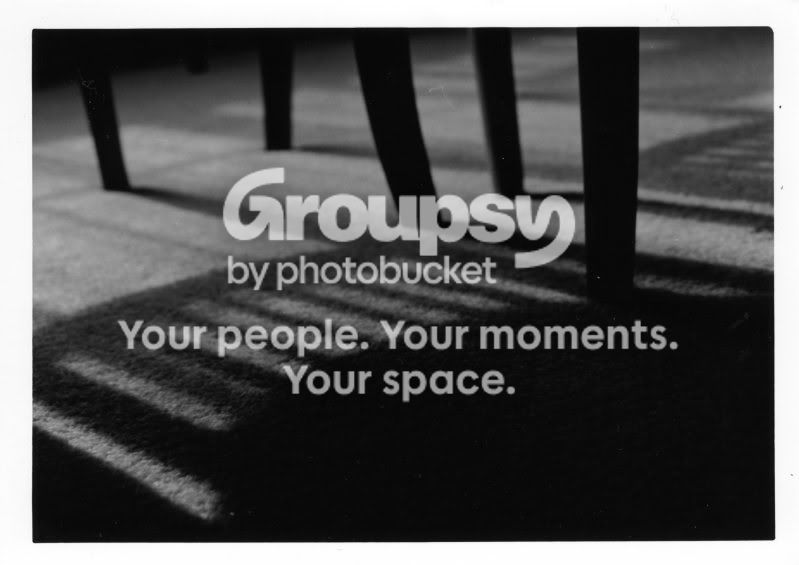
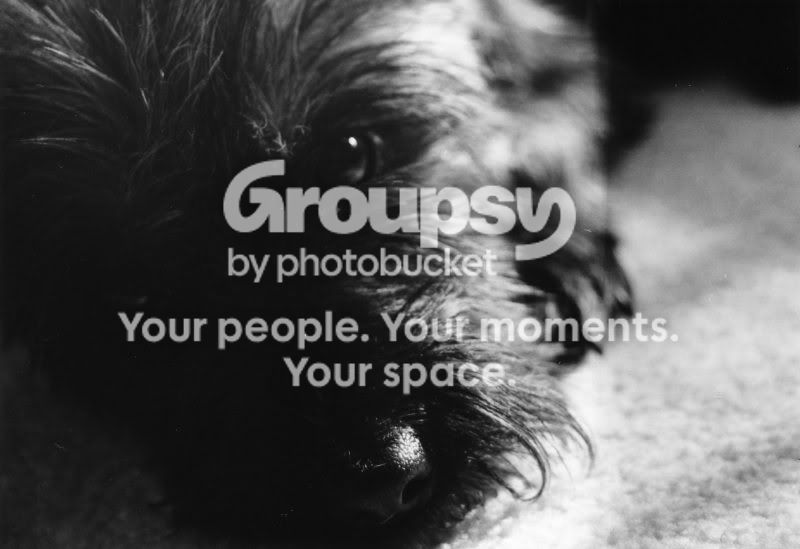
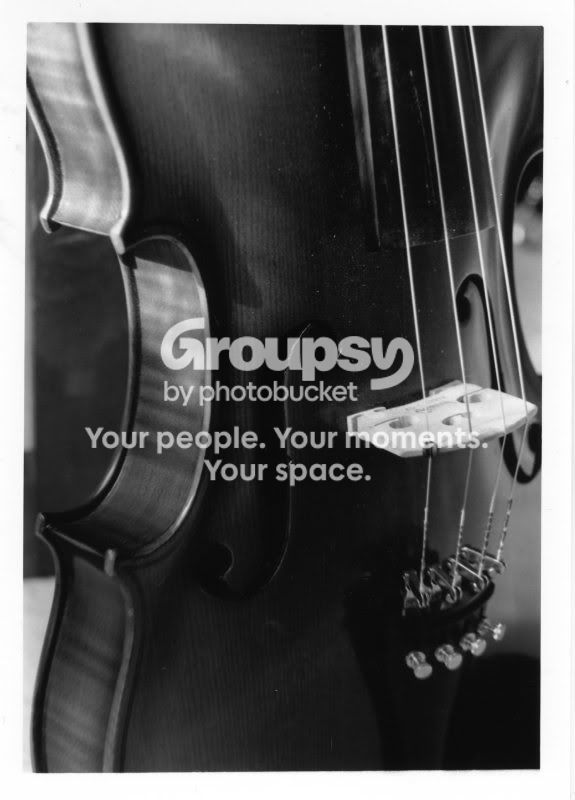
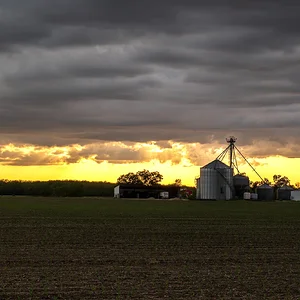
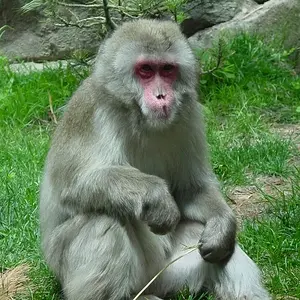
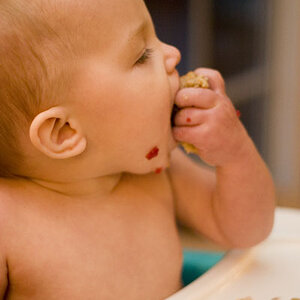
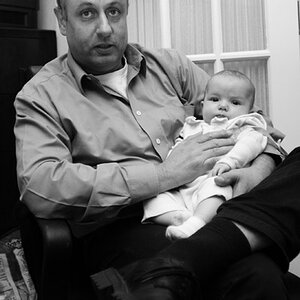
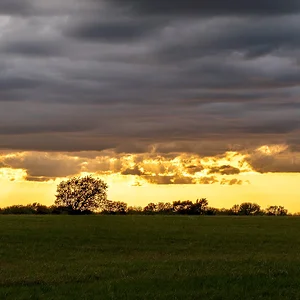
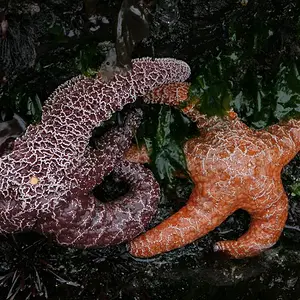
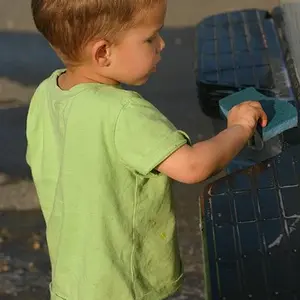
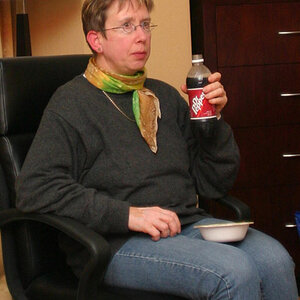
Here are some of my shots that I took for my second photo assignment (school) - the theme was compositional guidelines. Critiques? I still have time to do any burning or dodging in the dark room, since it's not due for awhile. These are not edited at all.

Thanks!

Silhouette.
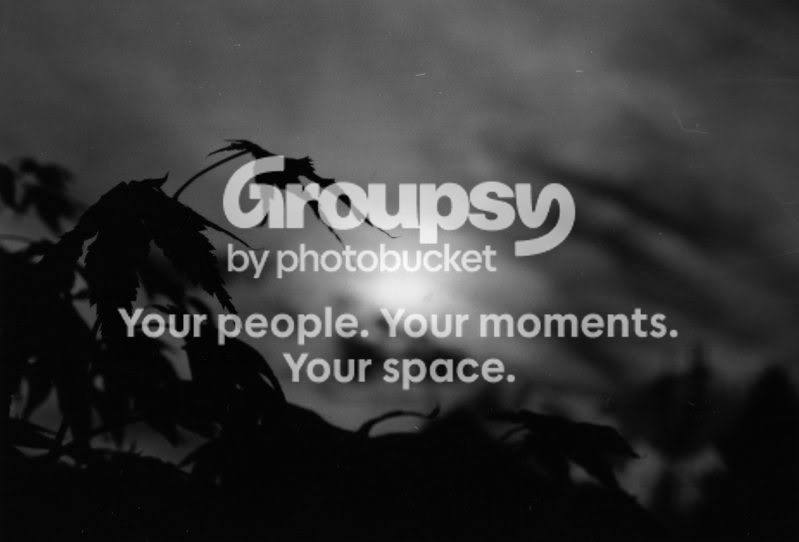
img001.jpg


Shadow

img002.jpg


Texture

img003.jpg


Form

img004.jpg
 
anyone? :)
 
They all look underexposed to me.

The first one looks like it was taken in the dead of night by moonlight.
2nd - well, it's a shadow which is what you were going for.
3rd - aside from being able to make out very little detail in the dog itself, the focus seems to be on the end of his nose rather than the eye
4th - I think this is the best of the bunch in terms of lighting, but I'm not sure where the focus is supposed to be. The whole thing looks soft.
 
They all are underexposed. What compositional guidelines were you supposed to incorporate? None of them really have any message / meaning, and the subject in the first two seems unclear to me.
 
IMO, each subject is well chosen for what you were asked to do.,,but silhouette is the weakest composition. The others are good efforts.
 
I think window light is generally too diffuse for good shadow photography, especially when you combine that with the fact that the shadow is landing on carpet, which further makes for indistinct shadows,when the whole point of shadows is is sharp distinct imagery. And a regular chair doesn't make for a very interesting shadow subject.

In the texture picture, too much of the black is clipped and too much of the highlights are washed out to effectively get texture.

In the last one, the 3/4 angle you shot the instrument at obscures the form instead of highlighting it.
 
Could it be that the fact I had to scan these photos made the quality go down? They look a little fuzzy on my side, at least.
 
The shadow image is not bad, although low in contrast. I would go up at least one contrast grade and decrease exposure. You don't want any real highlights, imo, but the lightest areas should be lighter than they are to provide more contrast with the shadows.

The silhouette needs to be spotted to remove dust spots. The composition is also a little off and it needs some cropping, but I can't really figure out how - perhaps a little on the right and bottom?

P.S. dust spots in the shadow image also
 
Could it be that the fact I had to scan these photos made the quality go down? They look a little fuzzy on my side, at least.

ah yeah, that explains the weird dust spots and the like most likely. They're also definitely a little fuzzy, but I couldn't quite put my finger on why, that probably explains it. It also probably partially explains why they all look underexposed and under contrasted. In my experience scanners will skew the exposure one way or the other and reduce contrast.
 
^^ thanks. can I remove that NOW, or do I have to reprint the whole thing?

(to the dust spot thing)

and i think there are actually dust spots on the actual print.
 
^^ thanks. can I remove that NOW, or do I have to reprint the whole thing?

You should be able to doctor the scanned image in a post processing program. The program doesn't care where the image came from, all it knows is that it's a jpeg.
 

Create an account or login to comment

You must be a member in order to leave a comment

Create account

Create an account on our community. It's easy!

Log in

Already have an account? Log in here.

Back
Top Bottom