What's new

Crabtree Falls and Blue Ridge Mountains

Netskimmer

No longer a newbie, moving up!
Joined
Jul 23, 2009
Messages
1,392
Reaction score
229
Location
North Carolina
Can others edit my Photos
Photos OK to edit
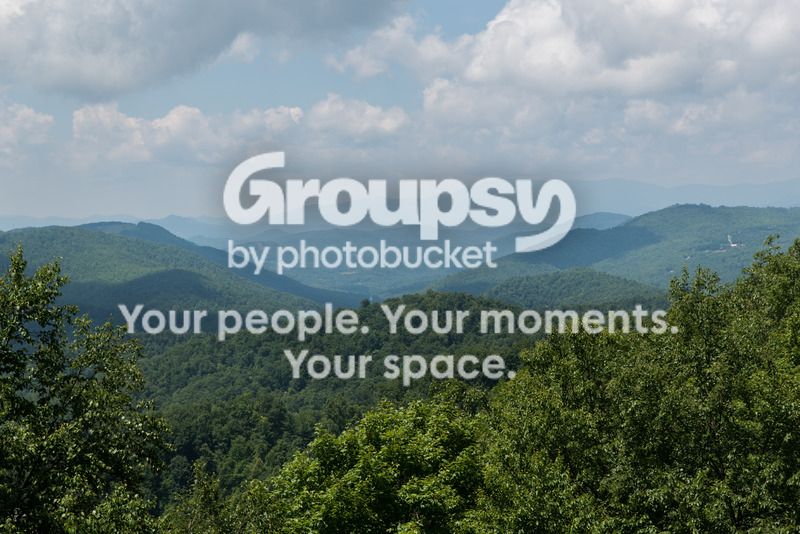
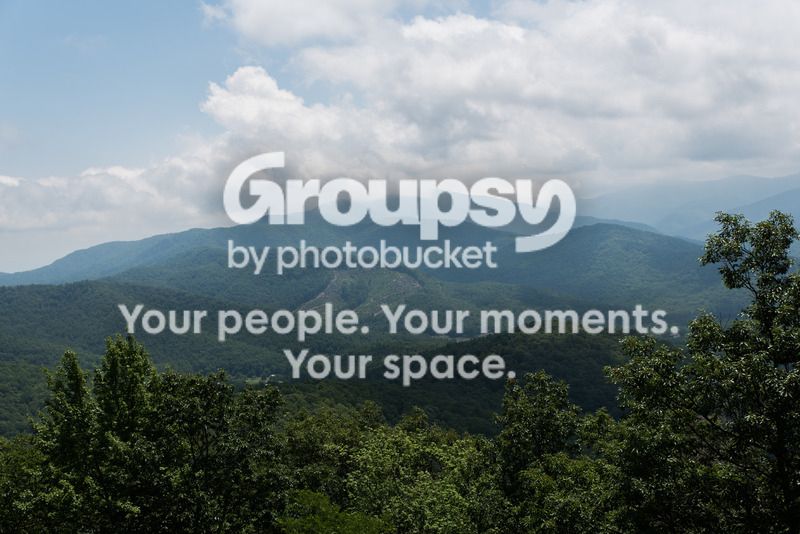
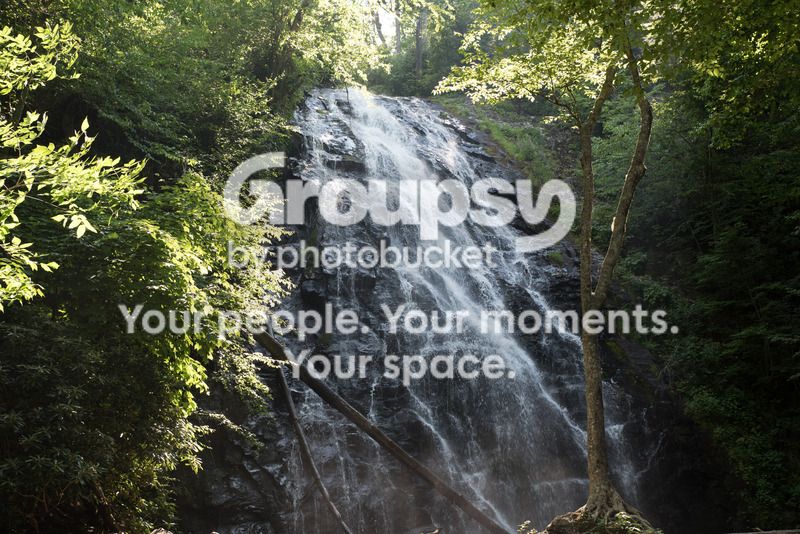
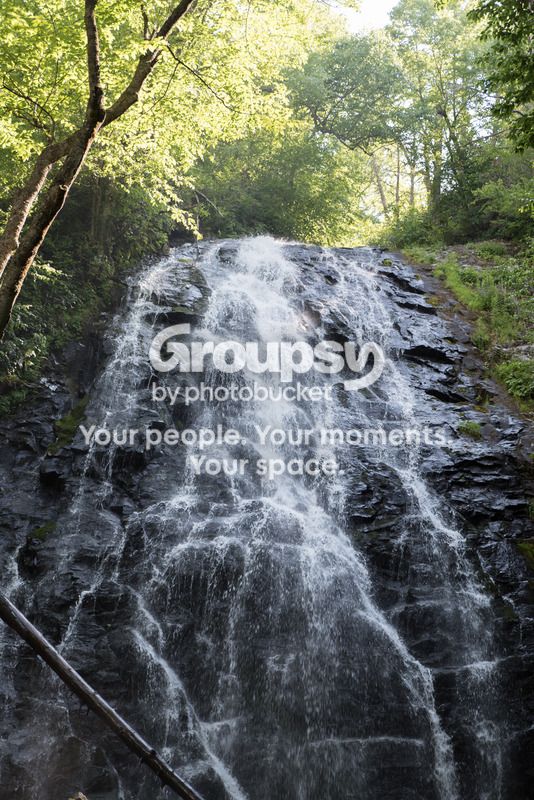
Trying out my new Tamron 24-70. Aside from telling the chicks in the photo to get out of my shot, what could I have done better?

1.

2.

3.

4.

5.
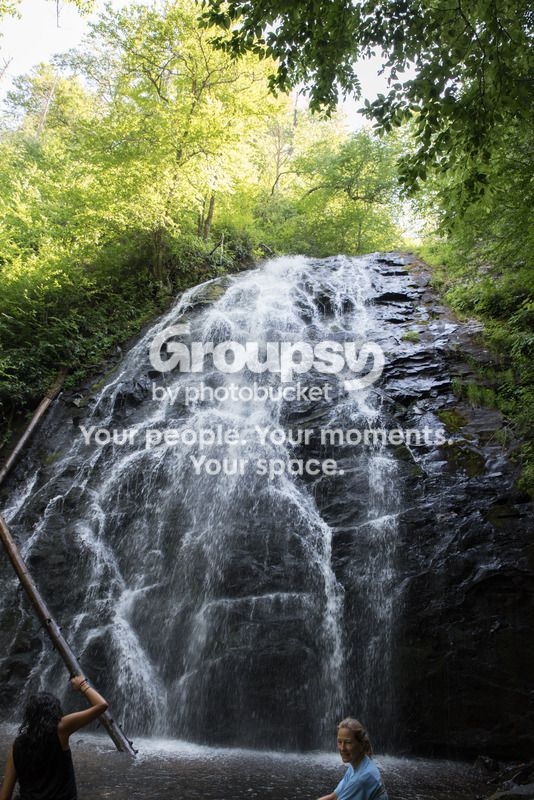
 
It seems to me that the waterfall shots are a bit blown out at the top you might want to use a ND filter to stop down the background and then you can slow the shutter speed to smooth out the water,,just my thoughts.
 
That or bracket and blend....or do it in photoshop :-) though filter would work better.

wf.webp
 
I've struggled with the "blue smoke" of the Smokies many times, and still don't know that I have a solution, especially in the summer when it's all green and blue. It's a little easier in the fall when there's some color to offset the cast, but even then it's always there. If you remove the cast entirely, then you lose the authenticity of the mountains.
small.webp
 
Tricky, but color cast shouldn't affect the "smokiness" as it tends to only balance out the colors that shouldn't be in the other colors. You shouldn't have a preponderance of blue in your yellows, reds and greens and in your image, Smoke665, you did. I've shot there more than a few times and I found more often than not it was an exposure issue to maintain the smokiness while still getting a "feel" for the ambiance of the area.

I obviously can't do the scene the justice it deserves in PP but I could remove the blue cast and still maintain a feeling of smokiness.

smoke.webp
 
Tricky, but color cast shouldn't affect the "smokiness" as it tends to only balance out the colors that shouldn't be in the other colors

This was a pre-edited image for example, that the blue haze, "smoke" is a feature of the area. I have edited the photo both with and without, but my comment was to the point that eliminating the cast takes away from the authenticity of the scene as the eye saw it. Do you remove , do you leave it or find a point in between? In the summer when everything is green, adjusting the blue cast is more difficult for me, than in the fall. To me the OP's #2 is a more accurate representation.
 
It probably is and that's the advantage of working with an original or raw files over an already edited 72 dpi jpeg. You can eliminate the cast and not lose the "smoky" feel. I'll have to go back a couple of years in my archives but I've seen it, shot it without losing that aura...and for anyone else out there that's never shot here, tain't no easy task.
 
Interesting trivia. The "Blue Smoke" is actually the result of respiration of the trees. Warm moist air from the gulf contributes to the effect by condensing when it hits the cooler mountains forming a blanket. The blue color comes from the hydrocarbons in tree respiration suspended in the mist. They bend the light more toward the red end of the spectrum rather than the blue so you get a blue tint to the vapor. Which has nothing and everything to do with how you photograph the Smokies.
 
Thanks for all the replies! I will fiddle with the settings in LR, I probably should invest in PS, but I keep resisting for some reason. In any case, I did notice that the water really wanted to blow out even though the overall scene was darker. I do have a few of the waterfall with a slow shutter speed shot hand-held. They came out alright, but I like trying to freeze the water. Now that I have a proper landscape lens, I might get some filters to match it.

I don't mind the blue-ish cast in the mountains much. They don't call them the Blue Ridge mountains for nothing lol. Though a little clarity might not hurt.
 
From GA through TN and NC to the Shenandoah Valley, I never get tired of it. I've done a few waterfalls on slow shutter with good results, however they were always on a tripod. I agree with you that catching water drops in mid air is pretty cool also. One comment though, is I've been more successful capturing that effect by getting in closer. I think the 2nd waterfall shot is the best and could benefit by post processing. Getting rid of the leaning tree in the bottom right either by cropping (Bulldurham's example) or "creative" cloning would be an improvement.
 
I can try to clone it out in GIMP, really should just get PS...:icon_rolleyes:
 
LOL Go for it!!!! I had PSP and really wanted to go to PS but by the time I made the decision they had gone to the "rental plan". Rather than do that I elected to upgrade to PSP 8 so that I would "own" the software. In retrospect, I probably should have gone on with PS. The PSP X8 does most everything that PS does, but the biggest issue is that it crashes occasionally with no warning. Granted I have automatic backups set so I don't usually lose that much but it can be aggravating
 
I just really, REALLY hate the idea of getting forced into an annual contract for software I probably only use 2 or 3 times a month at most. LR does most of what I need and I already own it free and clear.
 
I didn't crop doodlely squat...just used the content aware fill option and then cloned where there was some obvious residual traces of the log. I did add two different layers where I used some gradient fills to add a stop to both the top and bottom to help push the eye to the focal point. A couple of luminosity lights masks finished it out.

$10 a month and you can work in layers, use luminosity masking, work in channels and have a litany of other highly sophisticated tools that do not exist in LR...and the contract is monthly, not annual. No likee, quit.
 

Create an account or login to comment

You must be a member in order to leave a comment

Create account

Create an account on our community. It's easy!

Log in

Already have an account? Log in here.

Back
Top Bottom