What's new

Cropping conundrum - advice?

Abby Rose

TPF Noob!
Joined
Feb 17, 2010
Messages
642
Reaction score
2
Location
Michigan!
Can others edit my Photos
Photos OK to edit
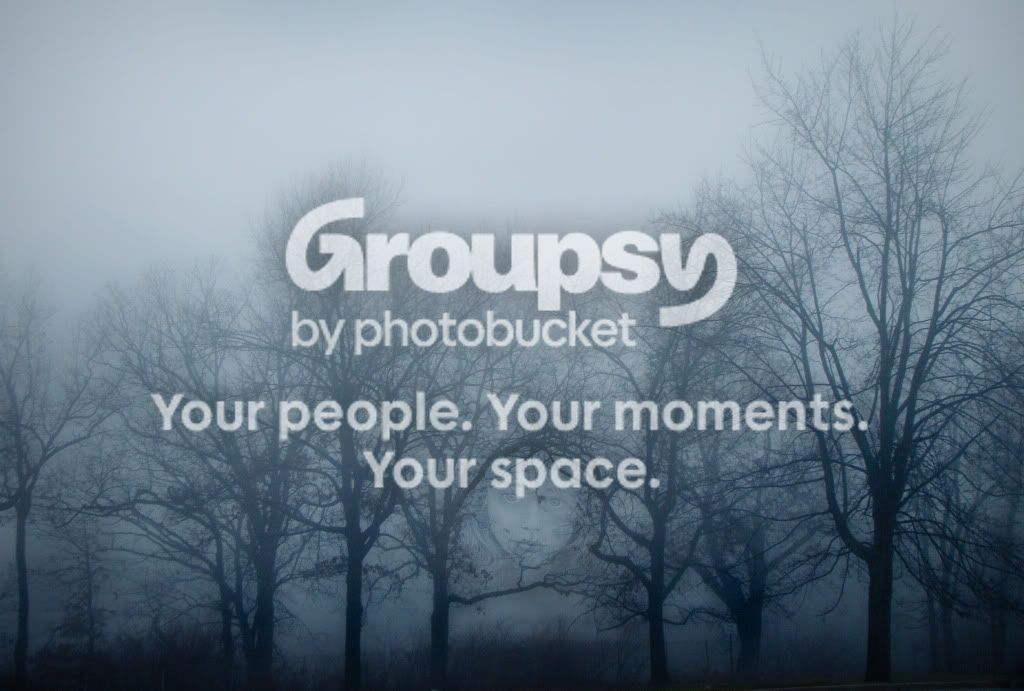
I have this picture:

DSC08612B.jpg


and I think it needs some cropping, but I can't decide. I've tried a few different ways... but it's just one of those things where the more you look at it, the more confused you get. Does anyone have any advice? Is the original fine uncropped? Are any of the versions I've posted below better? Does anyone have a better idea?

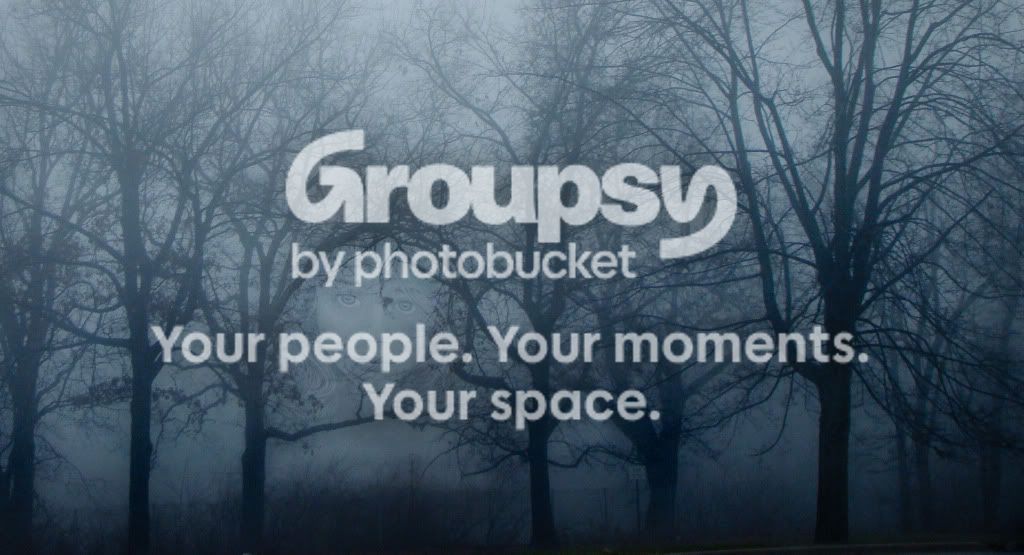
Some of my attempts:

a little off the left

DSC08612E.jpg


a more square approach
DSC08612D.jpg
 
I like the first (original one) the best I think... that face in there is perfect.
 
I'm kind of curious what the face is there for? First glance I caught it immediately but it doesn't appear as if you were trying to match it up with the branches or anything. Definitely have the eye flow to it in the original one.
 
First one. I like that the face is more subtle in the first.
 
As to why the face is there, it's sort of a Long Story... read on if you actually care. For one of my assignments in my "process book" (sketch/scrapbook, we had to keep it throughout the semester and now it's due next week) for an art class (I'm an animal science major and a studio art major - no snide comments please), we had to have a "mysterious" section. So I was looking through my fog pictures (because fog is mysterious, right?) because I'm including a photograph or two every few pages in the process book. I saw the round shape in the branches and thought it was nice, so I took a picture of the drawing I did yesterday and stuck it in the round shape.

Or, long story short, I wasn't trying to match the face with the branches, I was trying to match it with the round shape in the branches.

And thank you very much for the advice. :)
 
Didn't notice the face until the third crop.
Creepin' me out.
:lol:
 
I still think you need to go wider and the face be smaller and located about 1/3 on the side. Awesome BTW.
 
I think the problem is that I can't have the face much to the side (and still be in the round spot) and not have the picture be square-ish. At the time, I had no plans to do anything with the round spot. I barely noticed it. I was just recording the fog, and though maybe I could use the picture as a texture. Sigh.

Here's a try with the rule of thirds, without cropping any off the top like I did in the last one on my original post. But I don't think this helps any more than the others did.

DSC08612F.jpg
 
Or, one that's very similar to the "original" but I got rid of the top of the sky.

DSC08612Z.jpg


This is ridiculous. I can't choose!
 
I think the problem is that I can't have the face much to the side (and still be in the round spot) and not have the picture be square-ish. At the time, I had no plans to do anything with the round spot. I barely noticed it. I was just recording the fog, and though maybe I could use the picture as a texture. Sigh.

Here's a try with the rule of thirds, without cropping any off the top like I did in the last one on my original post. But I don't think this helps any more than the others did.

DSC08612F.jpg
This one, but crop off the sky so that the top of the photo is just a hair below the highest branches located right over the face; that is: So that all of the empty sky is gone.
 
Ah. Gave your idea, tirediron, a shot, but I left a tree on the far left.
But does that leave it too long and skinny?

DSC08612BLAHBBB.jpg
 
I like the sky.. LOL.. I wouldnt get rid of it. I guess the way I like it will need you to reshoot.
 

Create an account or login to comment

You must be a member in order to leave a comment

Create account

Create an account on our community. It's easy!

Log in

Already have an account? Log in here.

Back
Top Bottom