What's new

Depth of Field Experimenting. C&C Please

Steve56

TPF Noob!
Joined
Mar 28, 2011
Messages
80
Reaction score
0
Location
U.K
Can others edit my Photos
Photos OK to edit
Hi people,

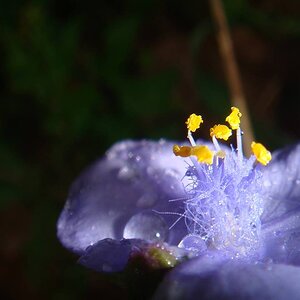
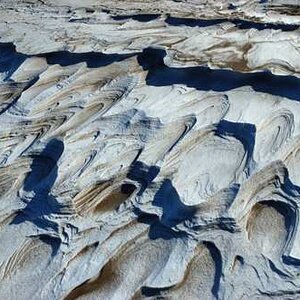
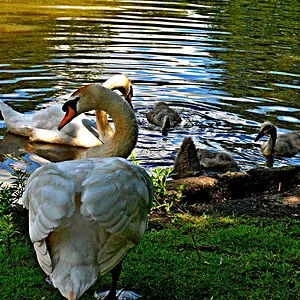
Some of you have given my advice on experimenting with Depth of Field. Whilst not the same shot as you've advised upon, I've tried different shots. Comments/Suggestions welcome.


IMG_0937.jpg


IMG_0938.jpg


IMG_0939.jpg


IMG_0946.jpg


IMG_0951.jpg


IMG_0950.jpg
 
I love the last 2! (noob here) just coming from an untrained eye :lol:
 
K...another noob here but these are my thoughts....

1. I think I see what you were going for with the light/mist warm and fuzzy shot, but there is a little too much light area in the photo, IMHO.
2. The B&W version tones it down a bit.
3. That, my friend, is DOF! great job!
4. I don't think what you were intending worked.....the black line through the center of the photo is too distracting....way too distracting
5. Love it!
6. Love it, with the exception that it appears your focus is on some of the flowers in the middle and also some of the flowers on the right. Great selective focus and DOF, except that there are a lot of flowers grouped in the middle of the branch and only one of them is sharp, which makes me think my eyes are going bad until I notice the flowers at the right of the branch look in decent focus. Perhaps you focused a little too far right, IMHO

Just another noob, take it or leave my opnion, but I think all in all a great job finding those shots and experimenting! Keep it up!
 
K...another noob here but these are my thoughts....

1. I think I see what you were going for with the light/mist warm and fuzzy shot, but there is a little too much light area in the photo, IMHO.
2. The B&W version tones it down a bit.
3. That, my friend, is DOF! great job!
4. I don't think what you were intending worked.....the black line through the center of the photo is too distracting....way too distracting
5. Love it!
6. Love it, with the exception that it appears your focus is on some of the flowers in the middle and also some of the flowers on the right. Great selective focus and DOF, except that there are a lot of flowers grouped in the middle of the branch and only one of them is sharp, which makes me think my eyes are going bad until I notice the flowers at the right of the branch look in decent focus. Perhaps you focused a little too far right, IMHO

Just another noob, take it or leave my opnion, but I think all in all a great job finding those shots and experimenting! Keep it up!

Thanks for the comments.

I agree with everything you've said.

The first 2 were just spur of the moments shots where the light reflected on the pathway really nice but it did come out as too much.

With number 3, the autofocus selected the plant life in the background, which was unintentional, so it blurred the metal bar in front of the flowers, Again, unintentional but I thought was interesting. I know where your coming from though, because the metal bar draws attention away from the focus of the plants.

Number 5, agreed. I selected the focus point to the right and it's gone too far to the right and blurred the majority of the flower.
 
# 3 is the best as you were @ f4-119mm so you really blurred the background. # 6 is also pretty good even though you were @ f5.6 but the focal lenght of 238mm gave you a nice DOF. I'm assuming that you were trying for a little bokeh with these shots. The smaller the f #, the closer the DOF on #'s 1 & 5 you were at f 7 so you had more DOF.
 
I'm assuming that you were trying for a little bokeh with these shots

I'm sorry, I don't know what you mean. Can you explain? :thumbup:
 
Wikipedia actually explains "Bokeh" quite nicely: Bokeh - Wikipedia, the free encyclopedia

What Nod was trying to say there (at least I think so) is that you wanted to get a shot with a very shallow DOF and a lot of blurred out things, although a typical bokeh-shot would probably look more like this:
Bokeh_reupload_by_BenoitPaille.jpg

, which is a shot that actually becomes a much better photo because of the out of focus elements.
 
Wikipedia actually explains "Bokeh" quite nicely: Bokeh - Wikipedia, the free encyclopedia

What Nod was trying to say there (at least I think so) is that you wanted to get a shot with a very shallow DOF and a lot of blurred out things, although a typical bokeh-shot would probably look more like this:
Bokeh_reupload_by_BenoitPaille.jpg

, which is a shot that actually becomes a much better photo because of the out of focus elements.

bokeh in general is the out-of-focus area, although sometimes is used to identify out of focus circular (or polygonal) highlights as in this picture sample (but it is restrictive).
 
#1 - Dreamy #2 - Spooky #3 - centered, vague subject #4 - distractions #5 - under-exposed, kind of pretty though #6 - the best of the bunch...but my eye drifts out of frame due to that flower top right...and this is one of the rare photos I see where I feel centering enhances the subject...
 
Steve56- KKJUN explained what I was trying to say. If you want to do a DOF expierment, place a subject (or person) about 5 feet from your camera, using a tripod, set your camera on manual focus, choose Aperture priority, select the smallest aperture # and take a shot, then keep moving the aperture # up one # at a time and take the same shot at each #. As the aperture # gets bigger, you will notice that the background gets clearer.
 
Thanks for all your input, that's useful to know.

In all honesty, I've not heard the term Bokeh. But I am relatively new to it all. I thought it was a typing error. :lol:

I'll post some more examples, as I've been out and about again.
 
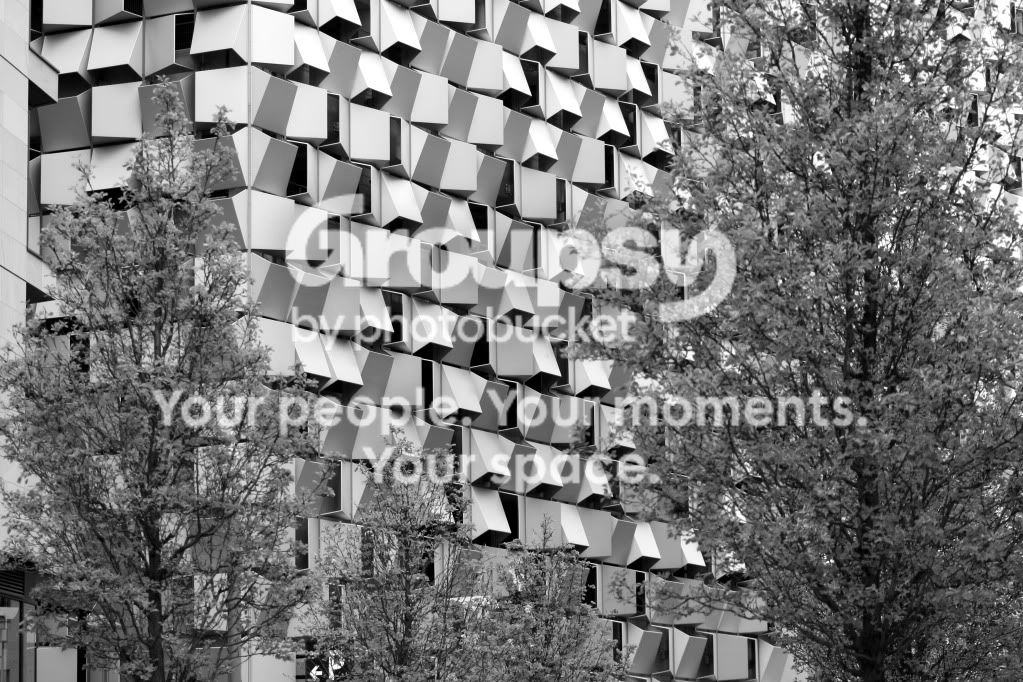
Here's some different examples which I've took today. This building is called The Cheese Grater and is actually a Car Park.

IMG_0955.jpg


IMG_0956.jpg


IMG_0957.jpg


IMG_0960.jpg


IMG_0961.jpg


IMG_0964.jpg
 
You're getting it now. Try the expierment I mentioned but DON'T change the focal distance, just the f #.
 
Will do, I'll have the results up here tomorrow.
 
I like the second series much more :)
 

Create an account or login to comment

You must be a member in order to leave a comment

Create account

Create an account on our community. It's easy!

Log in

Already have an account? Log in here.

New Topics

Back
Top Bottom