What's new

Don't Get Distracted By Her

bleeblu

TPF Noob!
Joined
Oct 9, 2011
Messages
159
Reaction score
58
Location
Alabama
Can others edit my Photos
Photos OK to edit
But how did I do?

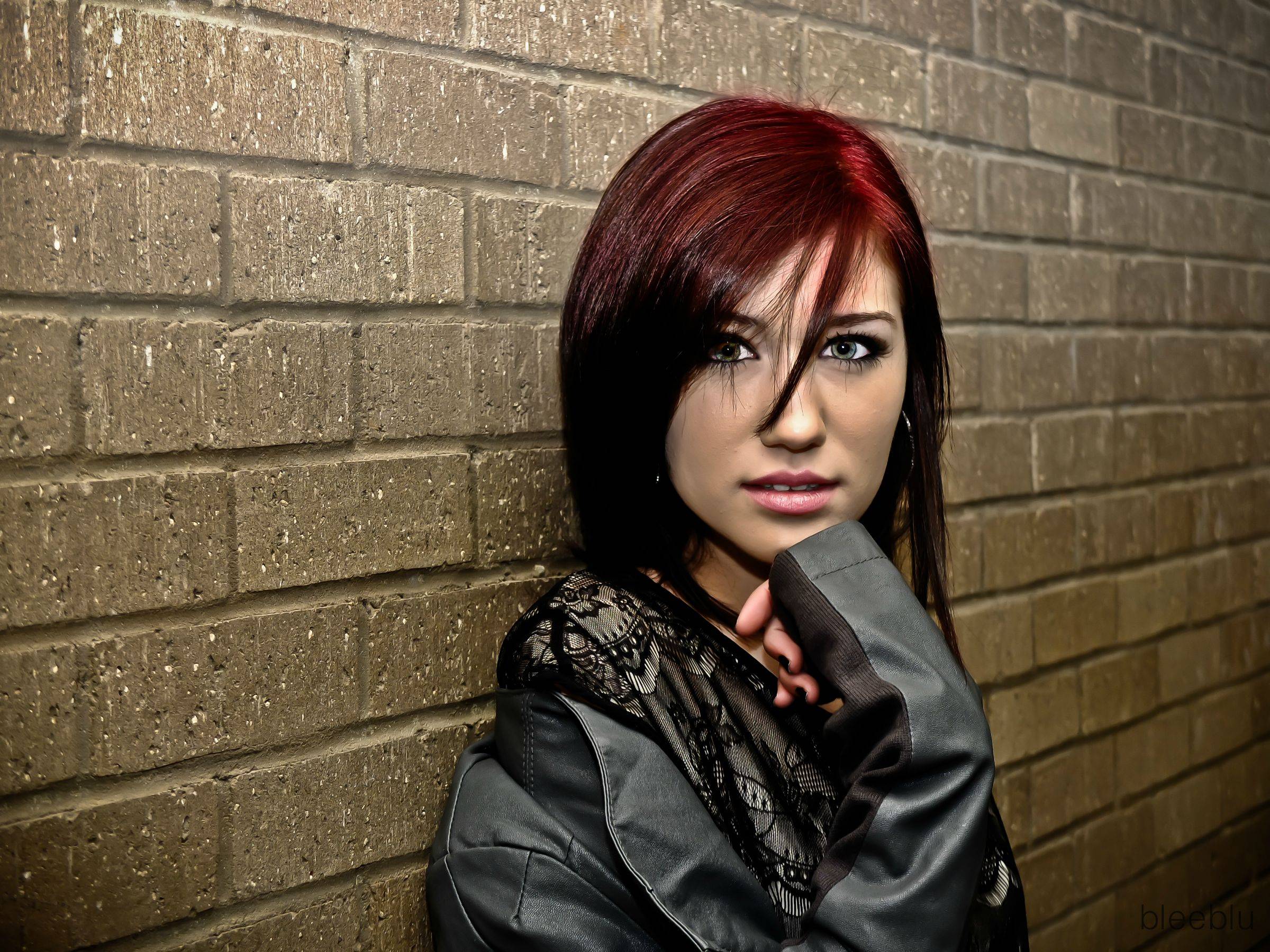
wgyl4.jpg


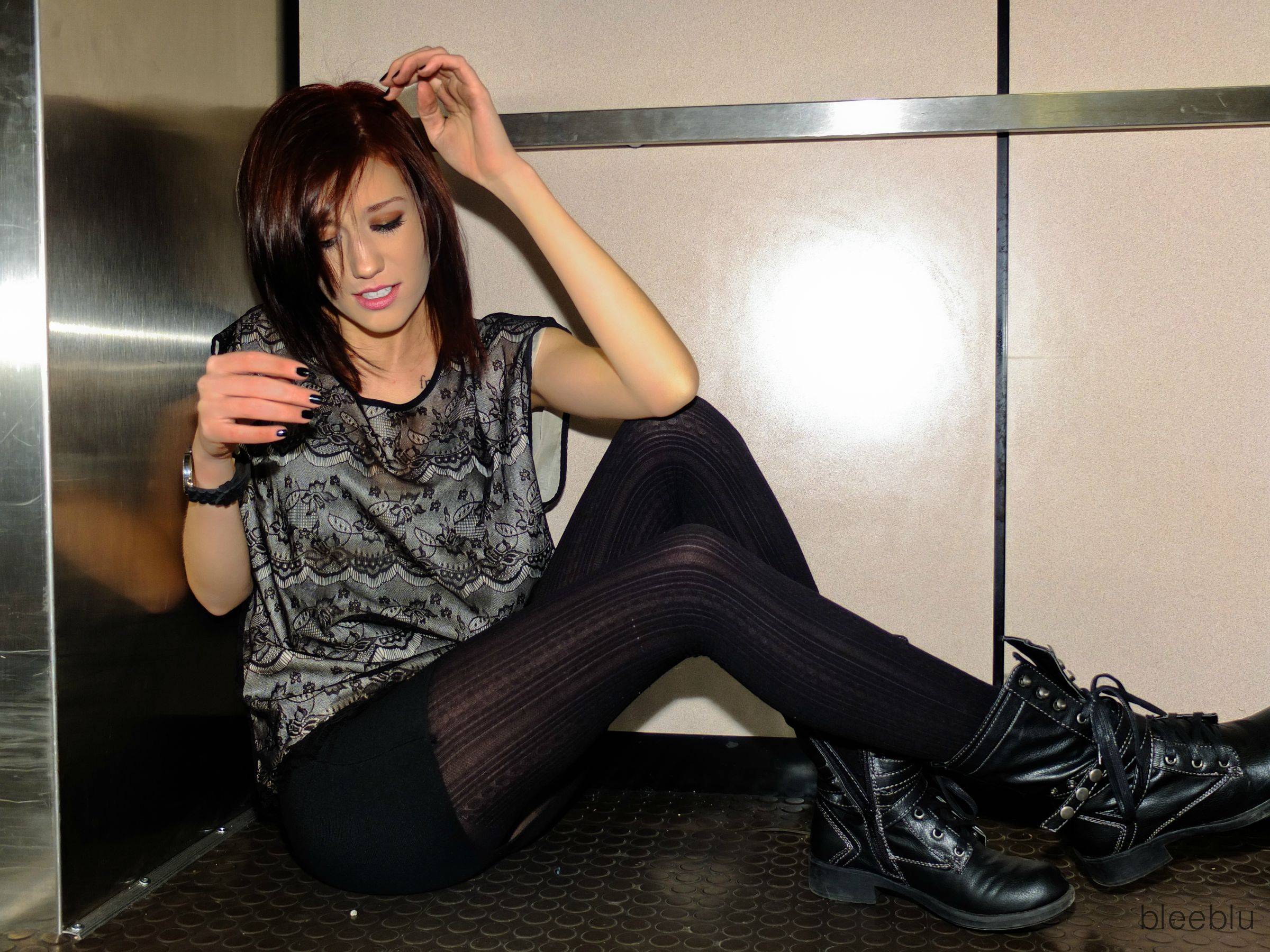
Wqw24.jpg
 
Beautiful model but her skin looks a bit yellow to me.
 
I agree. Especially the second one. She is extremely pale and this is the best I could do to make her darker :(
 
bleeblu said:
I agree. Especially the second one. She is extremely pale and this is the best I could do to make her darker :(

Why are you tying to make her darker?
I'm sure, even it she wanted a photoshop tan, she would rather be pale then yellow. She is pretty yellow in the 2nd one and did you notice her hand? It's some funky orange color (on my phone screen anyway).

She is beautiful!
 
So maybe I messed up on the second picture. Let's just let bygones be bygones.
 
She is beautiful. The first of the two is nice and sharp. Second shot, she looks uncomfortable and not ready to be shot.
 
bleeblu said:
So maybe I messed up on the second picture. Let's just let bygones be bygones.


Ok...people usually post in the beginners section for comments and critiques so they can get better. You messed up in the second picture in post - its not that hard to fix. More than one person is going to tell you if you have a funky color in the skin. It's not really that big of a deal.
 
I think you're on to something, Bleeblu. Keep at it.
 
I really like the first shot, the 2nd is ok, but she seems "not ready" ........what was your lighting setup?
 
I think her eyes are a little over processed in #1
 
It is hard to give an honest critique when one says "lets let bygones be bygone".

THe point to getting information is to be able to take it an learn so you will get better,.

She is lovely, with one number one i would like to see her off center and the wall not be so sharp (on the left side) as it detracts my eye from her , on number two along with what has already been stated, the flash shadow is very harsh. Seems a bit too much sharpening has been added

 
I agree with Ron, they look like they have been over-sharpened.
 
bleeblu said:
So maybe I messed up on the second picture. Let's just let bygones be bygones.


Ok...people usually post in the beginners section for comments and critiques so they can get better. You messed up in the second picture in post - its not that hard to fix. More than one person is going to tell you if you have a funky color in the skin. It's not really that big of a deal.

I'm sorry! I didn't mean to come off in that way at all! I was being sarcastic. I appreciate your input. I honestly wouldn't have noticed because I rush through the post processing, obviously.

I think you're on to something, Bleeblu. Keep at it.

Thanks!

I really like the first shot, the 2nd is ok, but she seems "not ready" ........what was your lighting setup?

I just had an external flash mounted on the top bouncing off the ceiling.

I think her eyes are a little over processed in #1

I agree!

I think her eyes are a little over processed in #1
Plus, overall over sharpened.

I didn't sharpen any of the image. I turned the contrast all the way up though.

It is hard to give an honest critique when one says "lets let bygones be bygone".

THe point to getting information is to be able to take it an learn so you will get better,.

She is lovely, with one number one i would like to see her off center and the wall not be so sharp (on the left side) as it detracts my eye from her , on number two along with what has already been stated, the flash shadow is very harsh. Seems a bit too much sharpening has been added

Fixed!

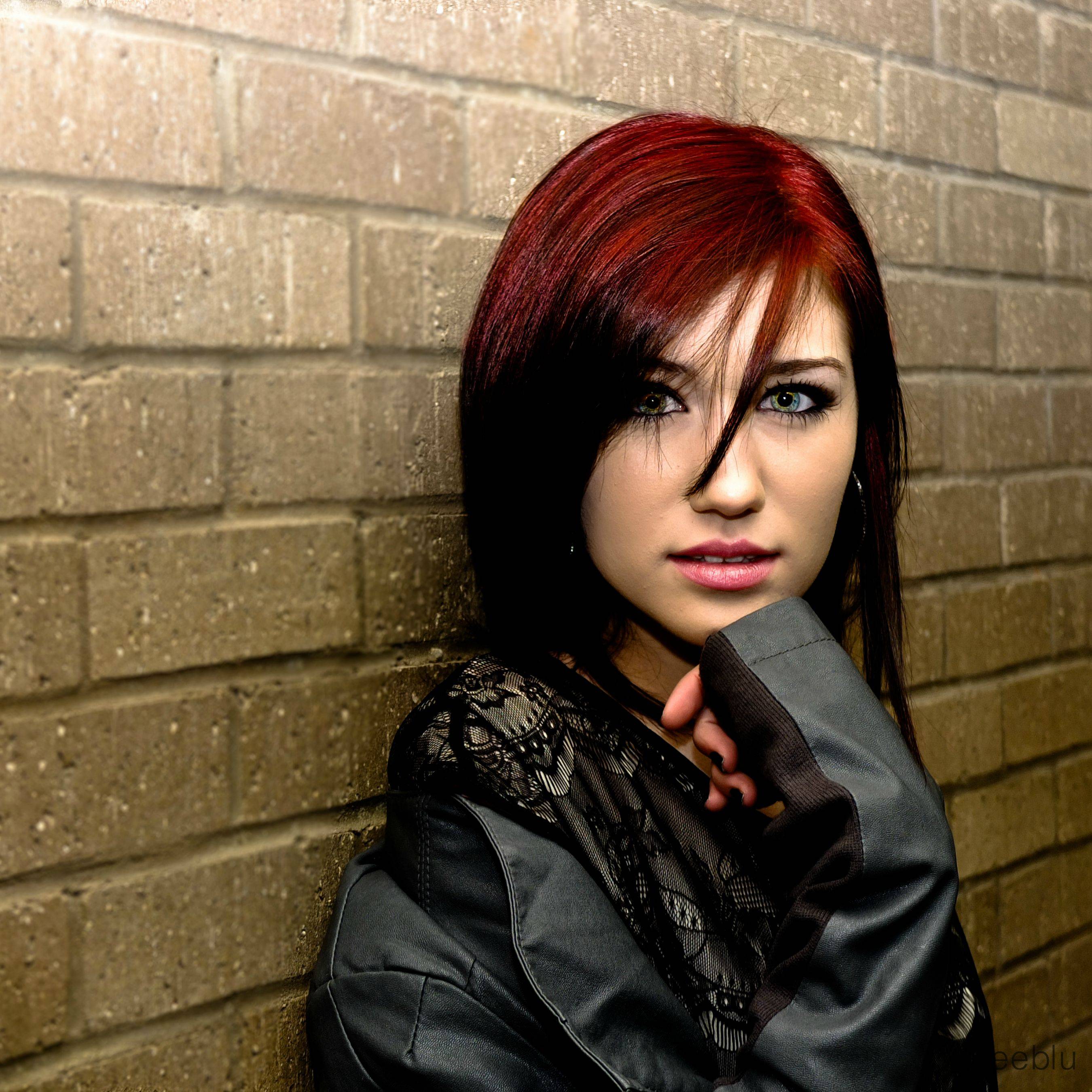
Okay, so I took all of you critiques and made a super picture. Blurred the background, fixed the eyes, the composition and made it look less comic bookish. Is this better?

i9zYc.jpg
 

Create an account or login to comment

You must be a member in order to leave a comment

Create account

Create an account on our community. It's easy!

Log in

Already have an account? Log in here.

Back
Top Bottom