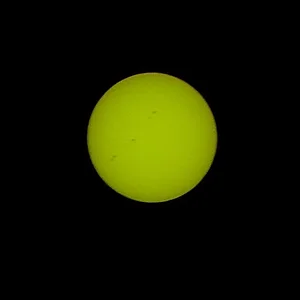
OK, to test for sensor dust set the camera on a tripod, aim it at a plain background (clear blue sky is ideal), aperture on f22 and focus on infinity. Make an exposure and then check the image on your computer (not the LCD, not big enough). Dust on the sensor will show up as soft edged dots and will be quite obvious. Dust in the lens will, at most, give a slight softening to areas of your image, but it won't look like sensor dust.
I cleaned the sensor on my 10d using the Copperhill method. I bought some PecPads and Eclipse fluid as recommended, and a cut down miniature rubber spatula to wrap the PecPad around. I followed the instructions precisely and it was fine. If you don't have a lot of sensor dust (which is only going to be visible at smaller apertures anyway) then perhaps you can learn to live with it and get used to using the clone tool on pictures where it does appear. Leave well alone is probably the best advice.
If you really can't do that, try the manufacturer's recommended method first (which will probably be to use a blower brush but not to touch the sensor. That might help, might make it worse, probably won't fix it completely. At your own risk you might then try the Copperhill method, but remember that it is only going to be temporary, because the dust will come back.
Thomsk