What's new

Feedback, please?

shelby16

No longer a newbie, moving up!
Joined
Mar 6, 2013
Messages
415
Reaction score
45
Location
USA
Can others edit my Photos
Photos OK to edit
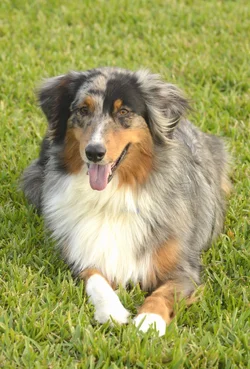
This is a little bit of a random set, but I've been trying to take in all the advice I've been given, and I would love to know your thoughts on these. These photos were taken with my Nikon D5100, with my 55-300mm lens in aperture priority mode.
How is the cropping, exposure, ect? For #1, I hate how one side of my dogs face is brighter than the other, but these were all taken outside with natural light so I'm not sure how to prevent this.

I appreciate you guys!
Shelby

CLICK TO ENLARGE!

#1
$_DSC0185.webp

#2
$_DSC0239.webp

#3
$_DSC0285.webp
 
They look fine to me, basically.

They could all, I think, be improved with some contrast adjustments. Subtle ones. If whatever you're using to edit with has a curves tool of some sort, use it, play with it, push a little more contrast into the middle to lower tones, I think.

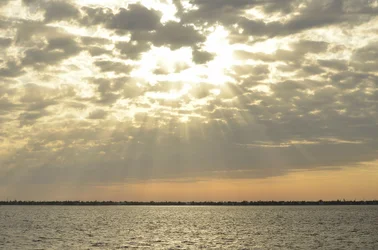
The clouds are badly blown out in the middle shot, which pretty much goes with the territory in this kind of shot -- there's no way to really capture the whole tonal range, but you can make this more appealing with a bit of underexposure and a bit of curves adjustment, to capture more of the detail in the clouds, and to make the transition to flat white less abrupt.

Everything is centered, which isn't always a bad thing, but often you'll find you like the shots with the subject off centered a bit, looking across the frame (if it's a subject that looks, and happens to be looking to one side of the other).
 
Generally nice. You could brighten up your dogs face if you could get someone to hold a large piece of white card or a reflector just left of the dog to reflect some light back onto the face.

If you like taking shots similar to the second look into using graduated nd filters. It is just putting a piece of two tone glass in front of your lens to allow less light in from one part to balance the exposure
 
Thank you both so much!
Yes, I think that the online tool I'm using has a "curved" feature but I've got to read into this because I know nothing about it. haha
I hadn't thought of using a piece of paper, so thank you jaomul! Will do next time.
 
They need contrast.
 
They need contrast.

At least with my photo editor, when I tried to add more contrast to #2 and #3, it made the lights in the photo WAY too bright. I could add more to the dog, though.
 
Curves is what you want. The "contrast" slider is almost always the wrong way to add contrast, oddly enough!
 
Curves is what you want. The "contrast" slider is almost always the wrong way to add contrast, oddly enough!

Yes, will do. :)
 
#1 Is my favorite!!


Your off to a great start with the 5100!

I took a stab at #2, edited with GIMP, not sure if it's good or not but GIMP is free and youtube is loaded with tutorials.

_DSC0239_zps0b746ea8.jpg


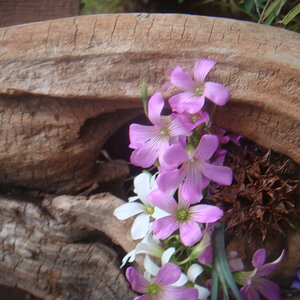
#3 Nice bokeh

What Amolitor said about centering the subject!

Look at some examples https://www.google.com/search?q=rule+of+thirds&hl=en&client=firefox-a&hs=BNH&rls=org.mozilla:en-US:official&biw=1920&bih=939&tbm=isch&tbo=u&source=univ&sa=X&ei=IgdSUYSZD6nWyQGnj4DIBw&sqi=2&ved=0CEoQsAQ


Wow, thank you so much!! That means a lot.
I love your edit of #2. How did you get this look? It doesn't look like you added more contrast, almost like more of an orange color, but I love it!
Also, thank you for the examples. I will work on that.
 
I used GIMP, it has several ways to play with color and saturation. If you want to try a free editor I recommend it or download a trial of Lightroom, 30 days free I think.
 
I used GIMP, it has several ways to play with color and saturation. If you want to try a free editor I recommend it or download a trial of Lightroom, 30 days free I think.

I'll try to play with GIMP as well. :) Thanks!
 

Create an account or login to comment

You must be a member in order to leave a comment

Create account

Create an account on our community. It's easy!

Log in

Already have an account? Log in here.

Back
Top Bottom