What's new

Few Shots of my friends for Critique and Comment...!!

The_Wanderer

TPF Noob!
Joined
Mar 24, 2011
Messages
43
Reaction score
1
Location
Right now in Muscat
Hello Friends,

I am not a PRO and this is my first portraiture I tried, I know there are many flaws , but interested to listen in order to correct myself.., thank u :)

2a0avpj.jpg


1z1bdj4.jpg


14bqnbq.jpg


opbreg.jpg
 
C&C per req:

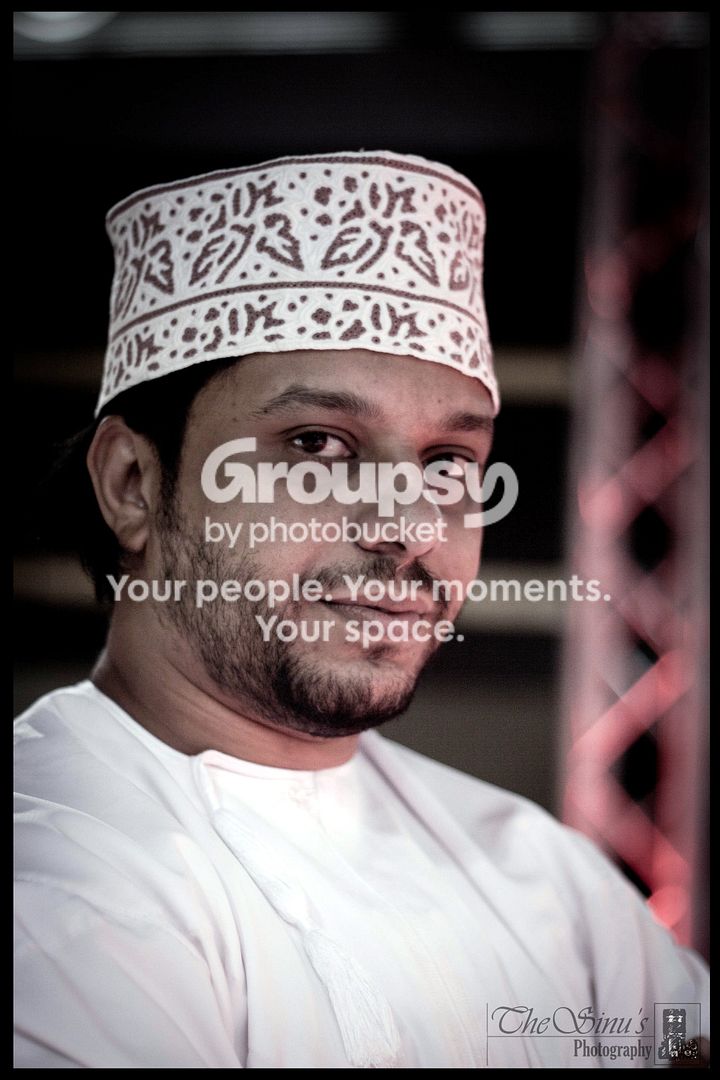
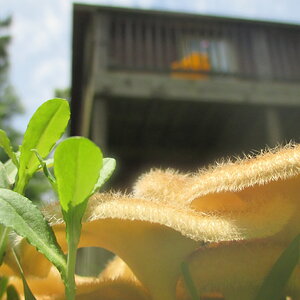
1. Not bad; a little under-exposed and a little softly focused though. Also, watch your backgrounds, the series of triangles image right is annoying.

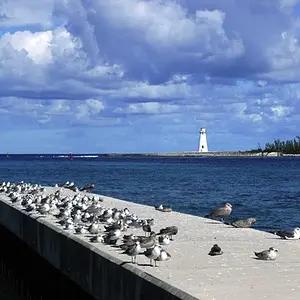
2. Good; crop most of the empty space image right away, and you've got a nice shot. Watch your composition though, never clip little bits of limbs (his left elbow). If you need to crop limbs, do it boldly and never at a joint.

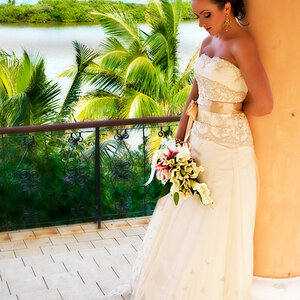
3. Cute; a reflector image left would have helped. See above on cropping.

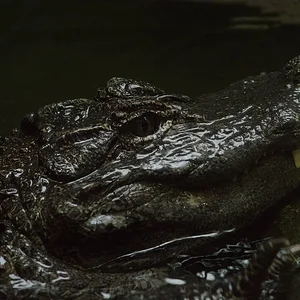
4. Neat idea; I like this one!

Just my $00.02 worth - your mileage may vary.

~John
 
Tough lighting , work on some off camera flash techniques and know you will do well. Even the pop up flash will help at times, don't be afraid to use flash during the day.
-
Thanks for sharing and shoot well, Joe
 
they are good but underexposed..
#2 the negative space should be to the left side(would look better)
try reflectors you will see a big difference..
 
I like them all, but also I think that each one is framed a little bit high.
 
He looks like a zombie in the first one :P
 
Hello Friends,

I am not a PRO and this is my first portraiture I tried, I know there are many flaws , but interested to listen in order to correct myself.., thank u :)

2a0avpj.jpg
As stated, white balance is off. This is the first thing I look at/correct in post. That alone made a huge difference here:

2a0avpj.jpg
 
I like them :) good job!

Thank you :)

C&C per req:

1. Not bad; a little under-exposed and a little softly focused though. Also, watch your backgrounds, the series of triangles image right is annoying.

2. Good; crop most of the empty space image right away, and you've got a nice shot. Watch your composition though, never clip little bits of limbs (his left elbow). If you need to crop limbs, do it boldly and never at a joint.

3. Cute; a reflector image left would have helped. See above on cropping.

4. Neat idea; I like this one!

Just my $00.02 worth - your mileage may vary.

~John

Thank u so much friend, your comment really helps me :)

What John said ( I never disagree with John) But on my monitor everything in #1 seems to have a pink tinge.

Yah, there was a strong red light all over that place from where I took the picture..,

Lighting is poor and WB is off.

Yes lighting was poor, but I need to get the hang of this WB :P .., may be some more experience might do :P

Tough lighting , work on some off camera flash techniques and know you will do well. Even the pop up flash will help at times, don't be afraid to use flash during the day.
-
Thanks for sharing and shoot well, Joe

Thanks Joe :)

they are good but underexposed..
#2 the negative space should be to the left side(would look better)
try reflectors you will see a big difference..

Thanks mate, Yah in the second pic, I also felt the same. Will keep in mind next time :)

I like them all, but also I think that each one is framed a little bit high.

Thanks for the liking :) .., yah will take care of the Frame from next time :)

He looks like a zombie in the first one :P

Ha ha ha ha ha..., he is funny man and a good zombie...errrr... Human :P

Hello Friends,

I am not a PRO and this is my first portraiture I tried, I know there are many flaws , but interested to listen in order to correct myself.., thank u :)

2a0avpj.jpg
As stated, white balance is off. This is the first thing I look at/correct in post. That alone made a huge difference here:

2a0avpj.jpg

Wow..., I dont have any Idea how you did that..lol, I mean... What software / tool and how :P :( .., Thank you
 
I normally use Canon's Digital Photo Professional, but I edit RAW files, not jpegs. For that picture, I used the auto-white balance tool in Gimp (a free photo editing program). White balance is really something that should be a primary concern to photographers, but is often neglected. It's a correctable factor that can make a huge difference in a picture.
 
I normally use Canon's Digital Photo Professional, but I edit RAW files, not jpegs. For that picture, I used the auto-white balance tool in Gimp (a free photo editing program). White balance is really something that should be a primary concern to photographers, but is often neglected. It's a correctable factor that can make a huge difference in a picture.

Thanks for sharing the information :) ..., Nice of you
 

Create an account or login to comment

You must be a member in order to leave a comment

Create account

Create an account on our community. It's easy!

Log in

Already have an account? Log in here.

New Topics

Back
Top Bottom