What's new

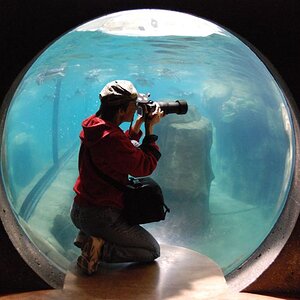
First ACTUAL shoot with the new cam, also a website change I'd like your opinion on!

Oh my goodness I am so sorry!! I really thought you were just giving me a funny email address since my form has no email secure system!! 1000 apologies, the address has been removed!
Thanks, we're good now. :)

I agree, my menu might not be as organized as some might like, this is due to the fact that I am dreading having to pull each and very page into DW and manually switch each menu to display.... That's gonna be a b**ching task.
I used Dream Weaver once - for about 5 minutes. ;) You should only have one menu file to edit and it should be included on every page of your site automatically.

Jim
 
Oh my goodness I am so sorry!! I really thought you were just giving me a funny email address since my form has no email secure system!! 1000 apologies, the address has been removed!
Thanks, we're good now. :)

I agree, my menu might not be as organized as some might like, this is due to the fact that I am dreading having to pull each and very page into DW and manually switch each menu to display.... That's gonna be a b**ching task.
I used Dream Weaver once - for about 5 minutes. ;) You should only have one menu file to edit and it should be included on every page of your site automatically.

Jim

Again, so sorry!

And no... Unless you know some kind of magical trick for me to use?? Lol. I'm not a pro designer by any means and have been copying and pasting most of my code, no self generated. So I have to manually go in, rewrite the menu on the index page and then copy and paste that bit of code and apply it to each and every single page... Ughhhh. My website was originally a very blank template that I spiced up with images and borrowed codes. The gallery display is a knock off of Pinterests pin image display that I have tweaked myself and in doing so, has proven to give me a few errors, but I love the way it looks and am determined to keep at it!
 
Before I discovered WordPress and got lazy, I used to hard-code my websites using a glorified text editor. But before that, I tried several different web page creators, like DW (when it belonged to Macromedia). DreamWeaver has a way to edit one page and have it apply to all pages. The way I used to hard-code is with "includes." Each section of the page - header, menu, right/left panel and footer - had their own file. I could edit the menu file, upload it and it was the same modified menu on every page. Same with any other part of the pages that used common modules. Then all you have to do is worry about your original content for each page.

Here is a mention of something you might find interesting: Search Results: add menu on all pages dreamweaver I discovered the term they use for what I am describing is "library item." Delve a little more into DW and you will probably find it is capable of making your website editing much easier than you think. But... just as a real photographer shoots in RAW, so too a real web designer writes code from scratch. ;) Kidding, of course. You have way more important things to do than learning how to write code. DW should be able to help you do that if you look into it.

Jim
 
Before I discovered WordPress and got lazy, I used to hard-code my websites using a glorified text editor. But before that, I tried several different web page creators, like DW (when it belonged to Macromedia). DreamWeaver has a way to edit one page and have it apply to all pages. The way I used to hard-code is with "includes." Each section of the page - header, menu, right/left panel and footer - had their own file. I could edit the menu file, upload it and it was the same modified menu on every page. Same with any other part of the pages that used common modules. Then all you have to do is worry about your original content for each page.

Here is a mention of something you might find interesting: Search Results: add menu on all pages dreamweaver I discovered the term they use for what I am describing is "library item." Delve a little more into DW and you will probably find it is capable of making your website editing much easier than you think. But... just as a real photographer shoots in RAW, so too a real web designer writes code from scratch. ;) Kidding, of course. You have way more important things to do than learning how to write code. DW should be able to help you do that if you look into it.

Jim

Thanks for the link!! You're awesome!!
 
Ok people! So I have taken my site back in and changed a few things to make it easier to navigate using Jim's opinion for the new menu layout. Though I was still unable to get the menu to display on the first page in internet explorer after many attempts but have made the introductory image a clickable link that will direct it to my still life portfolio, enabling the menu to display from there.
The only other issues I am still having in internet explorer is that some pages like my Contact, About Me & Client Reviews page, do not show the main menu to go to a different page from there, forcing the user to use the "back button" to be able to choose another category. This is another task to tackle.

Thanks for everyone's help and critique and thanks Jim for the DW advice, I was able to change all the menus in one click like you had said after reading that article!!
 

Create an account or login to comment

You must be a member in order to leave a comment

Create account

Create an account on our community. It's easy!

Log in

Already have an account? Log in here.

Back
Top Bottom