rodnunley
TPF Noob!
- Joined
- Sep 7, 2010
- Messages
- 81
- Reaction score
- 1
- Location
- Austin, TX
- Can others edit my Photos
- Photos OK to edit
Hey guys and Gals,
I had my first phot shoot with a model this last weekend and I was wanting to get some feedback on a sampling of the images. All told I have a little over 400 images form the day.
I knew before hand that I had a lot to learn. But just going out and working with someone really showed me how much more I have to learn than I thought. I had with me a DIY beauty dish and 5000k light (with soft box like sock over it) and a remote triggered flash that I was using. We did both day and night photographs. And at the end of the night my remote trigger died on me for some reason (not batteries ... still need to look at it) so we had to do some creative lighting.
All in all I was happy with how I did for my first time out. Can't wait to do some research and try going at it again.
Anyway ... I would love some feedback on these images. They are not cropped in any way and I have not used photoshop on them at all at this point. I want to see how you guys think I'm doing before I start messing with the images.
I want to post a few more than normal because some images are the same location with different lighting issues and I want to hear how you guys would have handled the situation. Ask any questions about the images that you have and I can answer them.
Photos 1, 2 and 3 were daytime on an overcast day.
Photos 4, 5 and 6 were late in the evening.
And thanks in advance for the feedback. I am eager to learn.
1:

This is one of my favorite images form the day. Just a little fill flash and the sun on an overcast day.
2:

Same location and lighting as photo number one.
3:

Had to put the flash in a different location and the sun was hiding a little. Not sure how I could have used the flash to light this better. Anyone?
4:

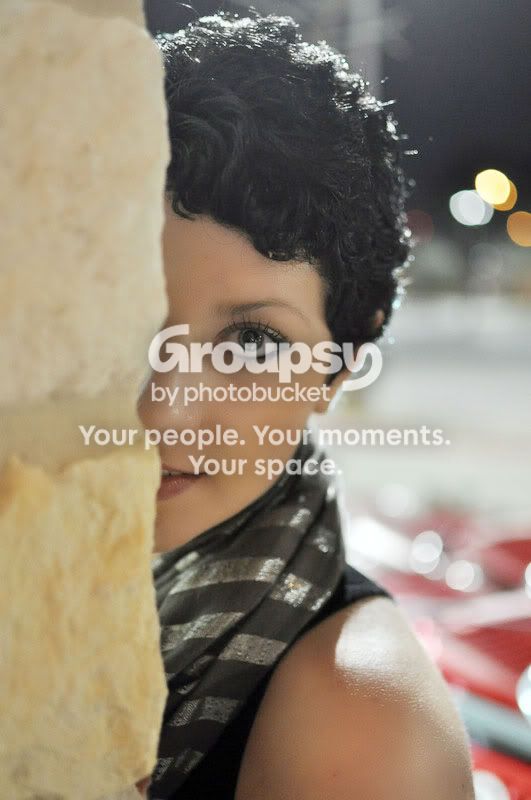
She wanted an image like this and this was the only location where the lighting was worth a damn even a little bit. I tried to boken out the carts in the background (that I couldn't move) and back lit her to try giving her a edge light effect.
5:

My flash isn't adjustable. I knew that this was too much flash (on my right) and the bulb on the left was too close as well.
6:

My attempt at adjusting the lighting form photo number five. Not entirely happy with this either.
Like I said. I have a bunch more to learn and could for sure used someone to act as an assistant. So please give any tips you can.
I had my first phot shoot with a model this last weekend and I was wanting to get some feedback on a sampling of the images. All told I have a little over 400 images form the day.
I knew before hand that I had a lot to learn. But just going out and working with someone really showed me how much more I have to learn than I thought. I had with me a DIY beauty dish and 5000k light (with soft box like sock over it) and a remote triggered flash that I was using. We did both day and night photographs. And at the end of the night my remote trigger died on me for some reason (not batteries ... still need to look at it) so we had to do some creative lighting.
All in all I was happy with how I did for my first time out. Can't wait to do some research and try going at it again.
Anyway ... I would love some feedback on these images. They are not cropped in any way and I have not used photoshop on them at all at this point. I want to see how you guys think I'm doing before I start messing with the images.
I want to post a few more than normal because some images are the same location with different lighting issues and I want to hear how you guys would have handled the situation. Ask any questions about the images that you have and I can answer them.
Photos 1, 2 and 3 were daytime on an overcast day.
Photos 4, 5 and 6 were late in the evening.
And thanks in advance for the feedback. I am eager to learn.
1:
This is one of my favorite images form the day. Just a little fill flash and the sun on an overcast day.
2:
Same location and lighting as photo number one.
3:
Had to put the flash in a different location and the sun was hiding a little. Not sure how I could have used the flash to light this better. Anyone?
4:
She wanted an image like this and this was the only location where the lighting was worth a damn even a little bit. I tried to boken out the carts in the background (that I couldn't move) and back lit her to try giving her a edge light effect.
5:
My flash isn't adjustable. I knew that this was too much flash (on my right) and the bulb on the left was too close as well.
6:
My attempt at adjusting the lighting form photo number five. Not entirely happy with this either.
Like I said. I have a bunch more to learn and could for sure used someone to act as an assistant. So please give any tips you can.




![[No title]](/data/xfmg/thumbnail/34/34076-d491e0e556e88ef7f797efcbe6083299.jpg?1734164514)