What's new

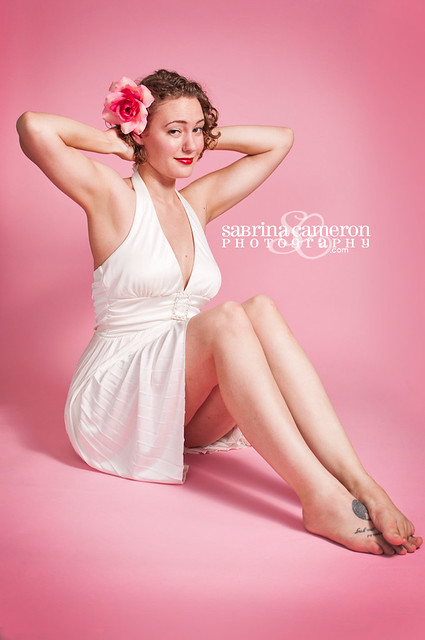
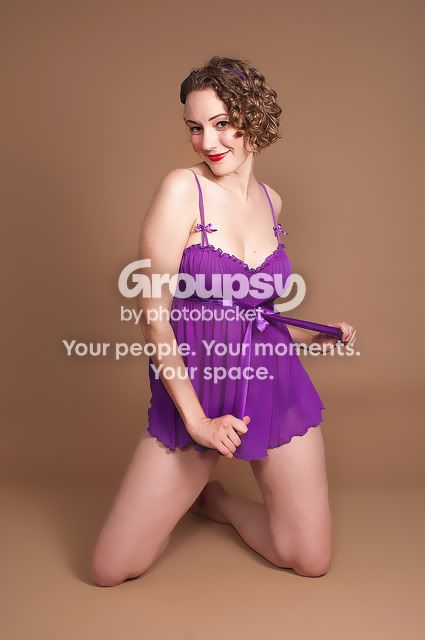
First "risque" session. Pin-up CC

:thumbup:Whats your secret? Please share :)

I use Aperture which has a skins smoothing brush (it's like a blur + retouch brush all in one). I used a hard brush first to get the major bumps out then feathered it to blend it into the rest of the image, then used a softer brush over the same area, feathered to blend it in.
 
5966664111_8228f710da_z.jpg

her toes look really dirty in this... not sure if it's because of your edit or not...
 
Thanks I didn't realize that. They are like that in the SOOC so ill brighten them up and smooth them a bit.
 
I love photo #1, very vintage.
 
YO! ... I wanted to edit more but the sizes are way to small for me to work with... The most obvious one that needed fixin was the very first one. Her belly was bulgin over her pants... I tried to slim it down with liquify tool, but the picture is way to small to work with... Smoothed out her skin and even out the tones with dodge and burn and some other odd tricks in my bag....

BEFORE

1-5965593823_6bdb04ec40_z by ryan_caldero, on Flickr

AFTER

5965593823_6bdb04ec40_z by ryan_caldero, on Flickr
 
I think her legs look way cool, as in blue. Compared to the top half of her. What happens when you brighten them up?
 
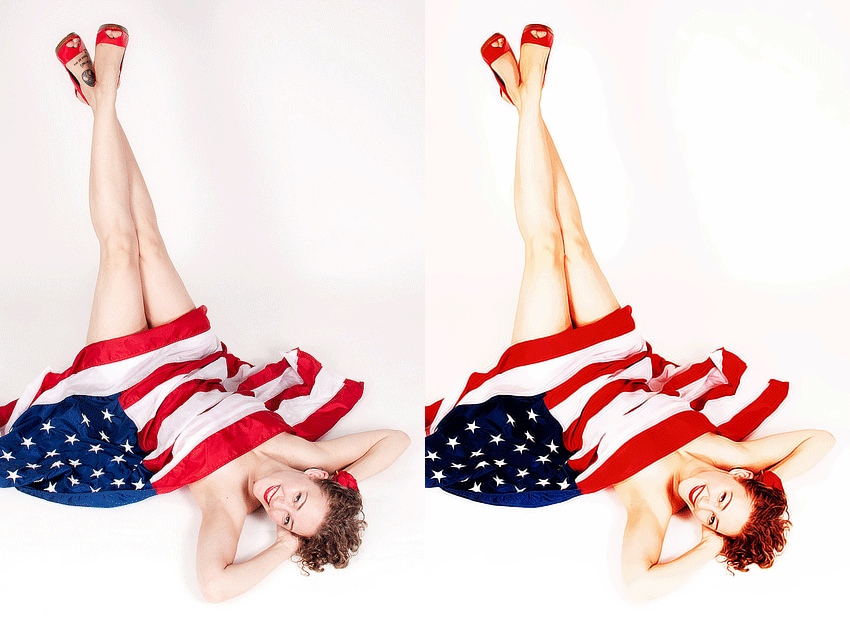
I really liked #7. I hope you don't mind a quick edit. I found the tattoo a bit of a distraction. I tried to portray a WW2 type "airbrushed" pinup look to it.
3fcyb.gif
 
I think they were great for a first time. Way, way, way better than I could have done.

As for the last edit, I think removing a client's tattoo is, well for a lack of a better word, wrong. If the client didn't ask for it to be removed then it's a part of them and stays. I feel the same about scars, freckles, moles, extra. Anything permanent stays. Blemishes, rashes and stray hairs are removed without asking. Wrinkles are smoothed but not totally removed. I'd be a little offended if a photographer I had hired sent me proofs to review and my tattoos had been removed and I would be asking them to re-edit them and leave them in.
 
SabrinaO said:
How is this? I did a little dodging and burning here...

You should do something with her feet also. I hope your model won't read this, as it looks like she just took an hour long bath...
 
5966151098_d7e3408c79_z.jpg


Surface blur filter in Photoshop. It's hard to get a great result though with an image that is only 72dpi.
If you work with your 300dpi images you will get a nice result once you mask off the areas that you dont want blured
 
Here is my edit, I used the skin smoothing brush in LR and then lens blur in PS.

s5l641.jpg
 
I have a pin up shoot coming up where we are going to try for the vintage look. I followed this "How-to" if you like the effect. I stopped short of yellowing for age:

5966664111_8228f710da_z.jpg
nmcd5m
 

Create an account or login to comment

You must be a member in order to leave a comment

Create account

Create an account on our community. It's easy!

Log in

Already have an account? Log in here.

New Topics

Back
Top Bottom