What's new

First shots with a lightbox and tripod

SaraB

TPF Noob!
Joined
Mar 28, 2011
Messages
5
Reaction score
0
Hello!

I am VERY new at this photography thing. My husband recently bought me my first DSLR (Nikon D3000) and I've just started using a lightbox and tripod (Manfrotto 486RC2). I'm an avid scrapbooker/paper-crafter and I've just started selling some of my work. I'd like to take "professional" looking photos of my product to show potential clients.

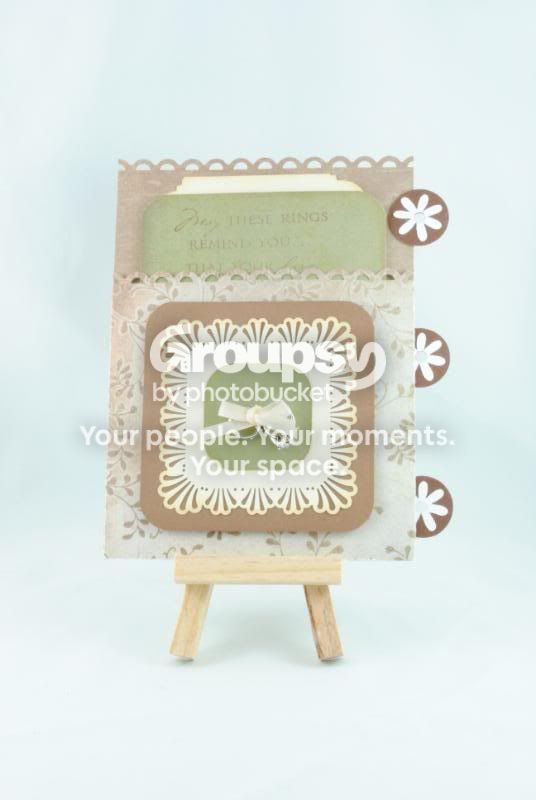
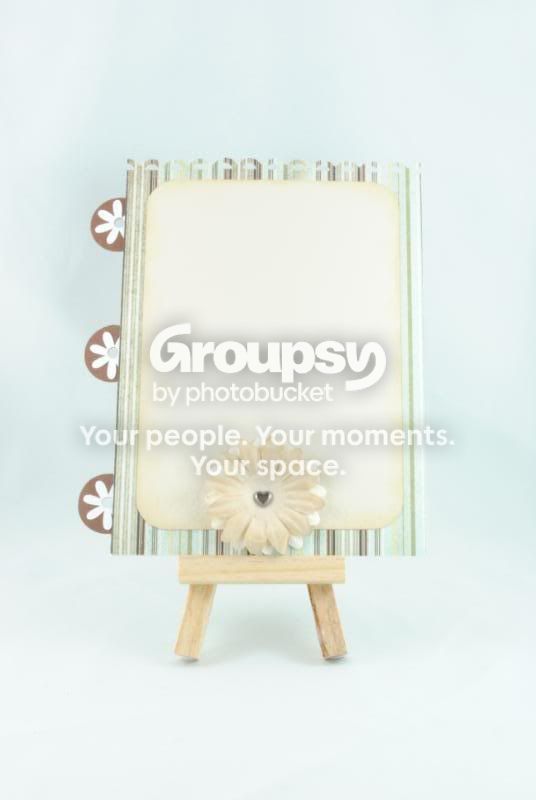
This weekend I began documenting my most recent project - a wedding mini album. Here are a couple of shots that I'd like some feedback on....to me they look over exposed. I was playing around with shutter speed (2.5), but left everything else alone.

Thx!
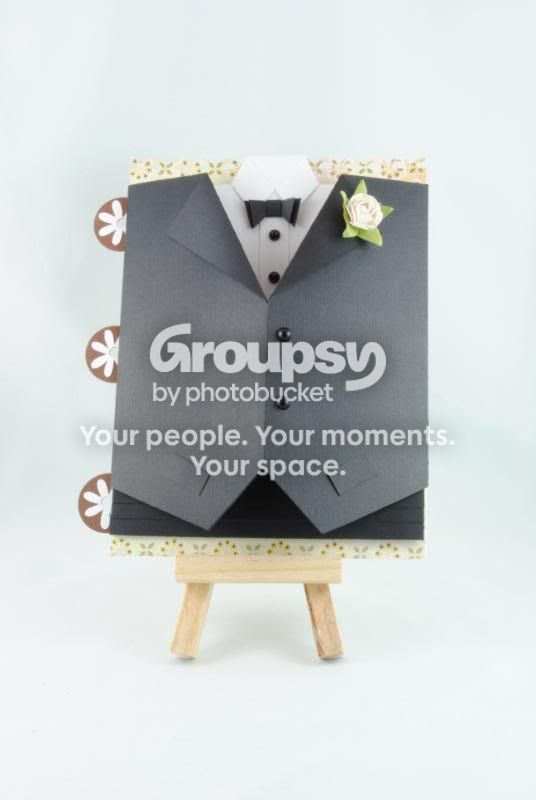


DSC_0619.jpg


DSC_0618.jpg


DSC_0614.jpg
 
Yea I agree they also look over exposed to me. Best way to tell, when you are taking the photos flip to the histogram if it peaks to much to one side it is either over or under. And im not sure if its my eyes or not, but they also seem a bit out of focus?
 
Thanks for the feedback!

Funny, they didn't appear out of focus when I was looking at them on my PC, but in my post they really do look that way...hmmm...I'll have to take a closer look when I get home!
 
I agree. Not sharp and WB issues.

My mom does this kinda stuff with paper too...
 
Maybe pull your subject away from the background to get some light falloff? i don't see why you were using sucha slow shutterspeed when you have a tripod and flash. Is your flash off camera?
 
This was my first time taking the camera off of Auto. I was just trying out the slow shutter speed because I was trying to lighten up my shots - all my previous ones were really dark (well, they had a greyish tone to them even the white background). The flash did not go off when I took these.
 
Sorry I thought I read softbox not lightbox.
 
They look very soft to me. You were shooting at f/36 which is a ridiculously small aperture to use for this scenario. This will cause diffraction, adding to the softness of the photo.

Try something like f/8 and a faster shutter speed. Are you using a remote or the self timer for the camera on the tripod? Try using mirror lockup mode as well for the ultimate sharpness.

What are you using for lights?
 
I'm not using a remote or timer - would this make difference?? As for the lights, they are 15 watt
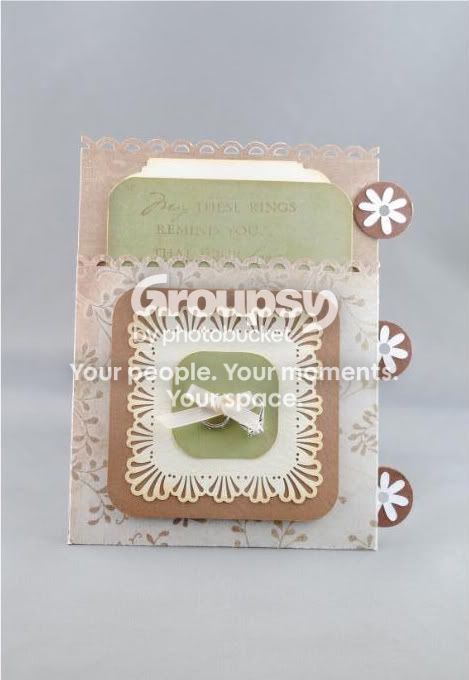
fluorescent bulbs that came with the kit. I tried using a grey background last night and different settings but they still look horrible....is it possible to make this look half way decent with Photoshop?? lol Getting sick of taking pictures of the same subject...

DSC_0635-1.jpg


Last edited:
....is it possible to make this look half way decent with Photoshop??

You can, but you can also do better. I'd opt for doing better. Everyone here has already told you how, so to recap: Set your aperture to f8, look in your manual to find out how to use mirror lockup, and use the timer, I'd suggest 10 second if your Nikon has it. My Canons do, so I assume Nikon does as well. Since you have a tripod, set your ISO to 100. I'd shoot in aperture priority mode. You have a tripod, so shutter speed is irrelevent, you want to control aperture for a shot like this. I'm also assuming you're using the kit lens, if so, make sure VR is turned off. VR doesn't play well with tripods. You can get decent results with the kit lens, but you really have to squeeze it out of it. Using a tripod, mirror lockup, and the timer will squeeze everything out of that lens.
 

Create an account or login to comment

You must be a member in order to leave a comment

Create account

Create an account on our community. It's easy!

Log in

Already have an account? Log in here.

Back
Top Bottom