What's new

First time in "M" mode C&C

socal82

TPF Noob!
Joined
Mar 22, 2011
Messages
142
Reaction score
1
Location
So Cal (Anaheim)
Can others edit my Photos
Photos OK to edit
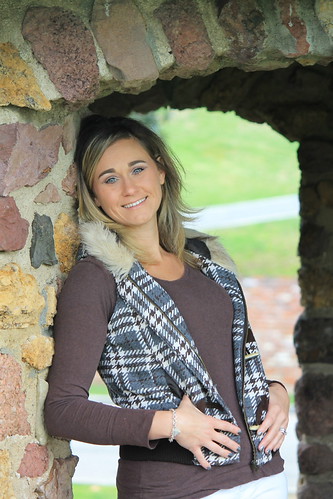
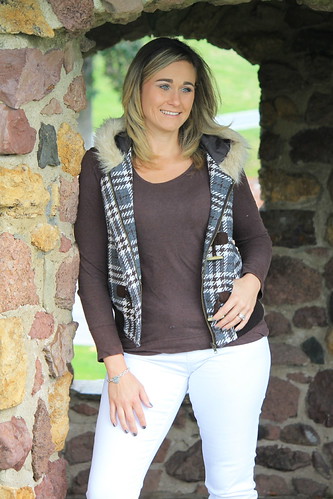
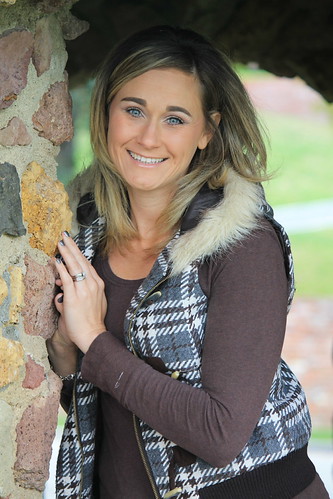
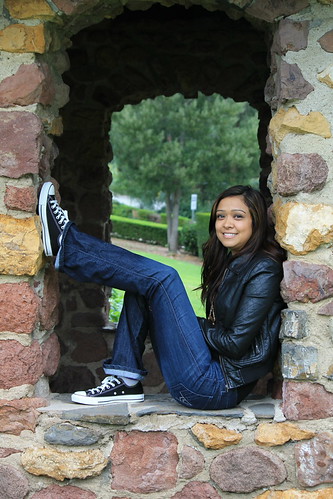
I had my sis and wife as my models so let tell me what you guys think. It was my first time in M mode, trying to get out of AV and Shutter mode. Ill get it right one of these days

I like this one in blk and white ill post the color one if you like
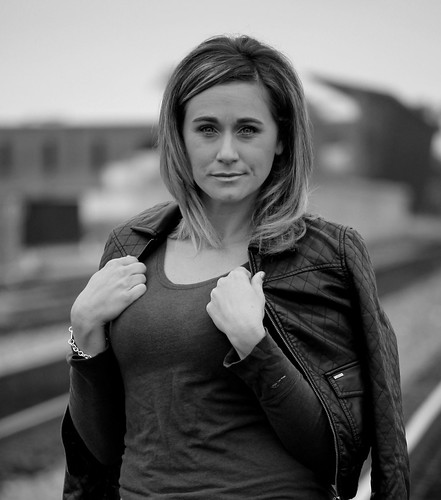
blkamanda by socal83, on Flickr
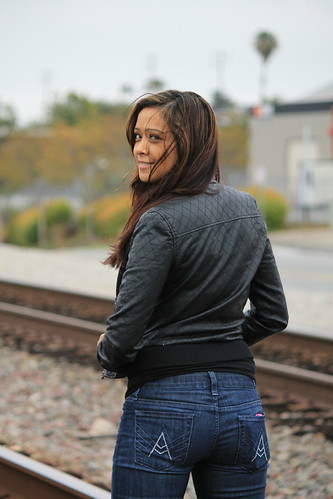


toria4 by socal83, on Flickr
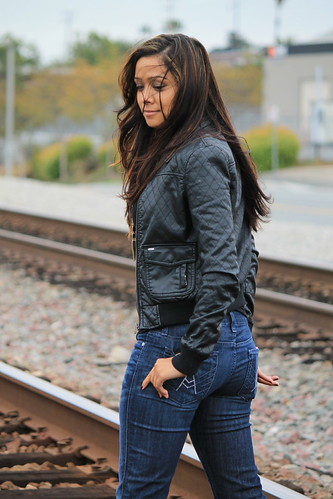

toria3 by socal83, on Flickr
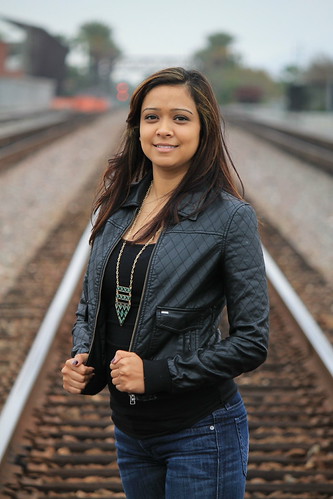

toria2 by socal83, on Flickr
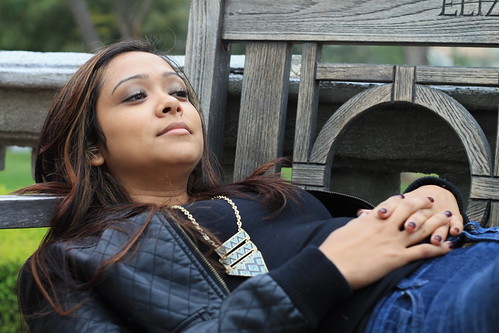

toria1 by socal83, on Flickr

I have ten that i liked out of all the ones we shoot. here are the first five then ill pose the rest in a bit.
 
Sorry forgot to post info

Canon t3, I used my 55-250 f4/ f5.6 and my 50mm 1.8 in M mode
 
Exposure is a little dark on the first, good for the others. The problem for me are the backgrounds - way too sharp. It's fine to have them semi-sharp when you need them for context, but generally you need to simplify the background, either by choosing something relatively bland, or by using a wide aperture to put the background out-of-focus. Otherwise, I'm trying to understand what the connection is between the subject and the surroundings, from the visual clues you provide.
 
Agree with griz! Larger aperture to blur out the backgrounds... and either flash fill or reflectors to open up the shadows on the faces. #1 face is much darker than hands...

Tried to even up her face and hands.. and then lighten shadows under eyes and in eye sockets. (probably doesn't help that I have had four or five oz's of rum)

Original left ---------------------------------------------------- edit right

View attachment 5328
 
Last edited:
I was using my 55-250 for these at f5. As far as the connection I thought it went good with a different background. I tried something new, I'm always finding myself In the park or a plain white wall outside.
 
I was using my 55-250 for these at f5. As far as the connection I thought it went good with a different background. I tried something new, I'm always finding myself In the park or a plain white wall outside.

yea.. that happens! lol!

What do you think of the edit?
 
cgipson1 said:
Agree with griz! Larger aperture to blur out the backgrounds... and either flash fill or reflectors to open up the shadows on the faces. #1 face is much darker than hands...

Tried to even up her face and hands.. and then lighten shadows under eyes and in eye sockets. (probably doesn't help that I have had four or 5 oz's of rum)

Original left edit right

<img src="http://www.thephotoforum.com/forum/attachment.php?attachmentid=5328"/>

Thanks for that retouch. What program are you using? I'm pretty new to pp and have no clue what to do. I have elements 10 so if you have any pointers On what to do.
 
cgipson1 said:
Agree with griz! Larger aperture to blur out the backgrounds... and either flash fill or reflectors to open up the shadows on the faces. #1 face is much darker than hands...

Tried to even up her face and hands.. and then lighten shadows under eyes and in eye sockets. (probably doesn't help that I have had four or 5 oz's of rum)

Original left edit right

<img src="http://www.thephotoforum.com/forum/attachments/people-photography/5328-first-time-m-mode-c-c-7033404627_55c9909607.jpg"/>

Thanks for that retouch. What program are you using? I'm pretty new to pp and have no clue what to do. I have elements 10 so if you have any pointers On what to do.

I use Photoshop pretty much exclusively!

Just burned in the hands to match the face.. and then did a global brightness on the whole thing. Then dodged under her eyes.. and in eye sockets to lighten them up
 
I think you are a lucky man! She is lovely, and that smile is wonderful! ;)
 
I'm lucky demands which one your talking about.lol

Well, they are both lovely.. and both have lovely smiles, so you are a lucky man no matter what! But I am curious, which one is your sister? lol!
 

Create an account or login to comment

You must be a member in order to leave a comment

Create account

Create an account on our community. It's easy!

Log in

Already have an account? Log in here.

Back
Top Bottom