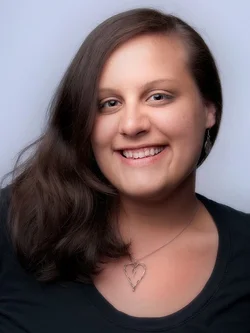
A local photog showed me his "method" for creating that look earlier this week. Short version is duplicate the layer, add a highpass filter on it....this part is hard to explain as it varies for each photo, but slide the slider till the threshold just barely starts to show color, then apply, then in the dropdown box where it says "normal" change to "softlight", hit Ctrl I to invert it, then zoom in to see the eyes well and pick eraser tool and set to appropriate size...opacity about 25%...go over complete eyes and eye sockets, nose, mouth,...basically the T, then set opacity to 50 ish and click 2 or 3 times on the eyes and go over teeth if present. brings back out the exacting detail (if there was any) of the original image as we want the eyes in focus at all times.
then there's more stuff in phase two, thats basically phase 1 of his method. Phase two, if desired, has another layer added, set to "multiply" reduced to about 50%, add gaussian blur, then adjust as needed for brightness/levels as it can darken it too much at times. Phase two isn't always used, just for a more "pow" effect sometimes. He does it very very well as he's been doing it for years....I'm just learning to edit people so I'm still practicing to get it right.
Seems like a lot, but it really only took like 5-10 minutes. Good "starting" point and can be fine tuned as needed.


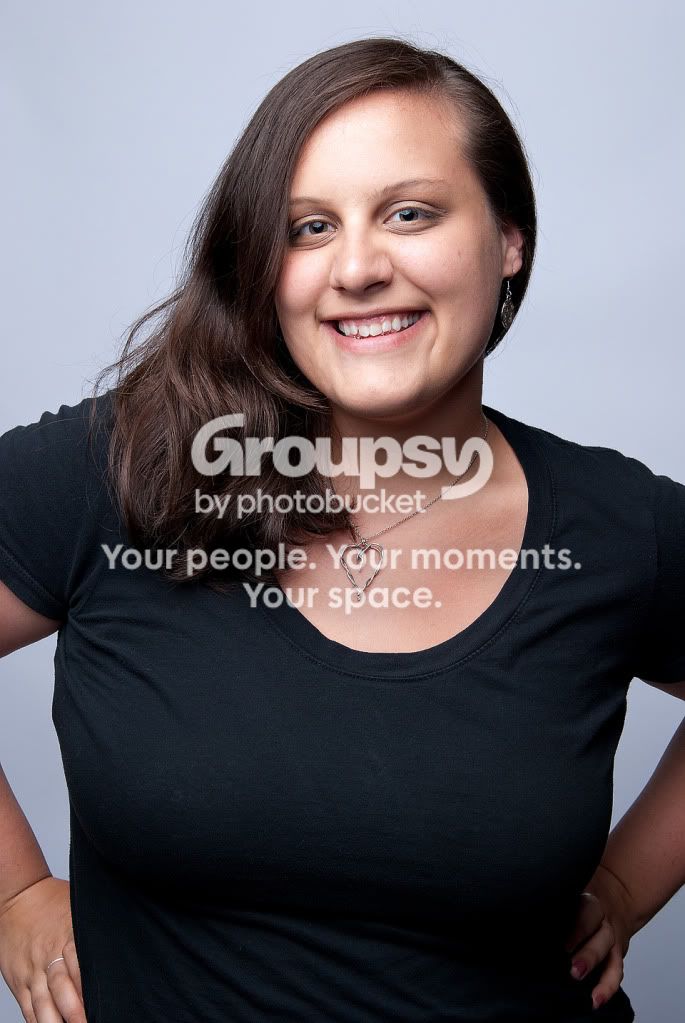


 Besides, I wouldn't know that she's just graduated if you hadn't told me. Her smile's sweet though.



![[No title]](/data/xfmg/thumbnail/37/37607-69784b19e25bd0ba68e92ff4cfdfa8ff.jpg?1734170734)