What's new

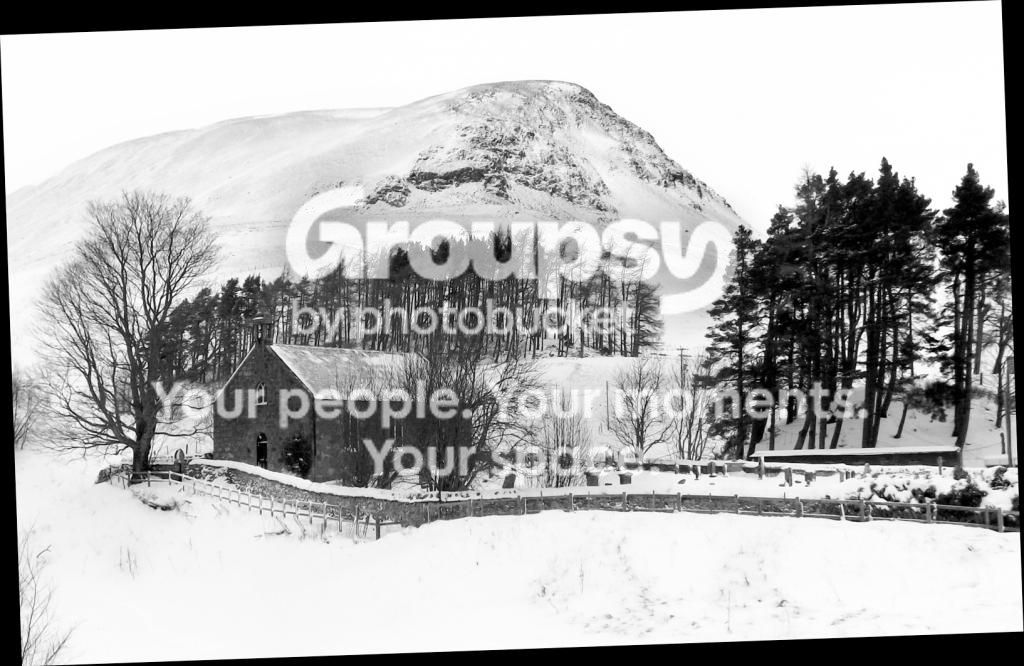
Have I overcooked this pic ?

Capeesh

TPF Noob!
Joined
Aug 29, 2010
Messages
152
Reaction score
16
Location
Dundee
Can others edit my Photos
Photos OK to edit
There was very little colour in this pic, so I made it B&W. Something not right with the whites ? How would I go to remedy this. Just a noob !!!...

314pco4.jpg
 
I think so, you've lost detail in the trees on the right. I'd suggest reducing contrast and maybe increasing exposure, it also looks flat.
 
It's very high contrast and has few midtones. Look at it, there is very little that is midtone-Gray. Virtually everything is black (or very dark gray) or white (or very light gray). As Bo4key stated, reduce the contrast and it should look a lot better.

 
Take the original back into photshop, and open layers and channel mixer and click monochrome and enter 68, 28, 8
 
I like my B&W contrasty, but I thought the mid tones needed opened up. You can see the difference in the stone church

View attachment 34124
 

Adjust the tilt. With no horizon to go by, use known plumb vertical lines, like the vertical corners of the building.

The fore ground is pretty dark and the mountain ridgeline could be made a bit darker to help separate it from the featureless sky.
Using CS 5 I selected all but the sky (saved the selection), copied the selection to a new Layer, changed the blending mode of the Layer to Screen and reduced the Opacity of the layer to 50%.
I made a New, blank Layer, changed the blending mode to Soft Light and put a check mark in the 'Fill with 50% gray' box, I then burned the ridgeline of the mountain and selected other parts of the image.

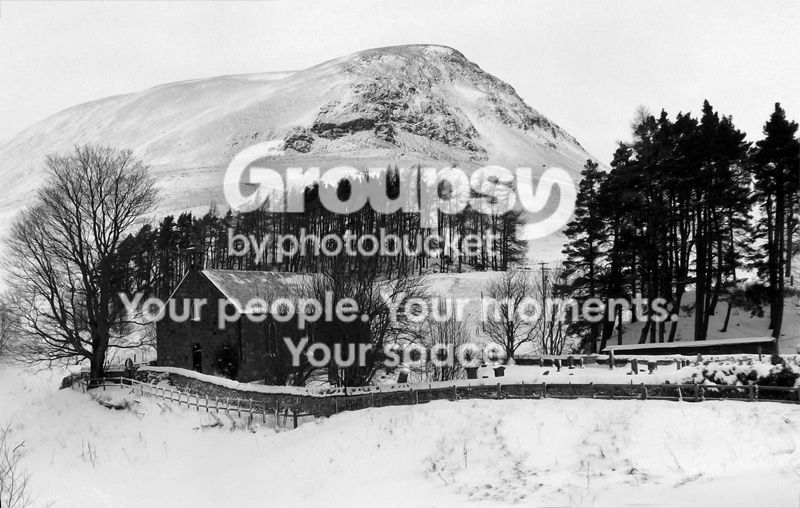
314Editpco4_zps34425f5a.jpg
 
Last edited:
Thanks for all the replies, looks like I should spend more time in P&P... I`m off to Photoshop with your advice. Thanks again.
 
Maybe not overcooked but the contrast level does look awfully high. Not "chalk and charcoal" high but not that far off. I knocked the contrast down a little

winterscene_zps5ac6495a.jpg
 

Create an account or login to comment

You must be a member in order to leave a comment

Create account

Create an account on our community. It's easy!

Log in

Already have an account? Log in here.

Back
Top Bottom