Patience little grasshopper; if you post it, they will comment... eventually.
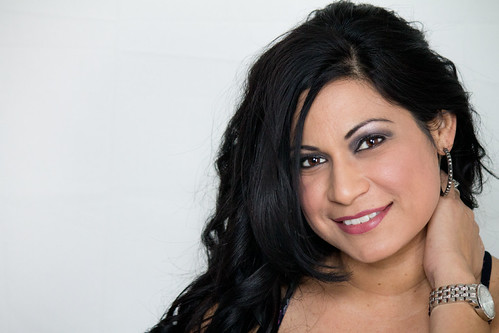
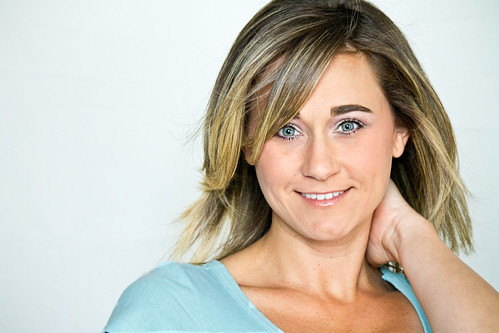
These really aren't what I would call headshots; these are photographs of people's heads, but they're not headshots. First, turn your camera 90 degrees so that you're shooting portrait mode. what's the good of all the empty space image left? The "rule" of thirds rarely applies in images like this.
The lighting on the first images is nice, but the crop is awkward. Whose hand is that grasping her neck? Not sure what you used for lighting, but I'm NOT fond of the catchlights. For headshots, I like a single light just above the subjects head shooting into a medium SB, 30 degrees camera left and a BIG (I use a 72" lastolite) reflector close 90 degrees image right.
The eyes in #2 seem wayy over-processed and the skin appears about 1/3 - 1/2 stop too hot. If you are going to call these headshots, make sure you include the WHOLE head!

Again, the disembodied arm...
Headshots are very contextual; that is, a model's headshot is going to be different from a corporate headshot. What is the purpose of these?
As for the background, I'd just composite the subject directly on to a pure white background if that's what you want, but I don't really think that will look all that great. I generally use a nice Thunder Grey for this sort of work.
Just my $00.02 worth - your mileage may vary.
~John










![[No title]](/data/xfmg/thumbnail/39/39544-f587cf14279888b81e3b51750534ae22.jpg?1734173699)
![[No title]](/data/xfmg/thumbnail/39/39224-aa3271aa220fe57f37caf898b6984846.jpg?1734173134)