What's new

Help! How do I shoot in this arena?

DaveTheTank

TPF Noob!
Joined
May 9, 2013
Messages
21
Reaction score
2
Location
Florida
Can others edit my Photos
Photos OK to edit
Last edited:
I don't think I can help other than to say that when the stands are packed with fans, there may not be as much red there.
 
lol so true! well I am new to this, as you probably see.


I don't think I can help other than to say that when the stands are packed with fans, there may not be as much red there.
 
This is a new one. I was thinking that too, if the stands fill up it may not be so - red. I've done sports but not with anything like this background. Actually I'm thinking if participants are wearing blue or green, black and white, I wonder if you might get some nice contrast (they may show up well against the red surroundings). Of course if someone's wearing red they might blend into the background!

I can't think of anything I've done like this, I guess go early and take test shots?? but you ought to end up with some nice colorful photos if nothing else.
 
Welcome aboard.

Can anyone tell me what kind of ISO, Shutter Speed and Aperture would be perfect for this kind of surrounding?
That will depend on the ambient light that you have in the building and what your goals are for the photos. We can't just give you setting that will work.
 

Attachments

  • $image.webp
    $image.webp
    142.9 KB · Views: 173
  • $image.webp
    $image.webp
    115.8 KB · Views: 153
  • $image.webp
    $image.webp
    65.8 KB · Views: 163
DaveTheTank; As to the camera settings, you need to do that in real time.

As for the RED, I'll tell you what I would do: Just go with it. Make everything more red than it actually is. When you get your files home, throw a light red filter over everything.

That's what I would do, but if you are doing this to portray the sport in as neutral a light as possible, then you wouldn't do that.
 
It's virtually impossible to tell mate. Usually the ambient light changes a bit as the crowd come in and they turn the general lights on and once again before the athletes come out, at least in the ones I've been in.

Use the spot meter option to meter the lights/darks on the athletes and bear in mind that you may get different exposures for different skin tones. You may need to decide whither to underexpose your subject at the expense of noise, or expose properly for the subject and blow out the highlights. You also need to be prepared to make a decision between a fast shutter speed and a really high ISO. Have an idea how much motion blur you think will be acceptable in your shots and chimp and zoom in on your test shots to find out. Take a grey card and set a custom WB too, as I find it helps when trying to make the above decisions.

What I do is aim for getting my shots in an acceptible range, I'll take quick test shots and chimp like a mofo on them to get them in the range I think is good at the beginning of the game, after a couple of minutes I don't want to be mucking about with settings as it's hard enough getting good sports shots.
 
Thanks all. I'll keep those in mind.

I will be using M mode except the WB - I was told it's OK to have WB set to auto.

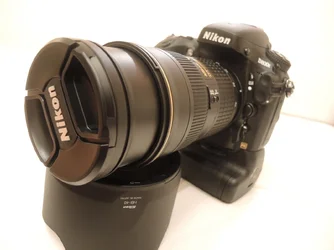
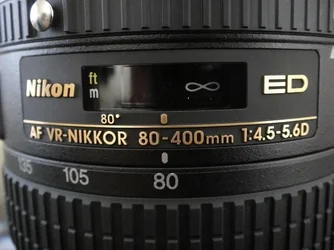
Too bad my camera can only do 4 fps and my 80-400 is only f4.5-f5.6. These limitations always bug me to try to get another more expensive equipments. $$$$$$
 
You may have to boost saturation when post processing the images to make sure that red doesn't wash out. ;-)

On a more serious note... usually 'auto' is the lousiest setting. It's the "I don't know what white balance to use and I hope the camera can figure it out" setting. It tends to give the least consistent result. You can do white-balance in post processing if you can find something that you're convinced is a true neutral white or gray. I actually care a collapsible gray card for just such an emergency.

Shutter speeds of 1/500th will generally 'freeze' action in sports (unless things are _really_ moving. True speed is less important than apparently angular motion relative to the point of view of the camera.) Sometimes 1/250th is all you need.

You can _probably_ get away with shooting a D800 at ISO 6400 and not really notice much noise, but I'd leave that to the D800 owners to confirm. You may not need to go that high, but I'm concerned because your 80-400 is probably f/5.6 by 300mm (it's possibly f/5.6 by 200mm). That's two stops slower (one quarter as much light) as compared to an f/2.8 lens. If this is a one-time deal you could always rent a lens.
 
You may have to boost saturation when post processing the images to make sure that red doesn't wash out. ;-)

On a more serious note... usually 'auto' is the lousiest setting. It's the "I don't know what white balance to use and I hope the camera can figure it out" setting. It tends to give the least consistent result. You can do white-balance in post processing if you can find something that you're convinced is a true neutral white or gray. I actually care a collapsible gray card for just such an emergency.

Shutter speeds of 1/500th will generally 'freeze' action in sports (unless things are _really_ moving. True speed is less important than apparently angular motion relative to the point of view of the camera.) Sometimes 1/250th is all you need.

You can _probably_ get away with shooting a D800 at ISO 6400 and not really notice much noise, but I'd leave that to the D800 owners to confirm. You may not need to go that high, but I'm concerned because your 80-400 is probably f/5.6 by 300mm (it's possibly f/5.6 by 200mm). That's two stops slower (one quarter as much light) as compared to an f/2.8 lens. If this is a one-time deal you could always rent a lens.


Dang it! Too late to rent, I am off to Paris tomorrow.
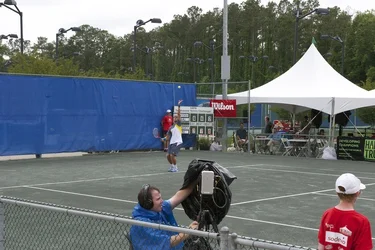
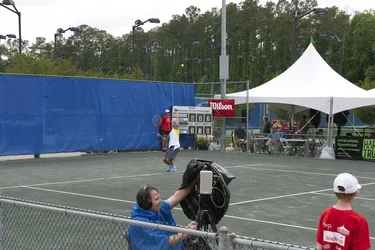
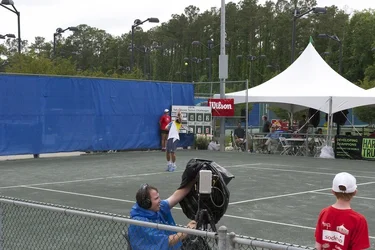
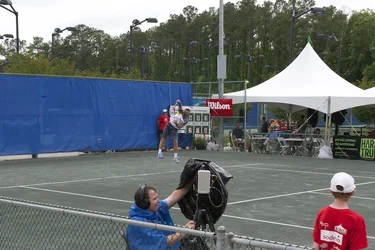
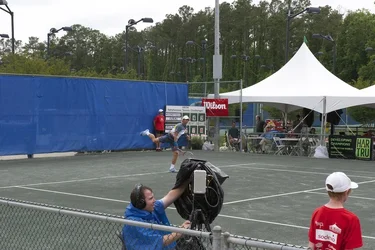
But yes I got good pictures when setting ISO at 6400 during a local tennis event, while learning to shoot.

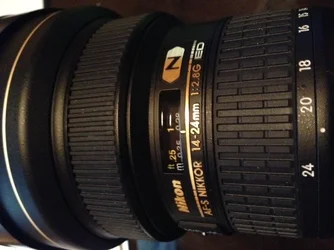
By the way, here is what I shot with D800e and 24-70 lens while I was trying different ISOs and apertures, at iso 6400, 70mm, f/20, 1/1600.

How are these pictures?
:)

$1.webp$2.webp$3.webp$4.webp$5.webp
 
How dis you shoot it for the photo you posted in the OP?

That is your photo, isn't it?
 

Create an account or login to comment

You must be a member in order to leave a comment

Create account

Create an account on our community. It's easy!

Log in

Already have an account? Log in here.

New Topics

Back
Top Bottom