Have you calibrated your new monitor? Why not nail it instead of guessing? Especially if you will be printing? As there are essential tools that should be in your bag, there are also essential tools that should be on your desktop.
Many print labs recommend using the i1 Display 2 colorimeter from X-RITE to calibrate your computer display.
Mpix.com - http://mpix.com/support/Help.aspx?id=3
Scroll down to "Are ICC profiles available for soft proofing?" - click on "DOWNLOAD HERE". Open the ICC profiles file, then open the "Soft-Proofing help.pdf" file.
In order to calibrate your monitor you will need a hardware calibration device. An excellent calibration device is the i1Display 2 by Xrite. Information can be found at www.xritephoto.com. This is a very popular device and we us it in the lab.
Yes color calibration is a must .. I use the ColorMunki-Photo from X-Rite
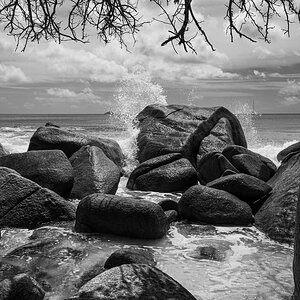
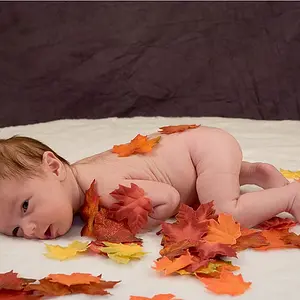
but back to the question .. IMO they look good. maybe just a little heavy .. and yes the crop was too tight on the flowers .. but all and all not bad .. especially working on a non-calibrated computer monitor ...
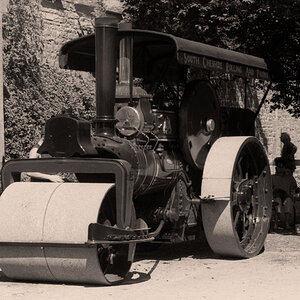
On the second picture .. the bottom flower looks strange .. but again .. working with colors and contrast with out calibration is very difficult.
The ColorMunki is a spectrophotometer, not a colorimeter, and is used to not only calibrate a computer display, but printers, scanners, and projectors too.
The ColorMunki would be overkill for only calibrating a computer display.
The ColorMunki is a spectrophotometer, not a colorimeter, and is used to not only calibrate a computer display, but printers, scanners, and projectors too.
The ColorMunki would be overkill for only calibrating a computer display.
I agree its over kill .. but was required by class .. so .. and its nice to be able to print what I see on my monitor the first or second time and not have to go threw 5 sheets of photo paper and use a crap load of ink trying to get the print right .. lol .. I am sure you know what I mean ...



![[No title]](/data/xfmg/thumbnail/38/38261-db20f6f92ee8f0d4c5cf1536e308638b.jpg?1734172147)



![[No title]](/data/xfmg/thumbnail/38/38263-ad5e4c9e677626ddb5b1e7cdf9ebe40e.jpg?1734172152)