What's new

How do I improve this shot?

jfrabat

No longer a newbie, moving up!
Joined
Apr 15, 2012
Messages
595
Reaction score
60
Location
Panama, Central America
Can others edit my Photos
Photos OK to edit
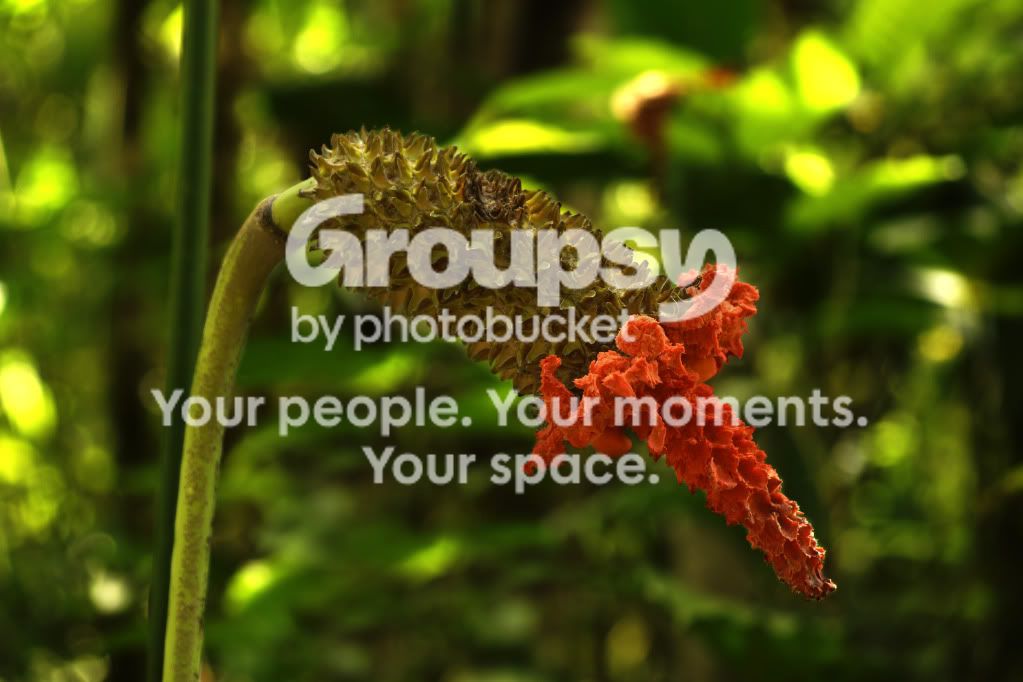
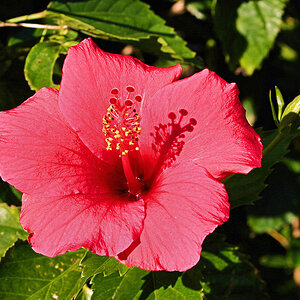
I really like this shot, but the light background bothers me a bit. I tried darkening it but the I loose contrast of the subject, and it does not stand out... Any ideas? $_DSC1500.webp
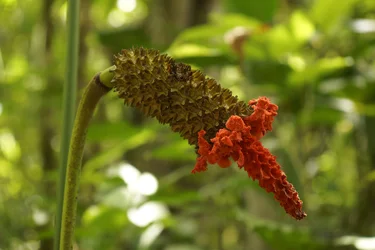
 
This is what I'd do with it:

FlowerEdit.jpg


Some elbow grease is required for what you want to accomplish.

I brought down the global RGB curve significantly and spent considerable time with different methods masking out flower and stem from the RGB adjustment layer.

Then I spent time cloning and reconstructing hot spot areas.

Finally a global exposure bump of .66
 
Another method is to, in RAW, not jpg, use the color sliders to make the green, cyan and yellow tones darker with the luminance control. You can't take the yellow all the way down or you will loose some of the color in the part of the flower that is next to the red tones. You can also retouch the spectral highlights since they are out of focus with a 50% clone of the green areas, similar to what Rotan did above. Blend carefully and it won't be noticed.
 
Rotanimod, I tried replicating what you did, but I cannot get the hot spots to look natural; I tried cloning, pushing, smudging and burning (all with different levels of opacity), but although I get rid of them, they looked manipulated . Can you give me some pointers on how you achieved this natural look? I look how yours came out better than mine (I only see one line in the larger spot because I know I should look for it!)... And I am looking to learn how to do this stuff.
 

Create an account or login to comment

You must be a member in order to leave a comment

Create account

Create an account on our community. It's easy!

Log in

Already have an account? Log in here.

Back
Top Bottom