What's new

How do you feel about cheesy photoshop effects?

v1c70r

TPF Noob!
Joined
Mar 19, 2011
Messages
51
Reaction score
2
Can others edit my Photos
Photos OK to edit
Long story short-

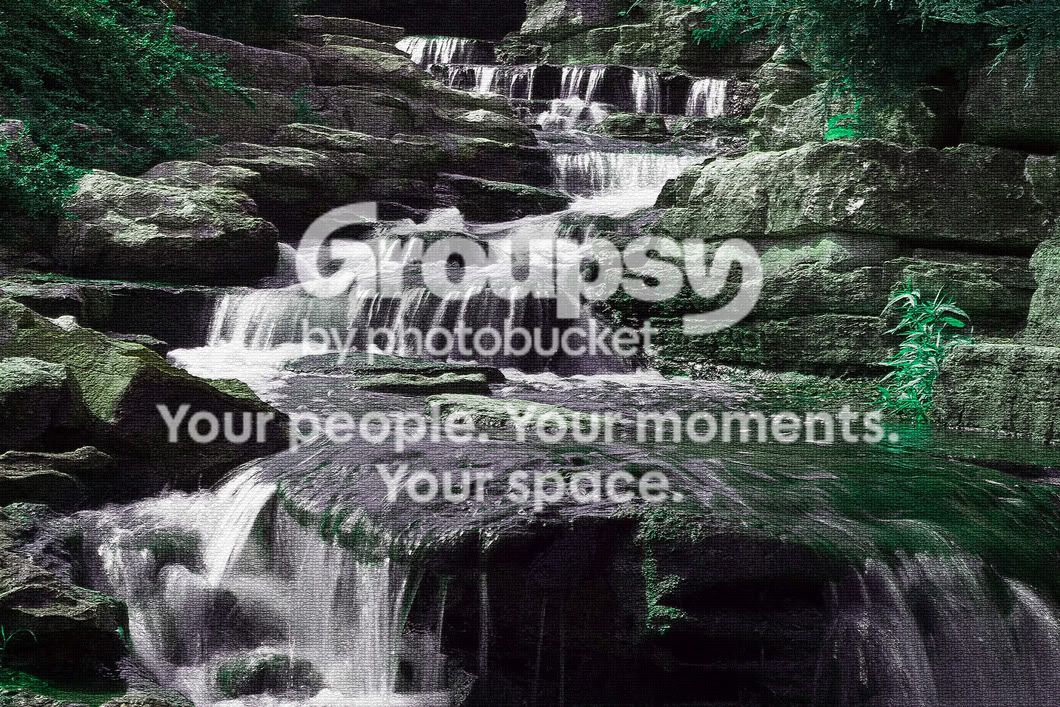
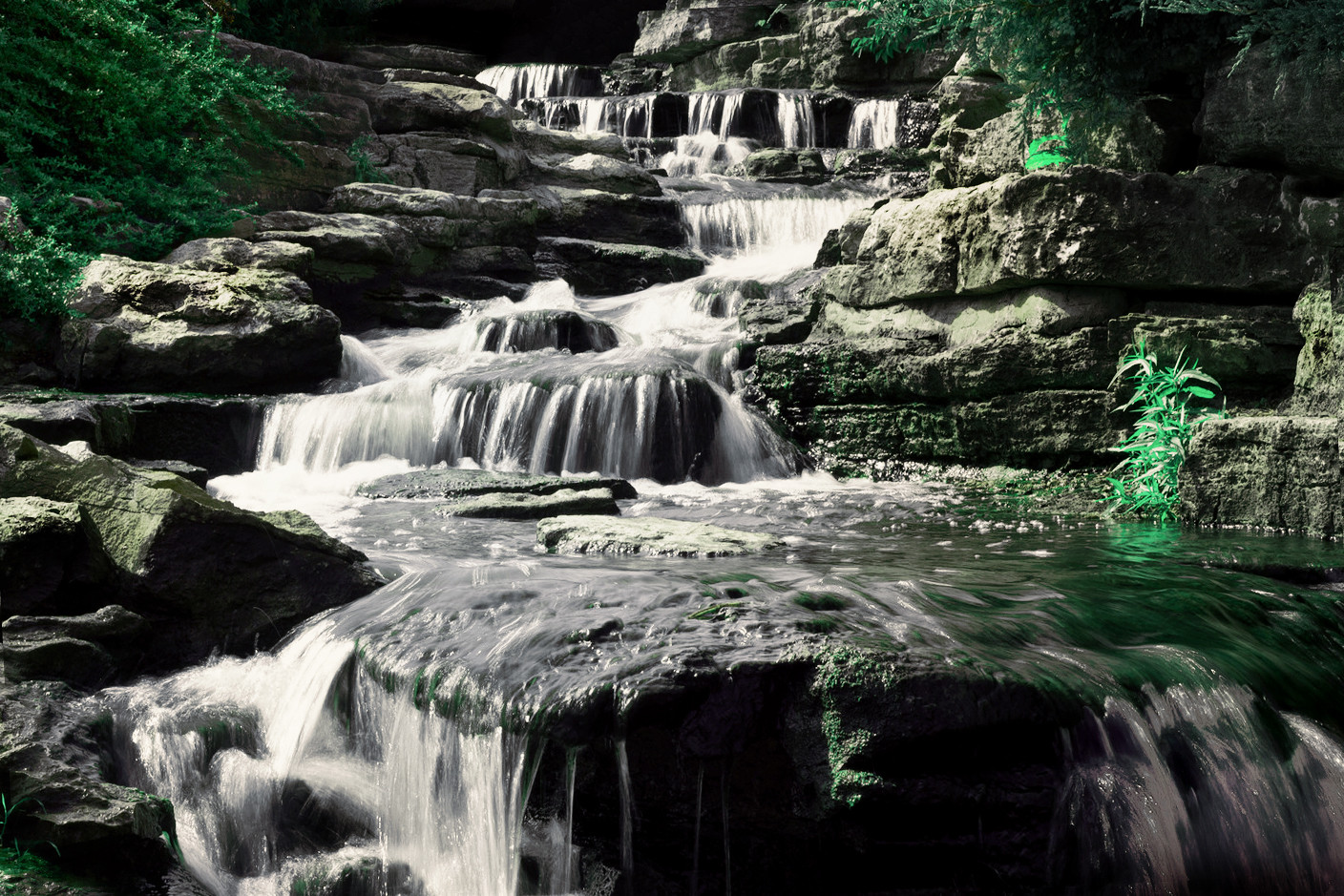
My original photo wasn't quite what I wanted. I played around on photoshop and found the mosaic effect. I feel like it really improved my photo even though it feels a bit cheesy.

Original-
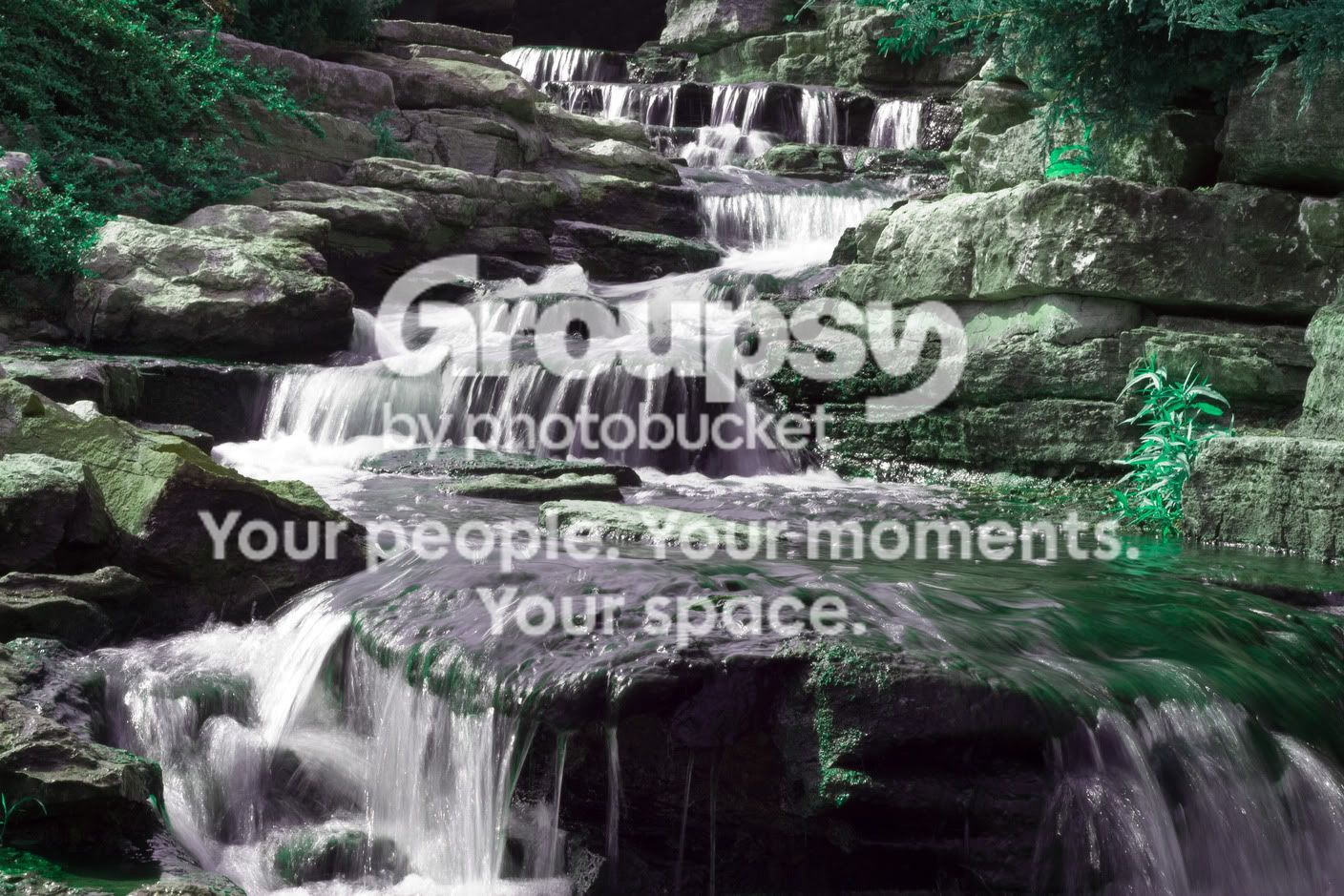
water2.jpg


Mosaic-
watermosiac.jpg


Is it ok to use effects like these? What are the negatives? What are your overall thoughts on these "cheesy" effects?
 
It's ok to do anything you want... doesn't mean it will look good. But if someone tries to tell you certain methods are "not ok" then they've got a few screws loose. I feel like the way you used this effect sort of takes you out of the image and back to your computer monitor, if you know what I mean.... That doesn't mean it's a bad effect, just means I don't really like the way it works here. Also keep in mind that many of the tools in photoshop were not intended for you to put an entire finished photo through them. They're all tools, and I think if something comes out "cheesy" looking, it's just because that application is not really the purpose of that particular tool.
 
You can't make a silk purse out of a sows ear
 
I apologize for not offering National Geographic quality images.
 
I'd at least correct the horizontal line first, but that's just me. :)
 
Apology accepted...now get your act together and start taking those quality photos I know you are capable of...
 
If I were to shoot this scene again, what should I change or do differently?
 
The mosaic effect looks like grain at this size.
Boo.
 
lyonsroar said:
The mosaic effect looks like grain at this size.
Boo.

I agree, that's exactly what I thought it was at first. Just looks like added grain.


Try making the mosaic tiles larger
 
I like it like this.

YUT3e.jpg


Desat purple in water, remove some green from rocks, warm up tones in vegetation & push saturation, increase black level a little, some vignette.. and straighten it for god's sake.

Photoshop built in filters don't work in most cases when applied globally imo.

Just my .02$
 
I apologize for not offering National Geographic quality images.

No one is asking you to. But as the saying goes, you can't polish a turd. Those effects are really there more for graphics artists and the like, rather than photographers. In the end, you can do whatever you want to your photo, but effects like that generally won't help anything.

If I were to shoot this scene again, what should I change or do differently?

Make sure your horizon is level. There are several ways to do it. The simplest way is to use two AF points in your viewfinder that are even with each other, and use them as a reference point. Compare the horizon to that point. Or compare any parts of the frame that are supposed to be horizontal to these points. You can also do this with points vertically, compared to verticle objects as well. You can also fix leveling issues in post as well.

The colors seem odd to me. If it's intentional, well, I don't like it. If it's not, you probably need to play around with WB and other color settings in post.

Choose a different time of day to shoot. Specifically, near sunrise/sunset. The lighting is harsh, and it's difficult to get a slow enough shutter to get the milky water effect, without a neutral density filter.

That's where I'd start.
 
It looks like you ramped up the green saturation too much globally to try and improve the color on the leaves but in turn over-exaggerated every bit of green hidden elsewhere in the shot.

Aside from fixing that whole issue, I would level as stated. Personally, I don't care for the mosaic effect, I think it degrades the image in a way that isn't for the better. However, thats just me and if you like it, keep it.
 
If I were to shoot this scene again, what should I change or do differently?

Don't bother it's not very interesting

Do we have to have interesting scenes in order to learn mechanics of composition, technical knowledge about how our cameras work or how to use the tools to their greatest advantage?

I have used mundane scenes to practice DOF control, placements of ND grads, the use of polarizers, etc. I don't post these shots as masterpieces but I think they can be helpful - ESPECIALLY in a beginner's forum as a teaching/learning tool.

After practicing with mundane scenes, a nice scene is less of a challenge because aside from the change in subject matter I've gone through the motions and know more of what to expect out of my gear.

You can't always practice on a gorgeous sunrise/sunset, wonderful model on the beach or a the Greenbriar in the Smokey Mountains.

To the OP...
1) Check out the scene at different times of day. You might be able to get either more dramatic light or something that changes the mood.
2) Try a polarizer - maybe get some of the sheen off of the rocks.
3) Use a different white balance. Was this AUTO?
4) I like a bit more of a mist effect on long exposures of water so personally I would have used a ND filter.
5) Level the horizon if shooting again.
6) Can't see the scene in entirety but don't take the walk up shot. If this is the first thing you see when you walk up- everyone sees it like this and it will be less inspiring or original. Walk around, look for different interesting perspectives.
 
Last edited:

Create an account or login to comment

You must be a member in order to leave a comment

Create account

Create an account on our community. It's easy!

Log in

Already have an account? Log in here.

New Topics

Back
Top Bottom