What's new

How to add color into a scene using CS5?

Open CS5.
Press F1.
That takes you directly to Adobe Community Help.
Click on 'Color and tonal adjustments'
Then click on 'Matching, replacing, and mixing colors'.
 
Open CS5.
Press F1.
That takes you directly to Adobe Community Help.
Click on 'Color and tonal adjustments'
Then click on 'Matching, replacing, and mixing colors'.

Thanks KmH!
 
Adjustment layers, Hue/saturation/curves/brightness/contrast adjustments. Feather the edges of the layers so they look natural. Good luck!
 
Use Colorrange to select the colors ( Or you can use the plus/minus pickers in a Saturation adjustment ). Then simply tweak the hue/saturation/luminosity of the color to change it to what you want.
 
There's all kinds of ways.

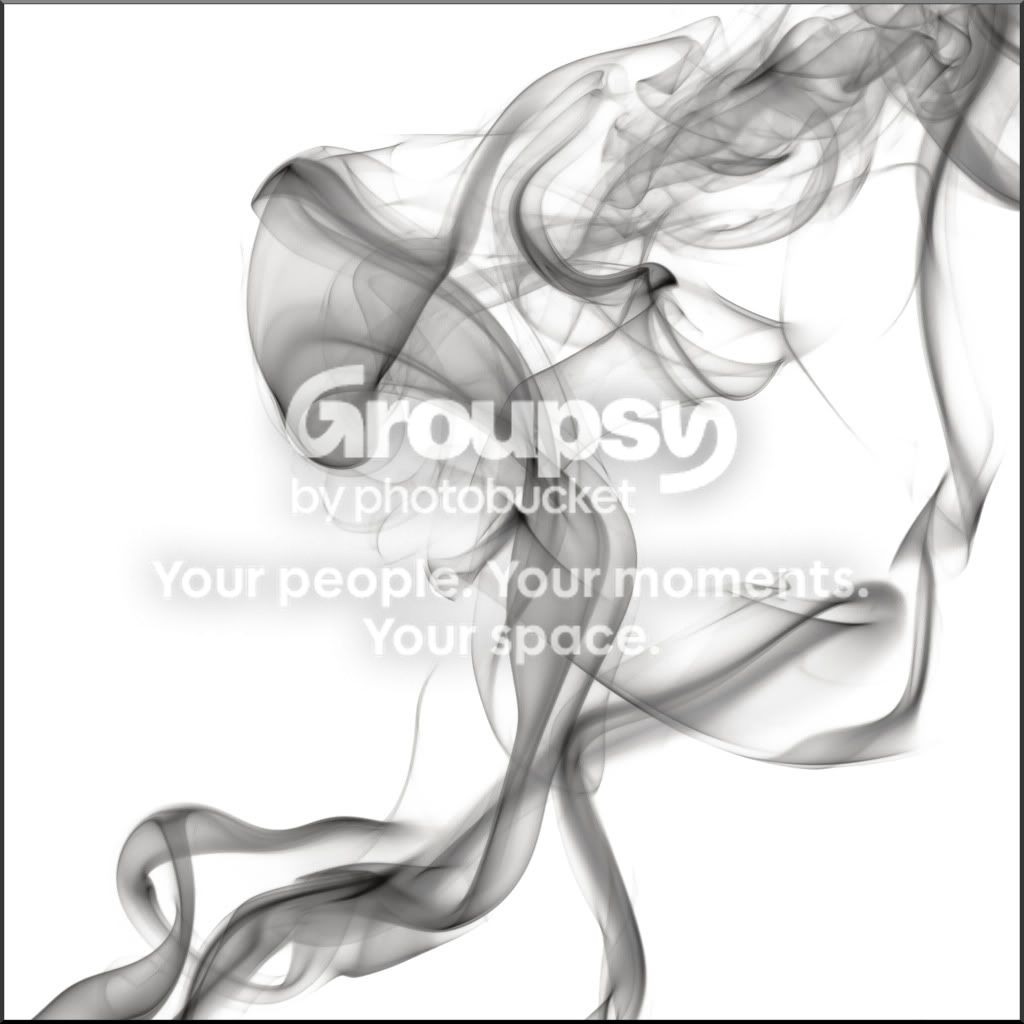
Here is an image that I will add color to by making a new layer, changing the blending mode to 'Color', selecting different foreground colors and using a brush to apply each color:

InvertD300Smoke1-22-11_0018copy.jpg


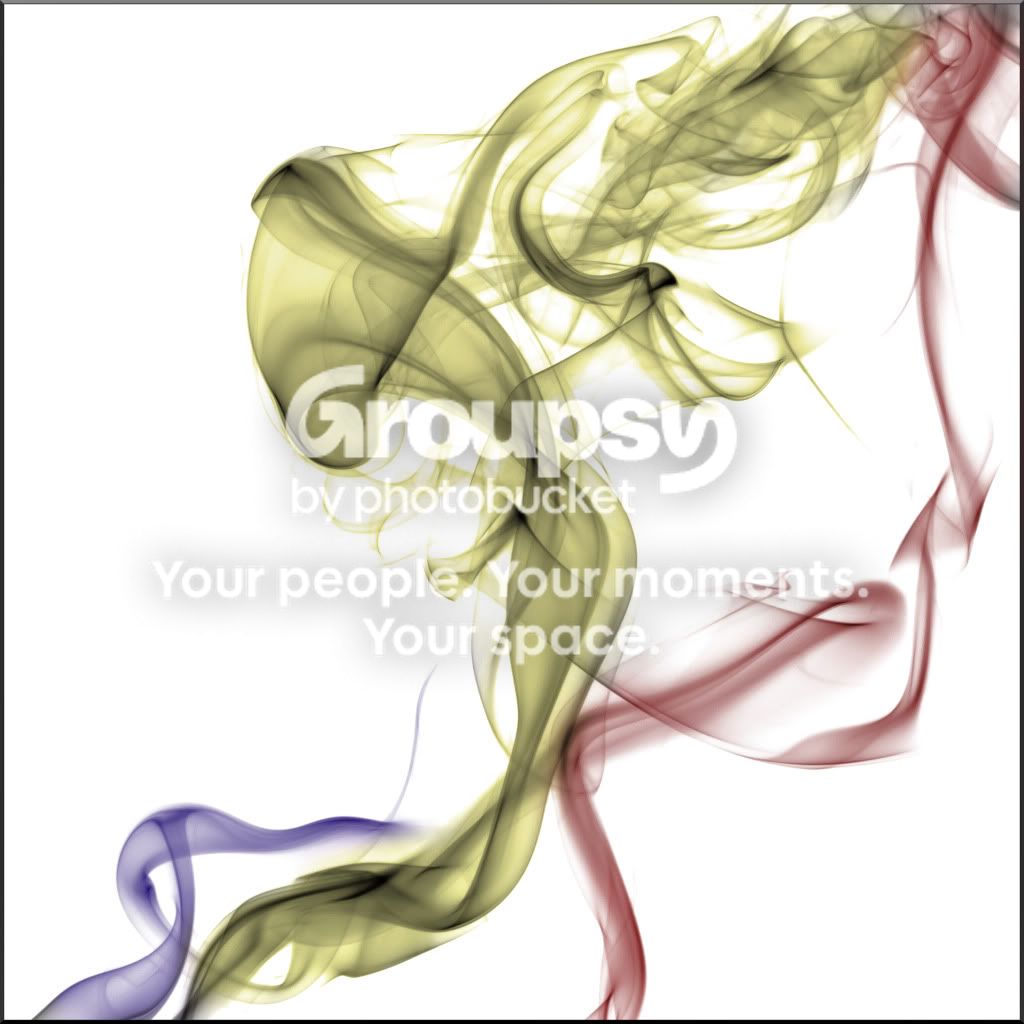
and with the color:

InvertD300Smoke1-22-11_0018Colorized.jpg
 
Last edited:
There's all kinds of ways.

Here is an image that I will add color to by making a new layer, changing the blending mode to 'Color', selecting different foreground colors and using a brush to apply each color:

InvertD300Smoke1-22-11_0018copy.jpg


and with the color:

InvertD300Smoke1-22-11_0018Colorized.jpg

Cool! Will try that out one day.
 

Create an account or login to comment

You must be a member in order to leave a comment

Create account

Create an account on our community. It's easy!

Log in

Already have an account? Log in here.

Back
Top Bottom