analog.universe
TPF Noob!
- Joined
- Apr 16, 2011
- Messages
- 1,923
- Reaction score
- 330
- Location
- Vermont
- Can others edit my Photos
- Photos OK to edit
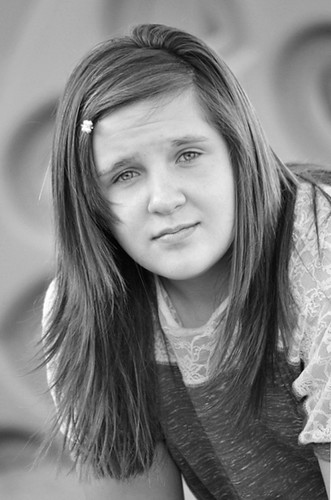
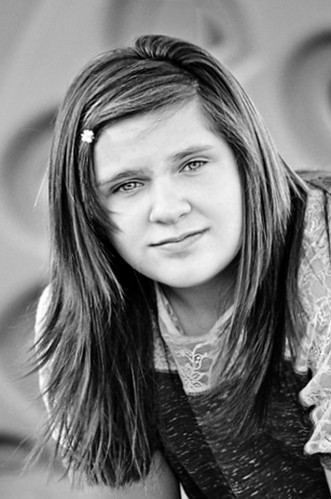
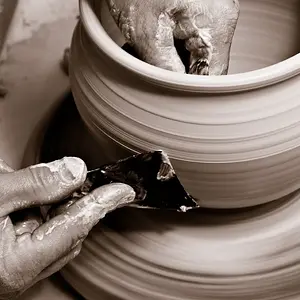
I'll add that when I'm editing, I pay close attention to "tell-tale" areas, in addition to trying to feel the image as a whole.
So, here's a short list of some things you can focus on, so you know if your edits are going too far, or not far enough:
Bright details (like the shirt sleeve)
Dark details (like the hair)
Smooth gradients (like the out of focus background)
Contrasty Edges
Skin Tones
When you're pushing any of the algorithms that you edit with, these types of things will "go off" first, so they're a good barometer for how far you can push. Carefully manipulating curves by hand, instead of using the contrast/brightness/whatever sliders, will allow you to be more gentle with sensitive areas, while still pushing the rest of the image.
So, here's a short list of some things you can focus on, so you know if your edits are going too far, or not far enough:
Bright details (like the shirt sleeve)
Dark details (like the hair)
Smooth gradients (like the out of focus background)
Contrasty Edges
Skin Tones
When you're pushing any of the algorithms that you edit with, these types of things will "go off" first, so they're a good barometer for how far you can push. Carefully manipulating curves by hand, instead of using the contrast/brightness/whatever sliders, will allow you to be more gentle with sensitive areas, while still pushing the rest of the image.

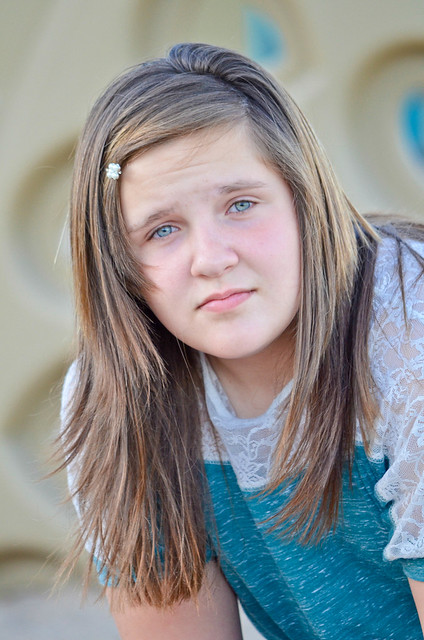


 It's a beautiful shot! You should be proud.




![[No title]](/data/xfmg/thumbnail/39/39543-dfebd471118eabdc8c41e2088dca98f3.jpg?1734173696)
![[No title]](/data/xfmg/thumbnail/38/38444-6063bb59cb410c520a1ccccbe58db9c7.jpg?1734172308)