JeffieLove
No longer a newbie, moving up!
- Joined
- Feb 8, 2010
- Messages
- 1,601
- Reaction score
- 15
- Location
- Elkton, MD
- Can others edit my Photos
- Photos OK to edit
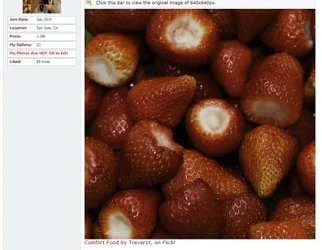
Trever, in google chrome (and apparently other browsers), these look flat...
In firefox or IE, you'll be able to see the actual colors no matter what color space it is (I think that's how it works)... You should make it a point in your post processing of images to make sure that images are saved in the sRGB colorspace as that is the most universal for internet browsers.
In firefox or IE, you'll be able to see the actual colors no matter what color space it is (I think that's how it works)... You should make it a point in your post processing of images to make sure that images are saved in the sRGB colorspace as that is the most universal for internet browsers.







![[No title]](/data/xfmg/thumbnail/39/39498-362f11d9bfd0d9e222faa85b38801745.jpg?1734173616)

![[No title]](/data/xfmg/thumbnail/32/32700-18534997be82e5150c566a9e67a00471.jpg?1734162255)