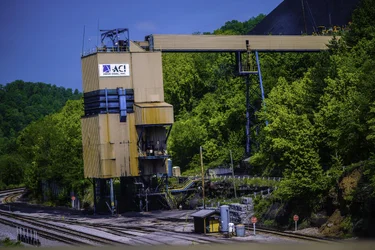
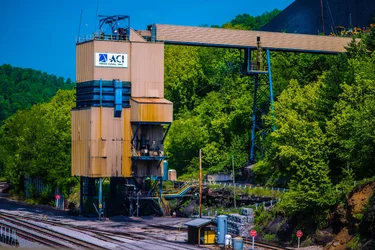
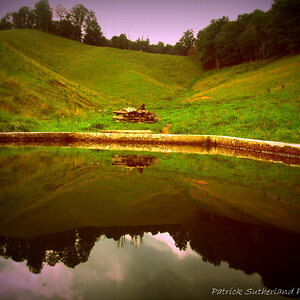
Being a amateur in all pinch & salt but to me it looks like the ground is sloping.There is a lot of things tilting in the photo so if it is, there is a lot of it.
I hope someone can see better than me, because it's just tilted left to me.
When I brought it into LR I just rotated it a bit. I checked it changing distortion properties but it looks good the way it is.
perspective distortion I've known as this
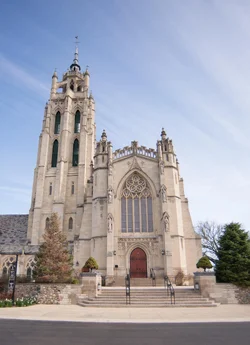
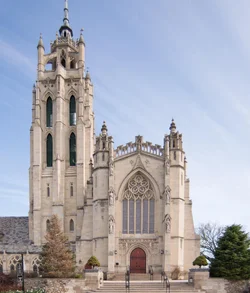
BEFORE
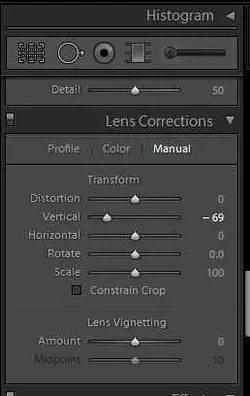
AFTER - I used the LR, Lens Correction, Transform, Vertical slider to -69 in this example to straighten up the building.
Of course, I'm waiting for some "pro" to tell me the correct thing that I'm talking about lol
NOTE: this is to correct the building distortion in my example above
But the rotate function is in the same section, which was used to correct the "tilt" in OP image.
In Lightroom (I'm on v4.4)
in Develop mode
on the right hand side a bunch of tools. Scroll down to the nearly very bottom
Lens Correction section - in Manual
Transform,
then the Vertical slider to -69 in this example to straighten up the building.
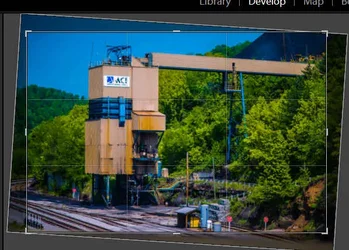
If you meant the "tilt" itself I just used the framing tool and rotated it
there's two ways of doing this.
I use the crop tool. Then move the pointer to the edge and it changes to a rotation tool.
OR
in the above Lens Correction area there is a "Rotate" slider .. it does the same thing though you can be very specific in the rotation number
If you meant the "tilt" itself I just used the framing tool and rotated it
there's two ways of doing this.
I use the crop tool. Then move the pointer to the edge and it changes to a rotation tool. View attachment 73929
OR
in the above Lens Correction area there is a "Rotate" slider .. it does the same thing though you can be very specific in the rotation number






![[No title]](/data/xfmg/thumbnail/37/37130-15360a524d273bc7dcd0beda3e9299ee.jpg?1734169834)

![[No title]](/data/xfmg/thumbnail/37/37532-7a6d436607118989fefaa0b2e7a81169.jpg?1734170689)
![[No title]](/data/xfmg/thumbnail/34/34685-17f2466cddc9890af6ca67c65e2e7d5c.jpg?1734165691)