What's new

Lanscape Photography

KevinPutman

TPF Noob!
Joined
Apr 13, 2011
Messages
545
Reaction score
19
Location
Nebraska
Can others edit my Photos
Photos OK to edit
What are the different rules for it, as compared with photography in general?

Also, C&C on this please?
2ups84w.jpg
 
One of the traditional landscape rules is to avoid positioning the horizon line smack-dab in the middle of the frame; the way you have the horizon bisecting this frame is a good example of what not to do. Also, another common idea is to have an interesting close foreground element, which this photo lacks; it has no "close foreground", but merely foreground, which stretches out for quite some distance. A third rule is to keep the horizon line level, which this photo does not do. That can be tricky many times when there is water, since the far shoreline may cause a level camera to create a VISUALLY not-level horizon line!!! This photo is basically water, then a narrow strip of trees, and then a large expanse of stormy cloudy skies. If one looks at it, there are six horizontal "lines" in the image, and although it's not a really compelling landscape, it is at least bearable to look at. It's moody and dark, and in decent focus...it's not "great", and yet, it's not "horrible" either. it has a consistent dark gray color palette from top to bottom and left to right, and a consistent, gloomy,stormy feeling to it.
 
Don't worry about rules! (But google around for landscape composition, and take some suggestions) ;)

I like what your exposure did to the clouds in this, really ominous. But, I would've put the horizon anywhere but the center.. try cropping the bottom off, halfway between the current bottom and the horizon, and see what you get. Otherwise i dig it :thumbup:
 
Its pretty dark. There is too much water and sky placing the tree line smack dab in the middle. What are your thoughts about it first? What did you hope to show?

I had to edit this, I originally viewed it on my inlaws pos, monitor and it looked really underexposed. I believe the intent was to have a dark moody look then its ok, its still pretty dark for my tastes.
 
Last edited:
Thank you Derrel, that's exactly what I was looking for.

Now which crop looks better?
1
1o3n6g.jpg


2
2nvsb2p.jpg
 
#1 is better, but still not quite there.

What's the red dot in the water?
 
Hmm I'll keep playing with it,

haha! totally didn't even see those!
They're bobbers. Someone was fishing on the dock.


Just noticed,
I can't spell landscape.
 
Last edited:
I like Crop #1, but as 480Sparky put it, this photo is still not quite there. One thing about photos on the web: we see a lot of them very small. Rules often dictate the size of images allowed; this site has a ridiculously small max allowable size. The single, floating red sphere in your otherwise monochromatic landscape would actually probably have some interest if I were standing in a gallery and looking at a 20-inch wide inkjet print of this image. Something to think about in this, the web age.
 
Hmm yes, definitely true. As I said, I didn't even notice the balls until he mentioned them.


I think this oughta draw attention to it!
11c9p35.jpg
 
Hmm..
tighter crop, more B&W, and a bit of selective coloring.
Does it look better here?
jr5jb5.jpg
 
If it is the sky the you like, or want to emphasize, then your photo should be mostly sky. If it is the foreground that gabs you, then include mostly the foreground. Either way, the horizon will be out of the middle.

With the dandelion, you have done well to keep it out of the middle. Motion needs some direction to go in and you have created it as the wind blows to the right. I like that you have blurred out the background, so nothing distracts us from the flower, ie. your main subject.

Google: "hot shoe bubble level" Adding one to your camera is a good way to keep it level.
 
Last edited:
There are times that having your horizon centered can work if there is symmetry in the image.


668703752_bJUJE-XL.jpg


More times than not, some type of leading line is of a benefit.​

668706536_J6EsP-XL.jpg


Sometimes colors and shapes are the drawing point.​

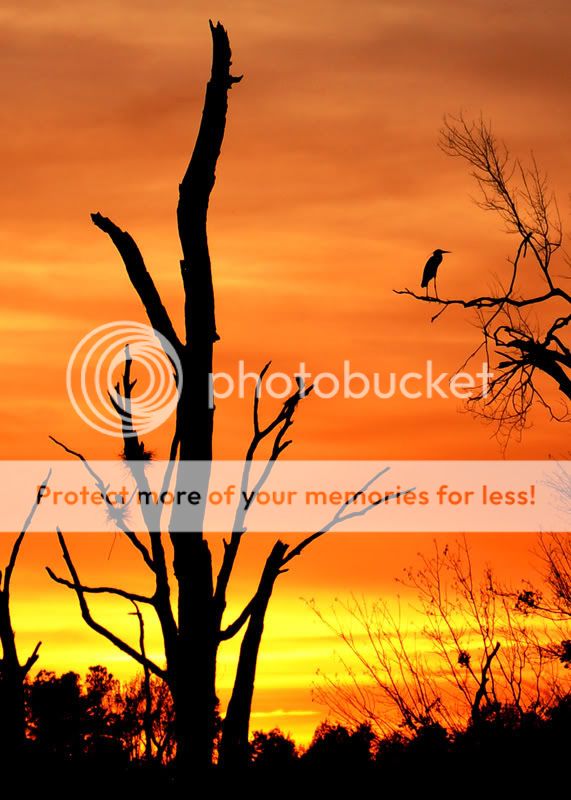
SunsetintheSwamp.jpg


,​
 
Here are a few quick edits I did...

ForForum.jpg


Pretty much the same image posted, just tonemapped, unsharpen mask, tilted the horizon, and black and white..

1-ForForum.jpg


This edit is the same as above but, I cropped the image a bit and added the border. Personally, I love borders for images like this because they force the eye to the center of the image. I know allot of people hate them but I figured I'd put it out there...

Anyway, There is only so much you can do with this image. If you had something in the foreground, this image would have had potential. Also, if you haven't learned about hyperfocal distance, google it. I promise it will make a huge difference in your landscape photography, and would have made those trees in the background razor sharp. Simply put, its shooting at an aperture between f11-f16 and focusing on the hyperfocal distance (without using a calculator, I have often found that focusing on an object in the foreground works just fine) and the rest of the image will be razor sharp.

I used the hyperfocal distance technique for this shot...

The Sunset after the Storm by Sirashley - DPChallenge

It was taken at a boat ramp, but if you notice, I have a sharp foreground along with movement in the sky that keeps the eye moving throughout the image. It also helps that I shot this with a sigma 10-20mm lens, which is a badass wide angle lens.

Well, anyway, just my two cents, I am by no means a pro, so take my advice for what its worth ;) Keep shooting and keep posting, and lastly, I leave edits in my photobucket for a week unless you want them removed sooner. Best of luck...

 
Interesting...if you need borders to force the viewer into the image...
 
Interesting...if you need borders to force the viewer into the image...


Well that was my point, there is no foreground, so I used borders to draw the viewers eye into the image... :mrgreen: I mean, I get what your saying, but I'm just using what I had to work with...
 

Create an account or login to comment

You must be a member in order to leave a comment

Create account

Create an account on our community. It's easy!

Log in

Already have an account? Log in here.

Back
Top Bottom