What's new

Long exposure question

Trigger

TPF Noob!
Joined
Sep 6, 2007
Messages
86
Reaction score
3
Can others edit my Photos
Photos OK to edit
I recently bought a graduated ND filter (1-8), so the other day I tried my first long exposure shots. As I am still in the learning curve of mastering the settings of a camera, I'm not sure if I did it correctly.

The images turned out not too bad, but please let me know where I might be doing something wrong.

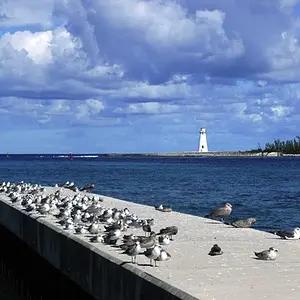
I had the camera in Shutter Priority mode, and put it at various times, up to 15 seconds, with the filter set near maximum, on a shoreline scene. It was about 4:30 pm, and very grey.

What I'm wondering about is how the camera is or ought to be focusing with such a dark filter on, and how I should properly be setting up the camera for these sorts of shots. Is manual mode where one should be?

A step-by-step procedure would be great.


I'm also wondering about something when I took these images: When the shutter first clicked, the LCD screen went black for the selected time, but then after that, it gave a count-down also for the same allotted time. So when was the exposure actually taking place? (Panasonic G3).
 
When your ND filter is very dark, usually you do manual focus. Usually for landscape like that, you want to be at infinity (focus all the way out and come back a little bit).

The exposure takes place when the shutter first clicked. Then it clicks again when it stops the exposure. After that your camera takes a while to process the file. The longer the shutter, the longer the process.
 
Focus before dialing the filter into the darker position, then turn off the automatic focus so it doesn't go hunting when the filter is darkened.

I've no experience with the Panasonic cameras, but typically, it takes about as long to write the data to the card as it takes to expose the shot when shooting RAW. It's exposing the shot during the first countdown, writing that data to the card in the second.
 
Thanks for the replies. It's nice to now know about when the exposure is taking place; there I was holding the tri-pod still (in windy conditions) while it was writing the file! Silly me.

I was shooting RAW, but I'm curious why a long-exposure shot would take so much longer to write than a regular shot.


So if I focus the camera with the filter dialed down, am I still ok in S mode?
 
Last edited:
Thanks for the replies. It's nice to now know about when the exposure is taking place; there I was holding the tri-pod still (in windy conditions) while it was writing the file! Silly me.

I was shooting RAW, but I'm curious why this shoot would take so much longer to write than a regular shot.


So if I focus the camera with the filter dialed down, am I still ok in S mode?

Not sure how you operate the camera. Best way to do it is to just turn off the AF like buckster was saying. If the auto focus is still on when you press the shutter button, it will probably focus wrong with very dark filter.

S mode is just a shooting mode. It has nothing to do with AF system.
 
Thanks all. I'm looking forward to trying the manual focus next time.

While we're at it, I recently coverted to the cult of RAW, and I knew that the files were going to be around the 18 MB size, but I noticed that the subsequent saved PSD file is around 135 MB! Wow - that's huge! Is that what I should be expecting? (The G3 is a 16 MP camera).

Also, here's the window that pops up when I go to save as a TIF from PS. Should I leave all those default settings? Something told me that perhaps the "Image Compression" should be "None". (???)
What does LZW stand for?


$TIF settings.webp
 
LZW is just another data compression format. It should not decrease your image quality at all, but should make the file size a bit smaller. It may or may not make it faster or slower to open the file, depending on a bunch of variables.
 
Check to see if your camera is set to do long exposure noise reduction.

LENR makes a second image of the same duration as the original, but with the shutter curtains closed. The camera uses the second image to subtract out image noise from the original.
 
Are you turning off shake reduction and locking up the mirror? Is the G3 mirrorless?
 
The G3 is mirrorless. Does it matter if the OIS is on or off? (my 14-45 lens has the OIS switch on the lens).

I don't recall seeing anything about LENR on my camera. shrug
 
I've been told it does and have always turned it off. With long exposure your camera may mistake subject movement with camera shake.
 
With this camera, I suppose that I don't need to cover the EVF for long-exposure a huh?
 
Check to see if your camera is set to do long exposure noise reduction.

LENR makes a second image of the same duration as the original, but with the shutter curtains closed. The camera uses the second image to subtract out image noise from the original.


Found it! The default setting in the camera was "ON". I guess it knows when one is doing a long exposure shot, and then goes to work.


$LENR.webp
 
LENR makes a second image of the same duration as the original, but with the shutter curtains closed. The camera uses the second image to subtract out image noise from the original.

If I understand well, the second shot is taken with closed curtains, so there won't be anything recorded?

case1: So you can put on your lens cap at that moment you're waiting. Or can you already pick up your camera and move around with it, while the process of noise reduction is still busy.

case2: Or do you have to leave your camera still on your tripod while this process is running, to keep your second shot exactly the same?
In that case, if passengers walk by or cars drive through in front of your lens, your second image will be different than your first, and the noise reduction process will fail?

I suppose case 1 is the right one?

Another question: do you guys often use that function with long night shuttertimes? Or do you try noise reduction afterwards on your computer with post processing techniques?
 

Create an account or login to comment

You must be a member in order to leave a comment

Create account

Create an account on our community. It's easy!

Log in

Already have an account? Log in here.

New Topics

Back
Top Bottom