Jonnyphish
TPF Noob!
- Joined
- Oct 13, 2012
- Messages
- 4
- Reaction score
- 0
- Location
- United States
- Can others edit my Photos
- Photos NOT OK to edit
Hello folks!
This is my first time to this forum, I'm happy to see so many cool people and all the helpful advice being given.
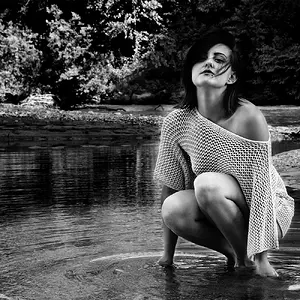
I struggled a bit on the editing of these photos, am just now getting around to exploring B&W edits. Sometimes it just seems to fit perfectly to capture that certain "feel". I seem to be having trouble balancing the Blacks and the shadows...trying to get my blacks black enough but not losing any details in the shadows.
Thank you for any advice!
#1

Lipp-130 by jonnyphish, on Flickr
#2

Lipp-92 by jonnyphish, on Flickr
#3

Lipp-85 by jonnyphish, on Flickr
#4
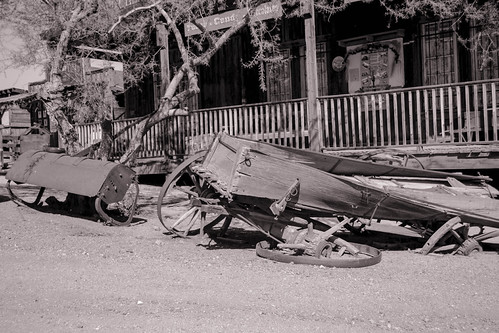
Lipp-73 by jonnyphish, on Flickr
#5
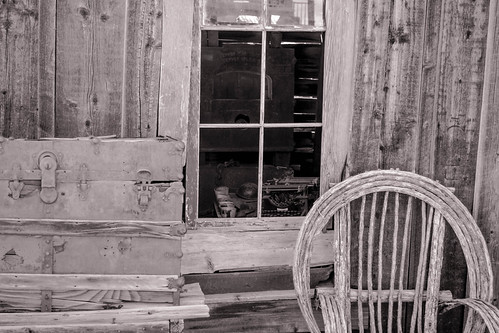
Lipp-66 by jonnyphish, on Flickr
This is my first time to this forum, I'm happy to see so many cool people and all the helpful advice being given.
I struggled a bit on the editing of these photos, am just now getting around to exploring B&W edits. Sometimes it just seems to fit perfectly to capture that certain "feel". I seem to be having trouble balancing the Blacks and the shadows...trying to get my blacks black enough but not losing any details in the shadows.
Thank you for any advice!
#1
Lipp-130 by jonnyphish, on Flickr
#2
Lipp-92 by jonnyphish, on Flickr
#3
Lipp-85 by jonnyphish, on Flickr
#4
Lipp-73 by jonnyphish, on Flickr
#5
Lipp-66 by jonnyphish, on Flickr


![[No title]](/data/xfmg/thumbnail/32/32929-22e23acc63d6ecb25e5ee941be87121f.jpg?1734162700)