What's new

Looking for some constructive criticism..... Portrait Photography

is all of your skin smoothing just airbrush?
 
I use portrait pro 10 and u can do smoothing and etc with sliders automatically but I'd say I do 95% of my retouching with the airbrus tool unless there's a lot of issues . Which there were n that 2nd headshot.
 
#1 doesn't work for me for many of the reasons Traveler stated. # 2 and you last one however are great. The editing looks on your last is very smooth. What did you use to do the airbrushing?
 
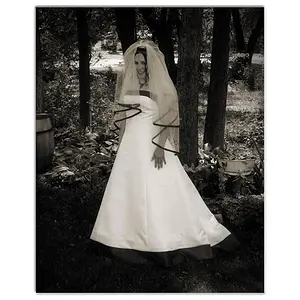
In number 2, the earing and clothes distract from the eyes which is where the visual attention should be. I would also run a comb through her hair.

skieur
 
Posing - Try to avoid having the shoulders square to the camera, or 90° to the camera.

If you want detailed C&C on a photo, just post one photo.

It takes time to analyze and then type a C&C response. If you post 2 or 3 photos, that's 2 or 3 times the work people have to do to respond, and few people will make the effort.

The bright open door behind the senior in #1 is distracting.

Except for the shoulder postion causing her eyes to be jambed into the side of her eye sockets, it's a good image.

The little boy is under exposed and not well separated light wise from the background. IMO the DOF was a bit to shallow, and his shoe should be in focus.

Sometimes to get the DOF you want/need witha 50 mm, you have to back up and shoot the subjct at a smaller scale in the photo and crop post process to regain subject scale.
 
Last edited:
I'm no professional, but here is what I would of done.

Photo 1-
- Had subject stand with both feet on the ground, one forward more then the other. Then had subject put her weight on her back foot, making her appear slimmer.
- Had her lower her arms so that she could bend them & create angles. Angles make for a more interesting portrait.
-Watched the way the clothing lays on her body-the wrinkles in the jeans by the crotch, bust, etc. isn't very flattering and call attention to those places.
I would of also tried shooting a foot or so higher then the subject to put more emphasis on her face and eyes, and less on the rest of her body.

Photo 2-
-I would've had her turn towards me just a bit more, so that the eye furthest from the camera didn't look crossed. Otherwise, it's a lovely portrait!

Photo 3-
-Once again, I would've checked how his clothing lays on his body,he looks sloppy. Granted, I know there is only so much one can do with a 2 year old!
-Changed camera angle or how the child was sitting so that the shoes didn't end up in the photo the way they did. I find them distracting!


Other then those things, I wouldn't change anything!

 
Im not a pro, but I definitely liked #2, the lighting on her face is clean and even.
 
I am a newbie. I have read many treads here, and heard a lot about flat and undersaturated pics. Can someone explain what cause the problems and how to avoid? Does fill flash help?
 
Flat means: no shadows to create a sense of depth. It happens when the light source is right on the lens axis, like from the pop up flash unit, a flash unit on the camera hot shoe, or the sun being directly behind the photographer. Ovecast skys can also cause flat light because the ovecast makes the light intensity very even throughout a scene.

Under saturated: means colors are muted and less vibrant than reality.
 
Thank yall! I really appreciate you taking the time to give me some CC. I hope to share more soon!
 
1 and 3 im not a fan of. 1 just looks amatuer and just not that appealing. Its not that its bad its just not that good either. 3 is better but you clipped it some. Watch for that.

Now 2 is quite amazing. its on the next level up from the other two. more like that.

One last suggestion. Get photoshop.
 
Thank yall! I really appreciate you taking the time to give me some CC. I hope to share more soon!
Study, practise, self-critique, look at accommplished photographers work, study some more, practice, self-critique, look at accommplished photographers work, study some more, practice, self-critique, shoot some more portrait shots....

and then share some more for critique here.
 
1 and 3 im not a fan of. 1 just looks amatuer and just not that appealing. Its not that its bad its just not that good either. 3 is better but you clipped it some. Watch for that.

Now 2 is quite amazing. its on the next level up from the other two. more like that.

One last suggestion. Get photoshop.

I'm terrified of photoshop! LOL. I'm afraid I'll start going overboard editing.... and I'm afraid my current computer setup - a 3 year old ACER laptop... is not gonna cut it... I am coming into a big chunk of change soon tho and am planning on a few investments, including a Canon 70d, and a 24-70 2.8 lens....a new desktop or laptop AND Photoshop CS5 and Lightroom. lol. The learning process will NEVER stop... Seriously. lol.
 
Why CS5 and Lightroom?

The Camera Raw that comes with CS5 is the same edit rendering engine, ACR 6, used by Lightroom's editing feature, the Develope module.

Lightroom's primary function is as a database mangement application. Lightroom is intended for photographers that consistantly make, and need to monitize, a lot of images that occupy a substantial database.

CS5 also includes Bridge, a image browser that has many image file management features. Bridge is designed to work with many of Adobe's other software applications.

Though not a database management application, Bridge is more than adequete for most amateur, advanced amateur, and retail photographers.

However, it's your money.
 
So.... I'll jump into CS5 with lots of tutorials. I wasn't aware that's what Lightroom was..... I was originally just going to invest in it for the purpose of tweaking exposures.
 

Create an account or login to comment

You must be a member in order to leave a comment

Create account

Create an account on our community. It's easy!

Log in

Already have an account? Log in here.

New Topics

Back
Top Bottom