I know you have copyright of your photos in your sig, but you don't have the "edit my picture" option under your avatar.
I promise I edited this for the enjoyment of editing a photo and because I think I could help you out slightly. This is what I came with in about 5 minutes. (literally)
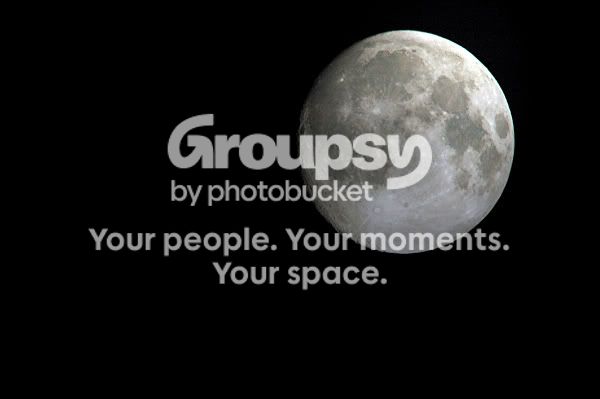
Yours:
My edit:
____
My editing process:
1) I simply fixed the color cast. In photoshop go to Enhance>Adjust Color>Remove Color Cast. (sometimes auto color correction works)
2) I added an interesting lighting effect. I tried to keep it somewhat realistic (I still could have overdone it a bit). In photoshop go to Filter>Render>Lighting Effects and try out some stuff. I think this added an element to your moon. (maybe just because I'm biased of myself)
3) Sharpening! I went to Enhance>Adjust Sharpness to sharpen it up a
little. Then I clicked on the blur tool then went to the sharpen option. I zoomed in and sharpened the details of the moon a little bit. (now you can tell a difference with the sharpening)(also, you can switch to blur tool if you over-do a spot)
4) Tiny bit of midtone contrast (I think). I don't know why I did it or if it helped the shot at all anyways haha.
That's all I did. Do you like it or does the lighting effect make it seem to unnatural?
BTW if you don't want it to be edited I can edit it out of this post and erase if from my computer immediately.










![[No title]](/data/xfmg/thumbnail/37/37606-3c9ffb5906173fa2aa489341967e1468.jpg?1734170733)