What's new

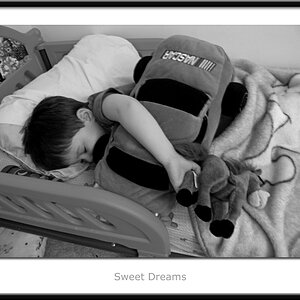
My 3 Year Old Model...C&C Please!

DavidSR

TPF Noob!
Joined
Oct 1, 2008
Messages
262
Reaction score
0
Location
Rowlett, TX
Can others edit my Photos
Photos OK to edit
Hey guys,

These aren't the best, but I would like to start getting paid for doing this some time and would like all the C&C I could get. I know I cut off his legs, but with as fast as he moves..I don't have much time to compose my shots.

Thanks for looking!

1.
p137080374-4.jpg


2.
p279297512-4.jpg


3.
p1011023356-4.jpg
 
In photo#1, it gave me a feelings of he will fall out of the photo as the horizon seem to be not level.
 
In photo#1, it gave me a feelings of he will fall out of the photo as the horizon seem to be not level.

That was the 1st thing I did to that photo. Try to straighten it!!! Any other ways of fixing that? I used the measure tool and image - rotate canvase - arbitrary. I used one of the train tracks when I did this.
 
#3 is the best one so far, but, i thinks it would be better if you avoid chopping some body parts as you can see on the 3 pictures.
 
Thanks for the comment! Sometimes it's so frustrating when I take him out with the intent of shooting. He moves around so much and is never cooperative lol :)
 
I LOVE #1. This is one of my favorite kid portraits ever! I think b/c of the setting...so 'boy' like. It would be better if you didn't cut his legs...next time offer him ice-cream if he stays still ;).

#3 has a weird color tint to it, I also don't like seeing the wall he's sitting on. Kinda looks unsafe LOL. I also like #2 except for you cut off his left side :( Cute kid!

I tried straightening it. I used the horizon, the tracks are somewhat angled (on a hill maybe?) so using them is difficult. Can you even tell I straightened it? It moved it like .83 degrees.
3099725127_991f0316f4_o.jpg
 
I LOVE #1. This is one of my favorite kid portraits ever! I think b/c of the setting...so 'boy' like. It would be better if you didn't cut his legs...next time offer him ice-cream if he stays still ;).

#3 has a weird color tint to it, I also don't like seeing the wall he's sitting on. Kinda looks unsafe LOL. I also like #2 except for you cut off his left side :( Cute kid!

I tried straightening it. I used the horizon, the tracks are somewhat angled (on a hill maybe?) so using them is difficult. Can you even tell I straightened it? It moved it like .83 degrees.
3099725127_991f0316f4_o.jpg

Thanks so much for the kind words!! You can barely tell it was straightened, but every little bit helps :)..what method did you use to try and straighten it? He wasn't sitting on a wall in #2..it was a very small ledge..his feet were about 5 inches off the ground lol.

On #3..I think the color on his face is due to the saturation and contrast increase. I'll go back and try to tone it down or put a layer mask on his face.
 
I actually prefer it NOT straightened... but to each their own. #1 is my favorite, but you have some harsh shadows on the face. Are you using any reflective surface? You could try bouncing light back up at him. White poster board works fine as a cheap alternative to fancy made-for-photography reflectors.
 
p137080374-5.jpg

here my attempt at staitening it.
 
The only thing I'm using for fill is my Vivitar flash. If you look carefully you can see a very small catchlight of my flash in his eyes :). It was just me and him so I had no way of holding a reflector even if I had one..unless I just laid it on the ground ;). I have no idea what this would have looked like without flash, but the shadows might have been more harsh.

Thanks for the comment!
 

Create an account or login to comment

You must be a member in order to leave a comment

Create account

Create an account on our community. It's easy!

Log in

Already have an account? Log in here.

Back
Top Bottom